Rev AA Changing Variable Information 4-15
Videojet DataFlex 6420 Operator Manual
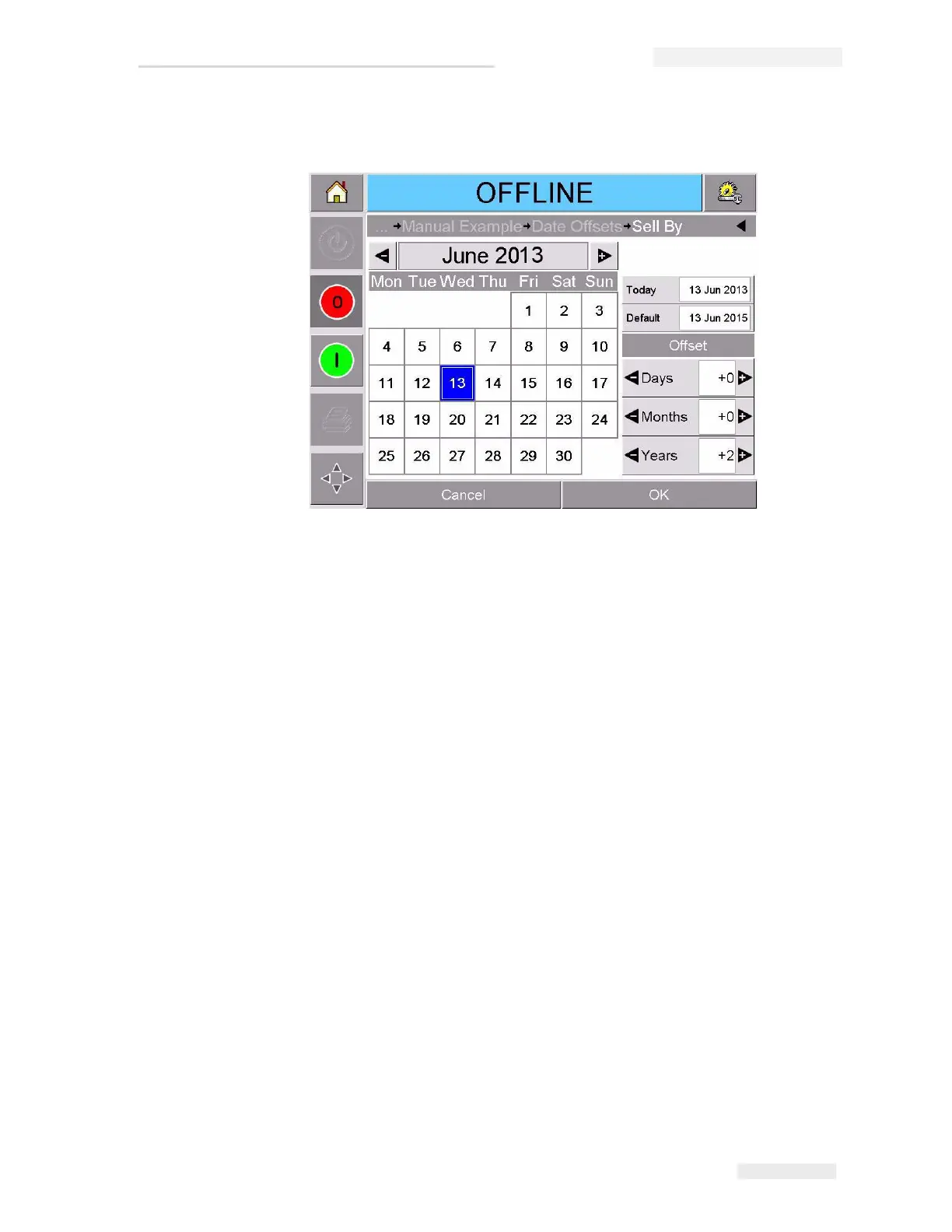
3 Touch the data window to display the Calendar page (Figure 4-10).
4 Touch the + or - button to change the month and year.
5 Touch the date on the calendar to choose the date of the month, and
touch OK.
Note: Any dates that are not available for selection because of pre-defined
rules that may have been set in CLARiSOFT
®
are dimmed.
6 Repeat Step 3 to Step 5 for each date, if you have multiple dates in
your job.
7 Return to the Job Variables display and ensure that the check box for
each date variable is checked.
Figure 4-10: Calendar Page



 To Next Page