VIVOTEK
User's Manual - 107
How to Edit Scheduled Backup Settings
VAST LiveClient supports scheduled backup which allows the user to back up the recorded data
in another disk.
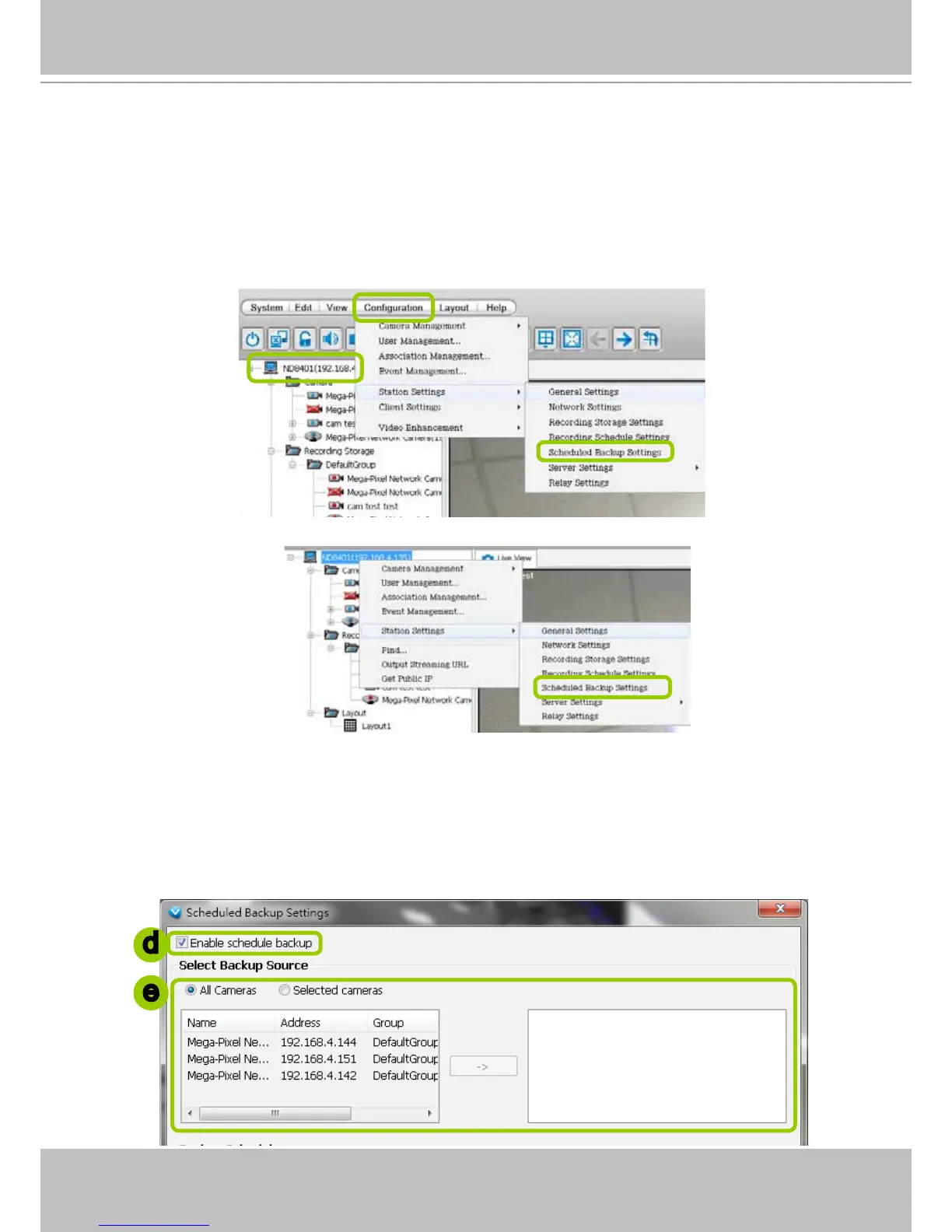
Please follow the steps below to enable scheduled backup settings:
a. Select the target station from the device tree.
b. Click Conguration > Station Settings > Scheduled Backup Settings on the menu bar (or right-
click the station and select Station Settings > Scheduled Backup Settings).
c. The Scheduled backup settings window will prompt.
Select Backup Source
d. Check Enable schedule backup.
e. Select the data source you want to backup. If you check Selected cameras, you can click >> or << to
choose the data source that you want to backup.
d
e



 To Next Page