VIVOTEK
User's Manual - 73
Event Management
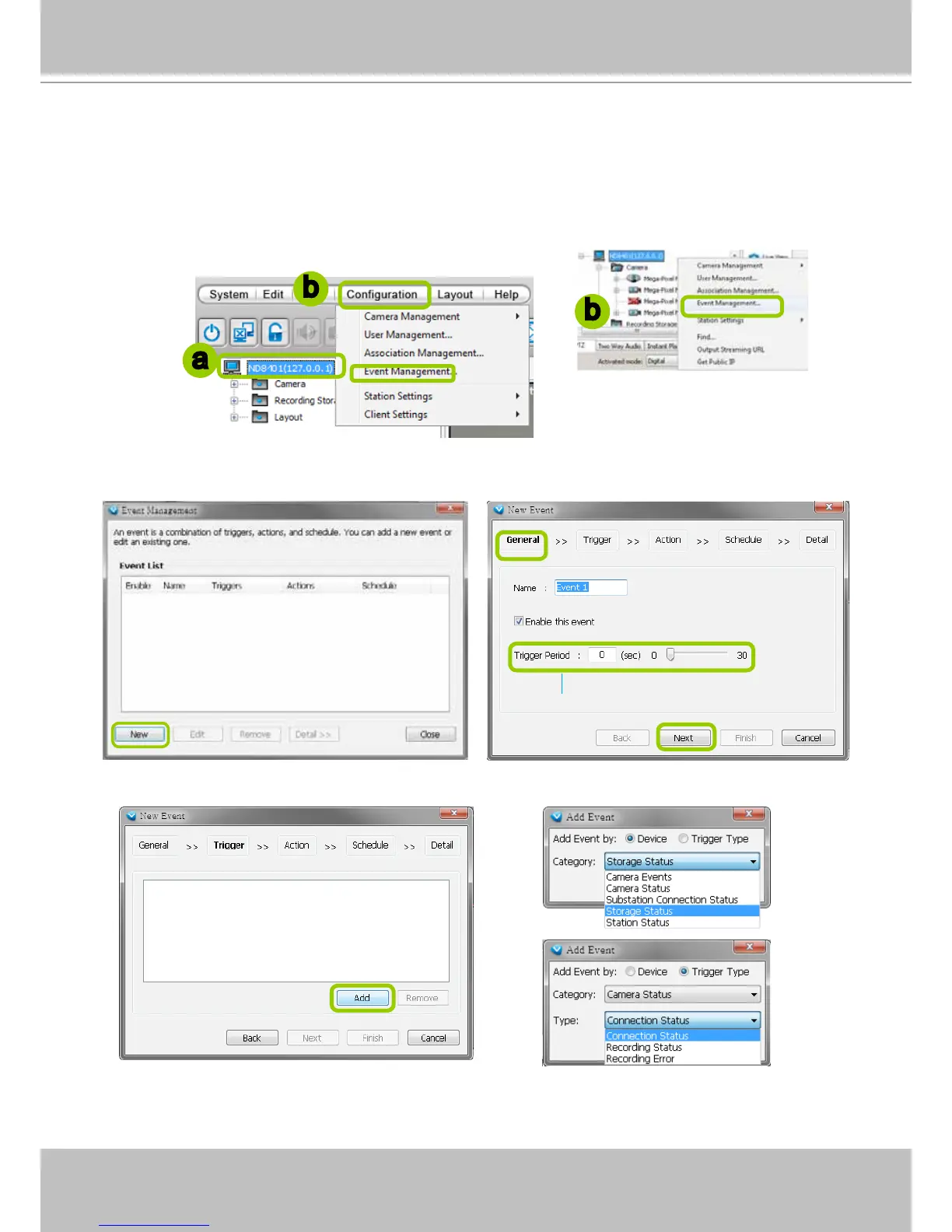
Please follow the steps below to congure event management:
a. Select the station from the hierarchical management tree.
b. Click Configuration > Event Management on the menu bar (or right-click the station and select
Event Management).
c. The Event Management window will pop up. Click New to set up a new event. When you nish the
general settings, click Next to set up trigger source settings.
d. Click Add to select the trigger source by Device or Trigger Type.
a
b
b
Detect next event after 5 secs



 To Next Page