VIVOTEK
110 - User's Manual
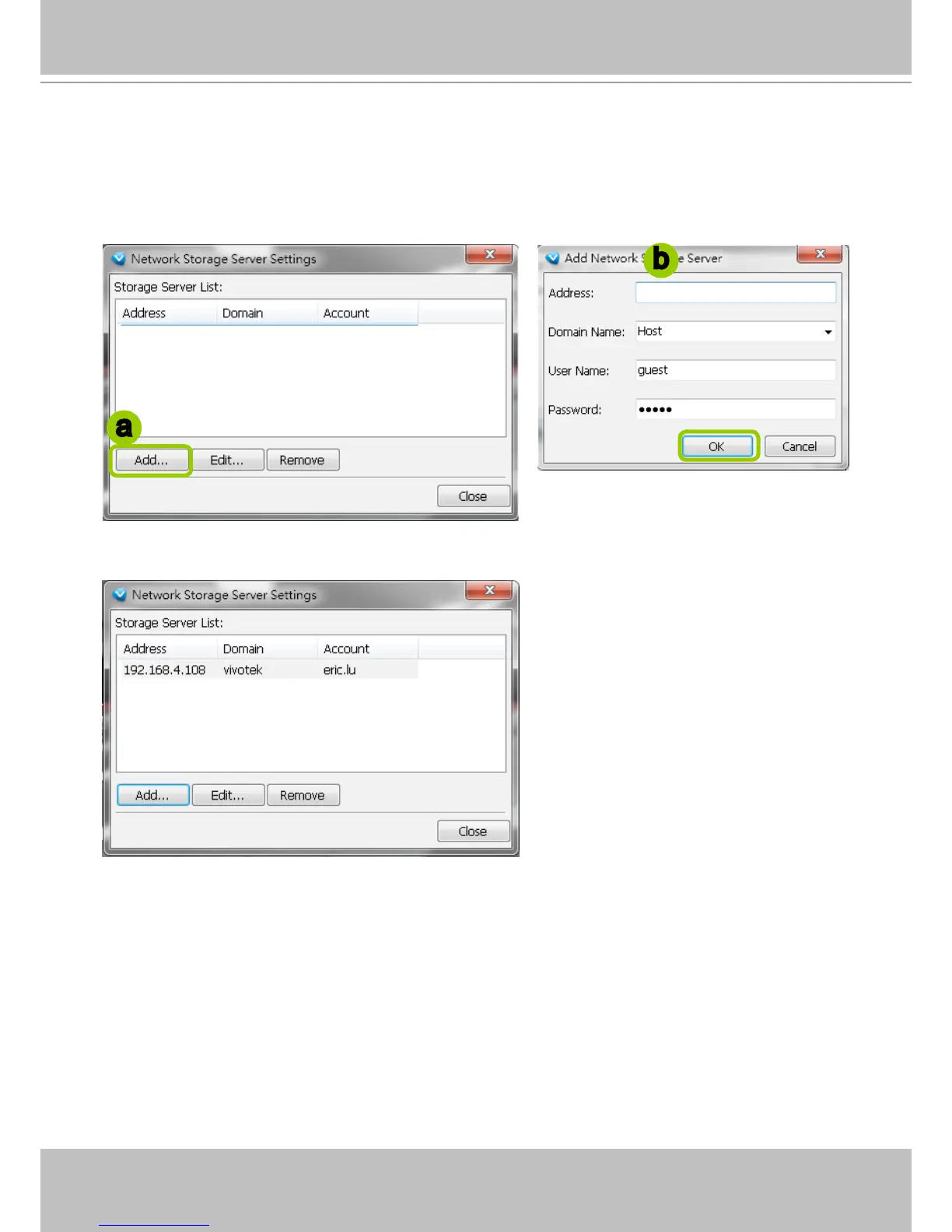
Network Storage Server Settings
The VAST Server allows user to set up network storage path(s) for recorded les. Please follow
the steps below to add a new network storage path.
a. Click Add to open the Network Host Window.
b. Fill in the related information for the network host. Then click OK to save the new settings.
c. If you want to add more network host(s), please repeat step a. b.
a
b



 To Next Page