VIVOTEK
64 - User's Manual
How to Manage Stations
A standard VAST Server allows you to construct a hierarchical management system by adding
more sub-stations to the root station. The NVR system can be included into a hierarchy
managed by a dominating VAST server. The NVR system itself can not manage other sub-
stations.
Relay Settings
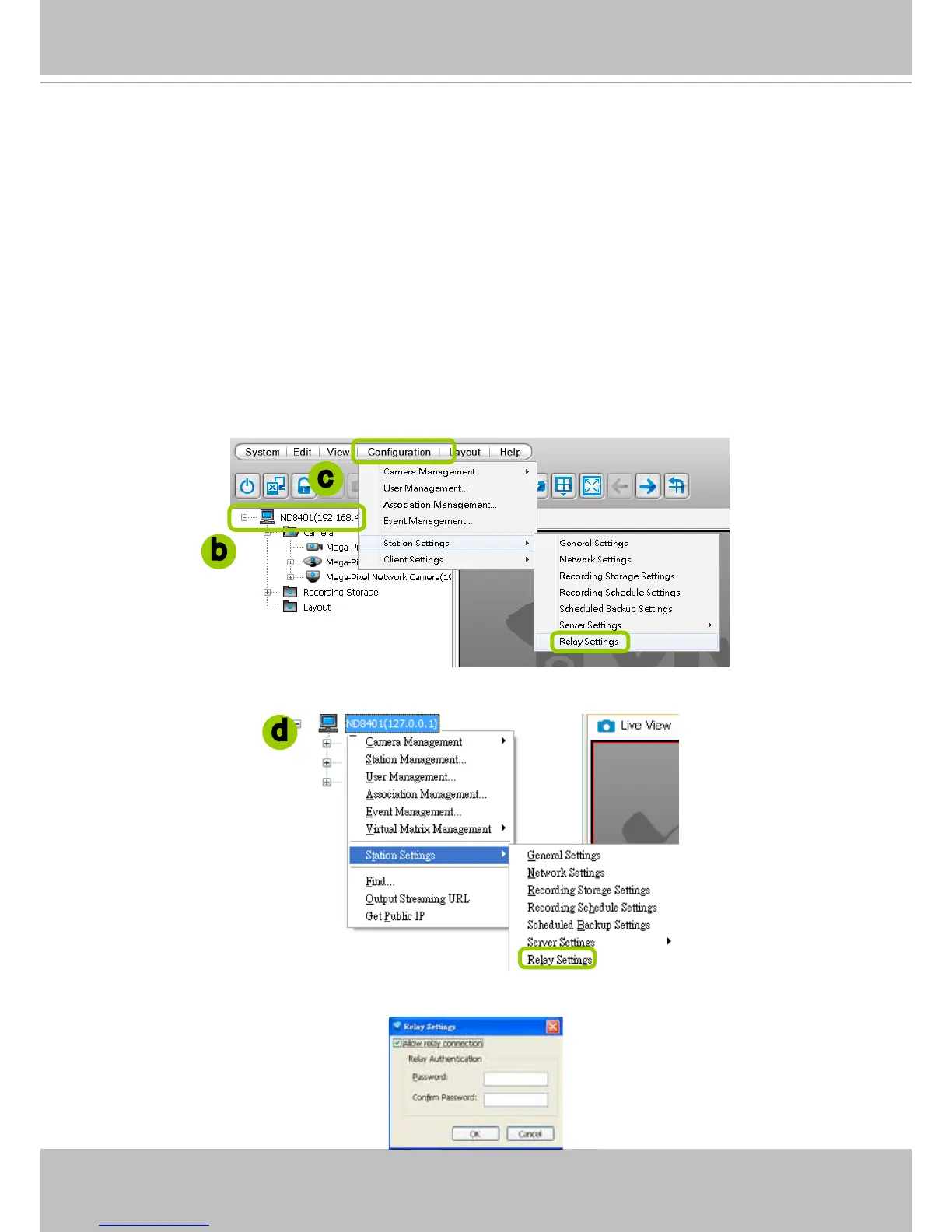
Before adding a sub-station, please follow the instruction below to enable the sub-station's
Relay Settings rst.
a. Login to the sub-station.
b. Select the station from the hierarchical management tree.
c. Click Conguration > Station Settings > Relay Settings on the menu bar (or right-click the station
on the hierarchical management tree and select Station Settings > Relay Settings).
d. The Relay Settings window will pop up. Check Allow Relay Connection and enter a Password.
Then click OK to enable the settings.
b
c
d



 To Next Page