VIVOTEK
130 - User's Manual
Built-in Media Player--EXE
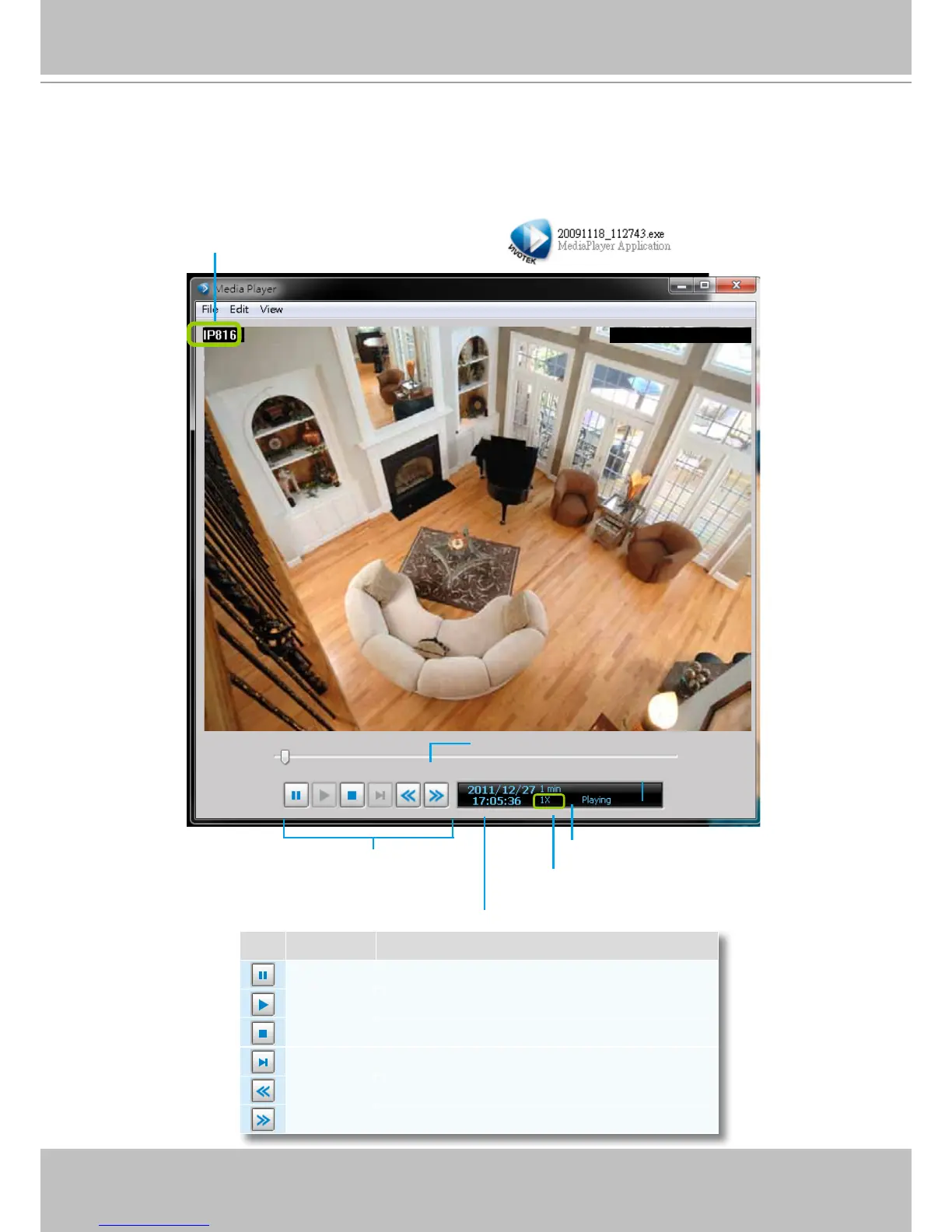
Below is the icon of footages saved as EXE les. Double-click on it, the recorded video will be played
automatically as shown below. If you installed LiveClient on your PC, you may also open the built-in
Media Player (VMSMediaPlayer.exe) in the default location: C:\Program Files (x86)\VIVOTEK Inc\VAST\
Client\LiveClient.
Icon Function Description
Pause Pause playback of the focused video clip
Play Start playback of the focused video clip
Stop Stop playback of the focused video clip
Next Frame Go to the next video frame of the focused video clip
Slow Down Slow down the playback rate
Speed Up Speed up the playback rate
2012-12-12
12:46:27
2012-12-12
12:46:27
2012/12/12 PM 12:46:27
Control Buttons
Timeline Slider
Status Panel
Current time of the video clip
Total length of the histogram
The playing rate can be 1/8, 1/4, 1/2, 1X, 2X,
4X, 8X, 16X, 32X, and 64X.
Video Title



 To Next Page