VIVOTEK
User's Manual - 111
SMTP Settings
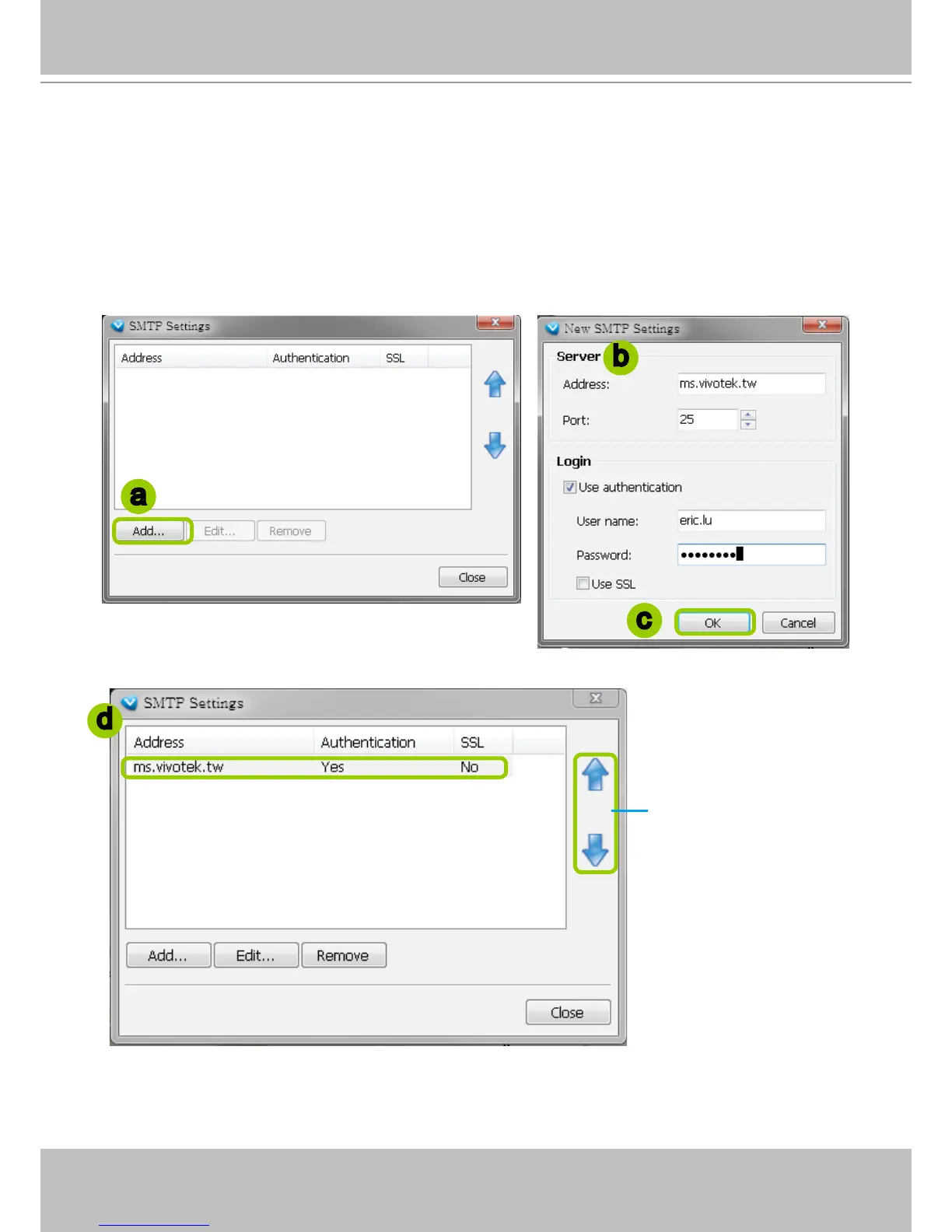
VAST Server allows user to set up SMTP Server to send mail alert when event triggers. For
more information about how to set up event management, please refer to page 72.
Please follow the steps below to congure the SMTP Server:
a. Click Add to open the SMTP Settings page.
b. Enter the related information of your mail server. If your SMTP server requires a secure connection
(SSL), check Use SSL.
c. Click OK to enable the settings.
d. Then the new information will appear on the SMTP Settings window as shown below.
b
a
c
d
If you have more than
one SMTP server, you
can click to arrange the
priority.



 To Next Page