VIVOTEK
84 - User's Manual
Default Storage Group Settings
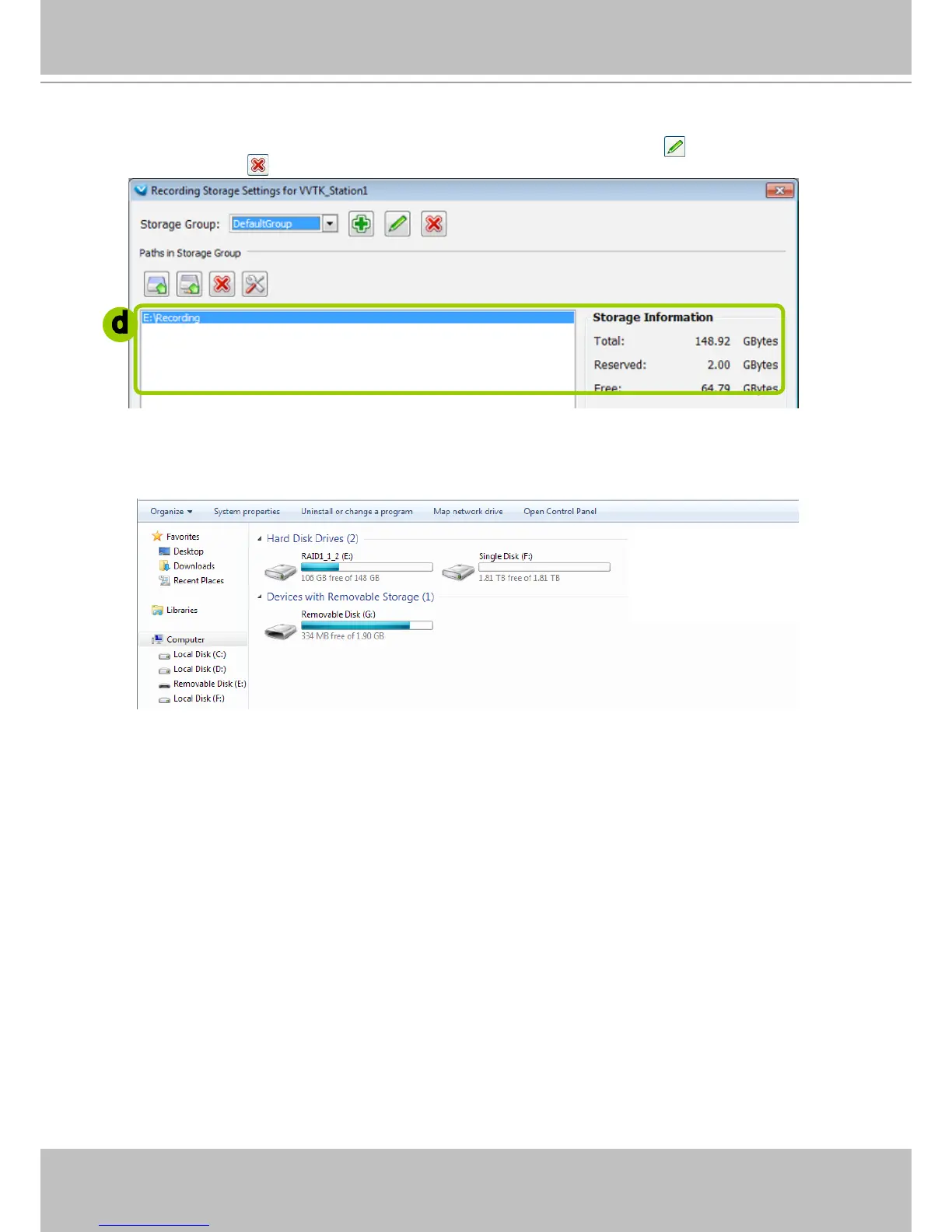
The following example shows the default storage group settings. You can click Rename to modify the
group name or click
Delete to remove the default settings.
d. The default recording path is E:\Recording. The total space and free space of the disk is shown on
the right for reference. On the NVR system, the boot disk (IDE ash) is segregated into two logical
partitions as C: and D: drives. C: and D: are not used for storing user data. The E: partition, the disk
volume you created from the SATA drives is used for recording video data.
d



 To Next Page