VIVOTEK
User's Manual - 49
Camera Conguration
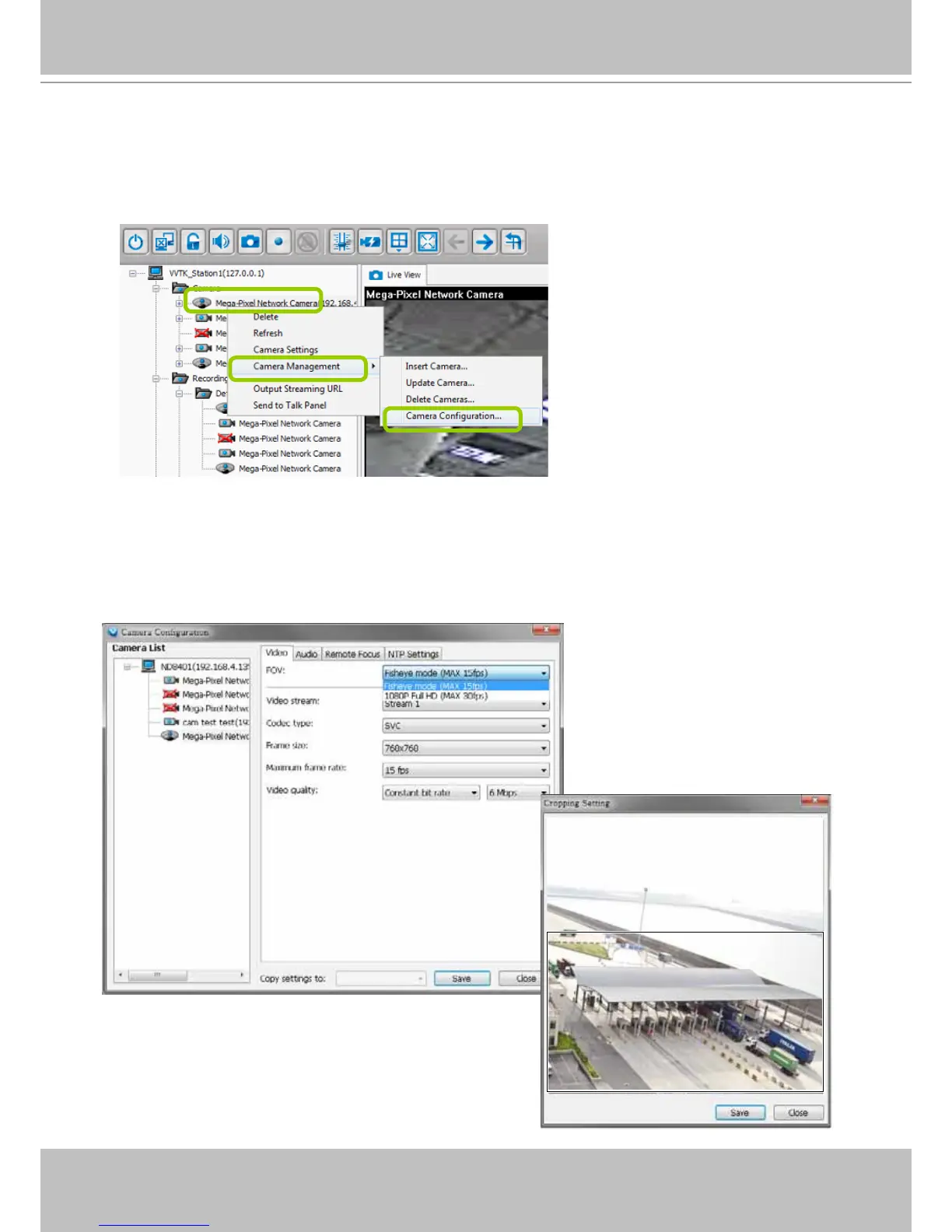
The Camera Conguration function group provides immediate access to the video streaming and other
settings without the need to open a web console. The function group is accessed by selecting a camera
on the device tree, and right-click to select Camera Management > Camera Conguration.
FOV (Field of View)
The FOV configuration is available for 5 megapixel cameras (such as FE8172, IP8372, and IP8172P),
which allows you to crop a portion of the image captured by the sensor. The FOV setting applies in the
scenario where you do not need all of the video a camera can capture. For example, when shooting a
parking lot where the upper half of the image is the sky. Cropping a field of view can help save bandwidth
and reduce the requirements for storage space.



 To Next Page