VIVOTEK
User's Manual - 181
Search Login Activities
This function allows you to search the operations the user performed during the login period of time. You
can search for login activities on the Local Logs or Login History page.
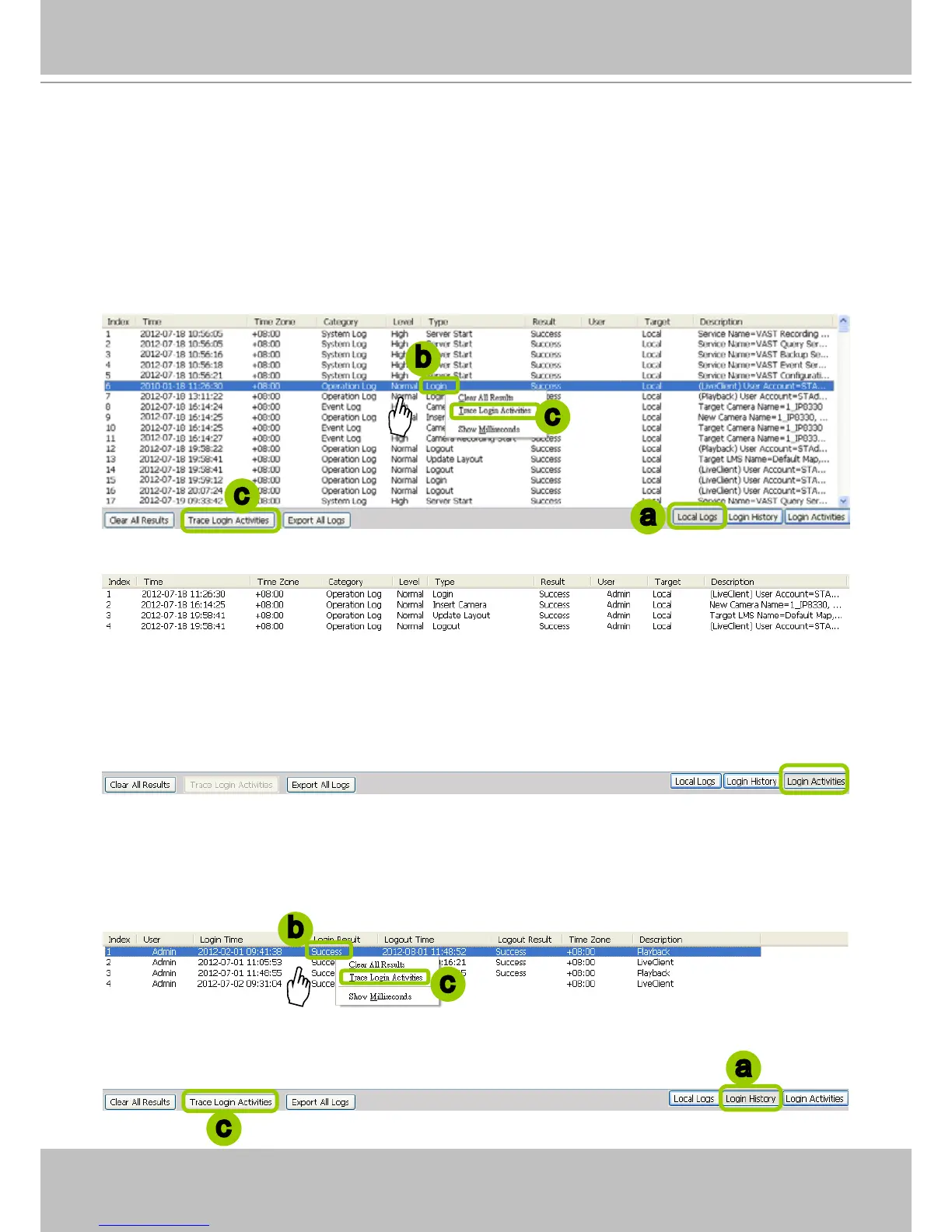
Search Login Activities on the Local Logs page:
a. Click on the Local Logs page.
b. Select a login/logout option from the list.
c. Click Trace Login Activities (or you can right-click the selected login/logout option on the list, then
click Trace Login Activities).
d. The search results of the login activities will be displayed on the Login Activities page as shown below.
Search Login Activities on the Login History page:
a. Click on the Login History page.
b. Select a login/logout option from the list.
c. Click Trace Login Activities (or you can right-click the selected login/logout item on the list and
click Trace Login Activities).
a
b
c
c
a
b
c
c



 To Next Page