VIVOTEK
18 - User's Manual
Ready to Use
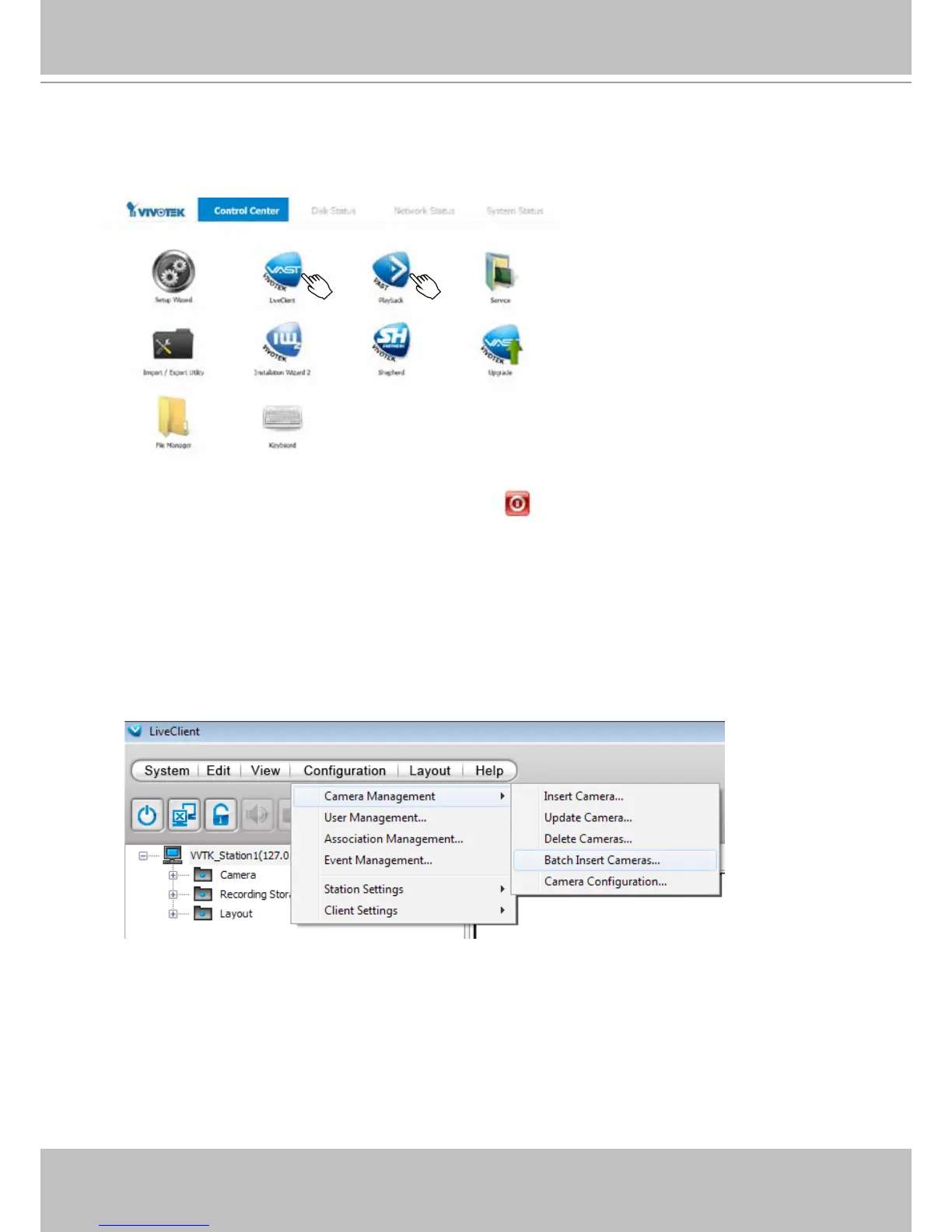
1. You will then be at the Control Center screen. Double-click on the LiveClient or Playback
buttons to congure live viewing and recording settings.
2. Open the LiveClient utility to change live view layout, camera streaming frame rate, and other
options.
3. 3-1. By default, the Batch Insert Cameras window will prompt for you to recruit cameras into
your conguration.
You may also access the same conguration page in the Conguration menu. Select
Camera Management > Batch Insert Cameras.



 To Next Page