VIVOTEK
176 - User's Manual
Backup the Event Videos
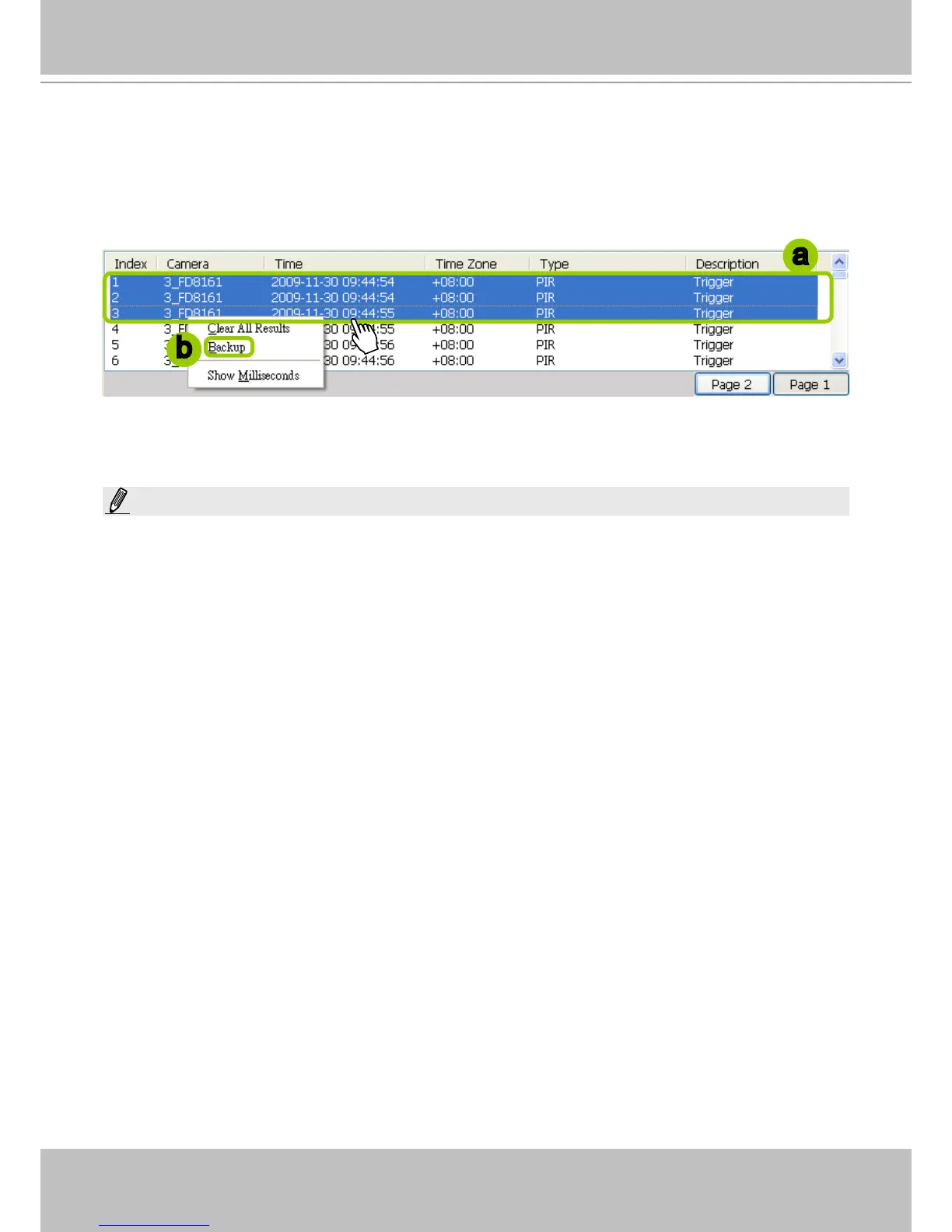
Please follow the steps below to backup the evnet videos on the results list:
a. Select the video clips you want to backup. You can select more than one video clip using the Shift key.
b. Right-click the selected video clips and click Backup.
c. A Backup Settings window will pop up. For more information about how to set up the Backup
Settings, please refer to page 163. For more information about how to view backup les, please refer
to page 165 for detailed illustration.
a
b
NOTE:
The backup function does not take effect on a Playback separately installed on a client PC. Namely, you
can not backup videos on an NVR to a client PC.



 To Next Page