VIVOTEK
138 - User's Manual
Joystick Settings
This section explains how to remotely control the network cameras using a USB joystick.
Enable Joystick
Connect to the USB plug of the joystick to a USB port on your computer. Supported by the plug-in in the
main page (Microsoft’s DirectX), once the plug-in in the main page is loaded, it will automatically detect if
there is any joystick on the computer. The joystick should work properly without installing any other driver
or software.
Then you can begin to congure the joystick settings of connected devices. Please follow the instruction
below to enable joystick settings.
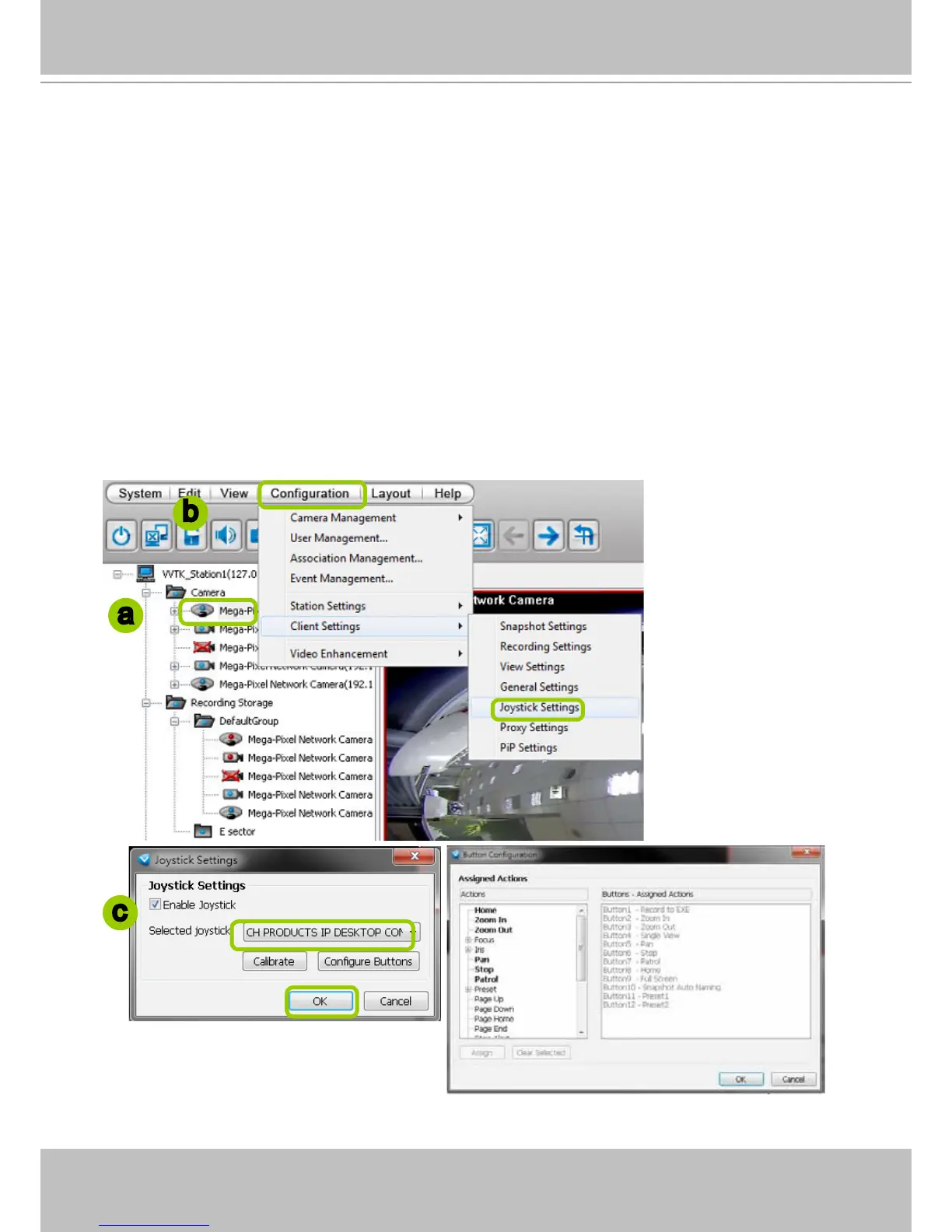
a. Select the target device from the hierarchical management tree.
b. Click Conguration > Client Settings > Joystick Settings on the menu bar to open the Joystick
Settings window. If your joystick is working properly, it will be displayed on the drop-down list.
c. Select the joystick you want to congure. Check Enable Joystick, then click Congure Buttons to
open Buttons conguration window.
a
b
c



 To Next Page