VIVOTEK
User's Manual - 149
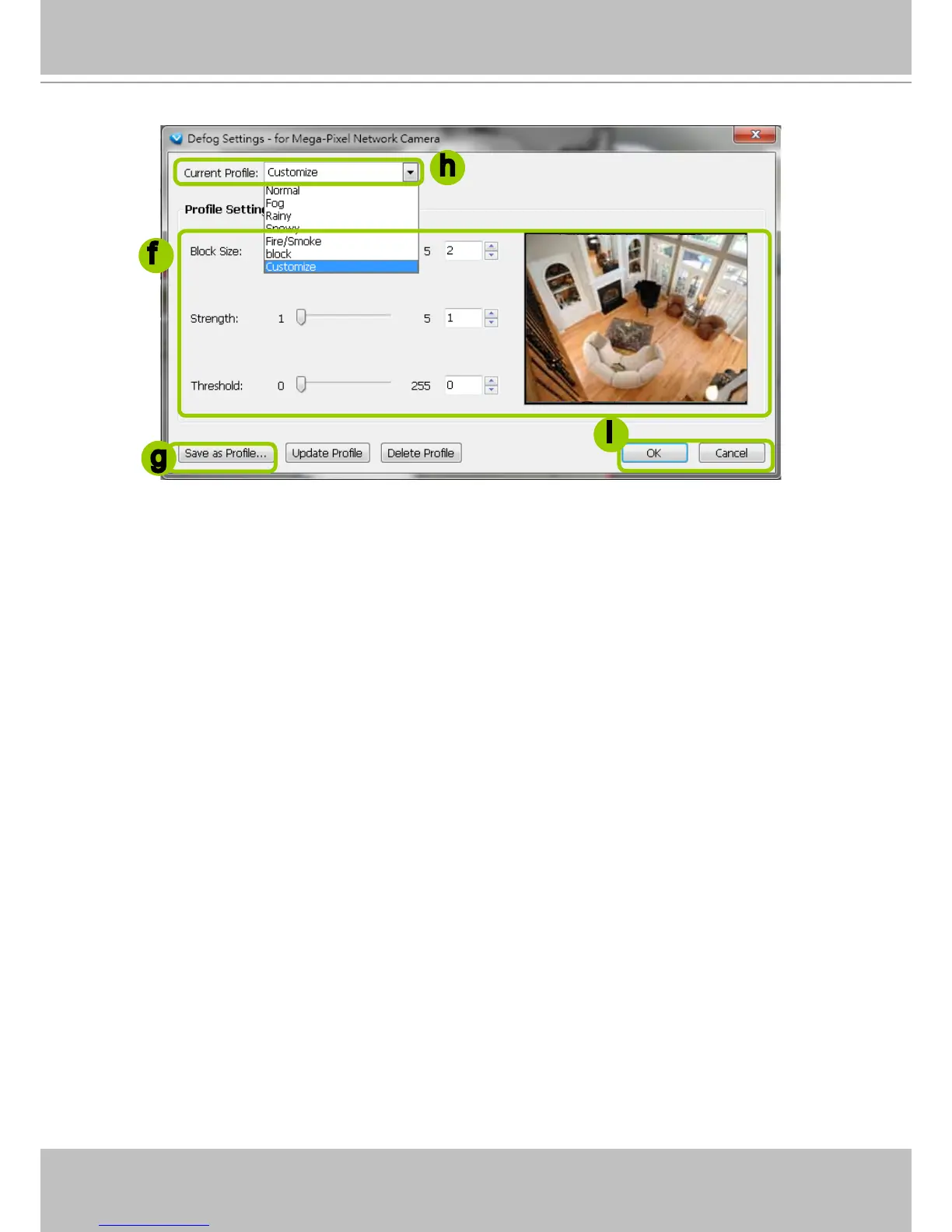
f. Adjust the values of Block Size, Strength, and Threshold. You can preview the image from the right
window. A “VE (Video Enhancement)” text string will also appear at the bottom right of the preview
window.
Block Size: Brush diameter from thick to thin (Value 1~5)
Strength: Brush stroke from soft to strong (Value 1~5)
Threshold: Brush pixel from loose to dense (Value 0~225)
g. When completed, click Save as Prole and enter a name for the new prole.
h. The new prole will be displayed on the drop-down list. This prole can be applied to all video cells.
i. If you decide to apply the selected prole to the target video cell immediately, click the OK button. Oth-
erwise, click Cancel to close the window.
2013/01/13 12:20:22
f
h
i
g



 To Next Page