VIVOTEK
164 - User's Manual
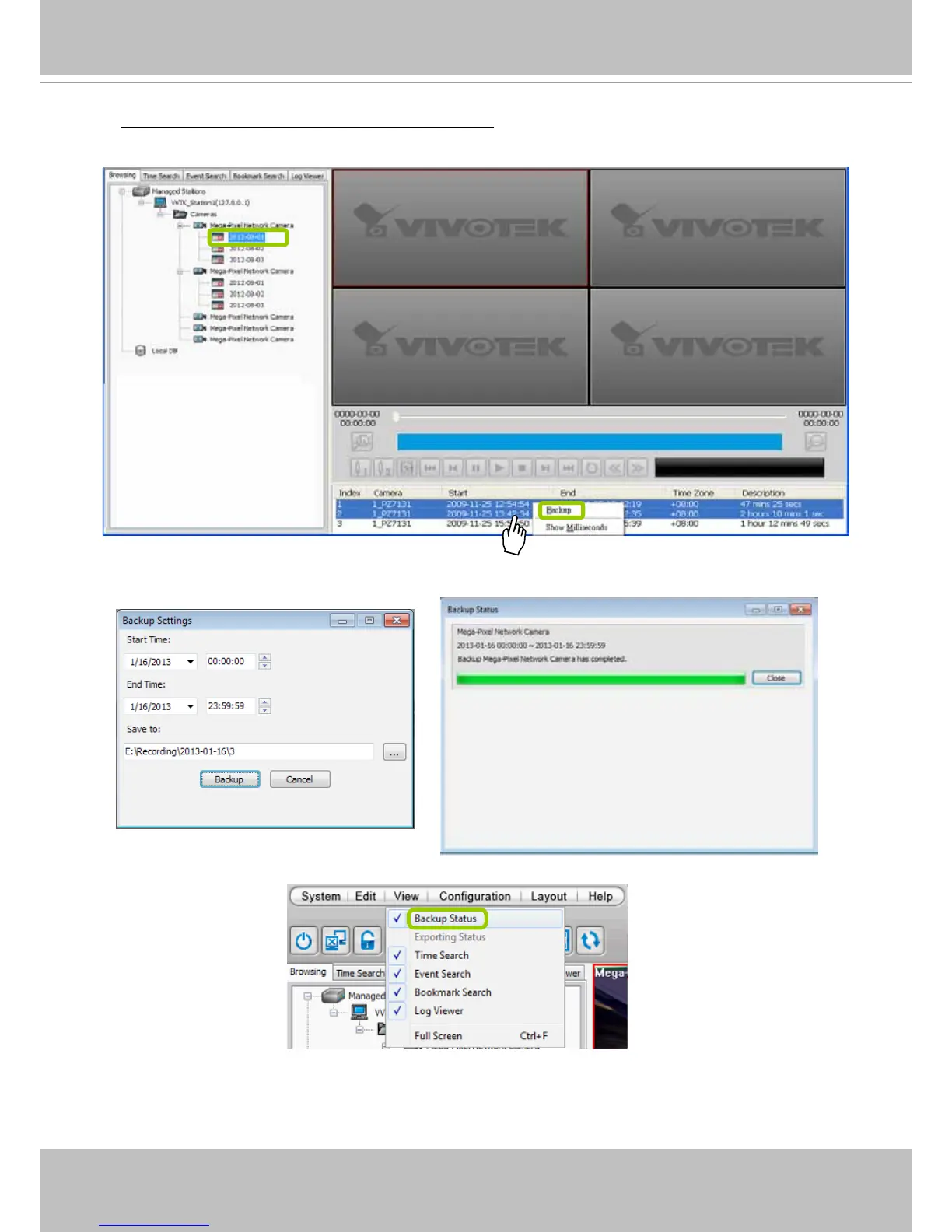
To backup part of the recorded video of the day: Select the date and choose the video clip(s)
from video clip window. Then right-click the selected option(s) and click Backup. Note: Use the
combination of the Shift key and left mouse click to select multiple video clips.
b. A Backup Settings window will pop up. Specify the time span and select a storage path (if you have
a NAS or eSATA storage attached), then click Backup. The system will start to backup and popup a
window showing the backup status.
If you close the status window, you can also open it again by clicking View > Backup Status.
d. When the backup is complete, you will see an information dialog. The recorded data will be restored in
the specic folder.



 To Next Page