VIVOTEK
User's Manual - 39
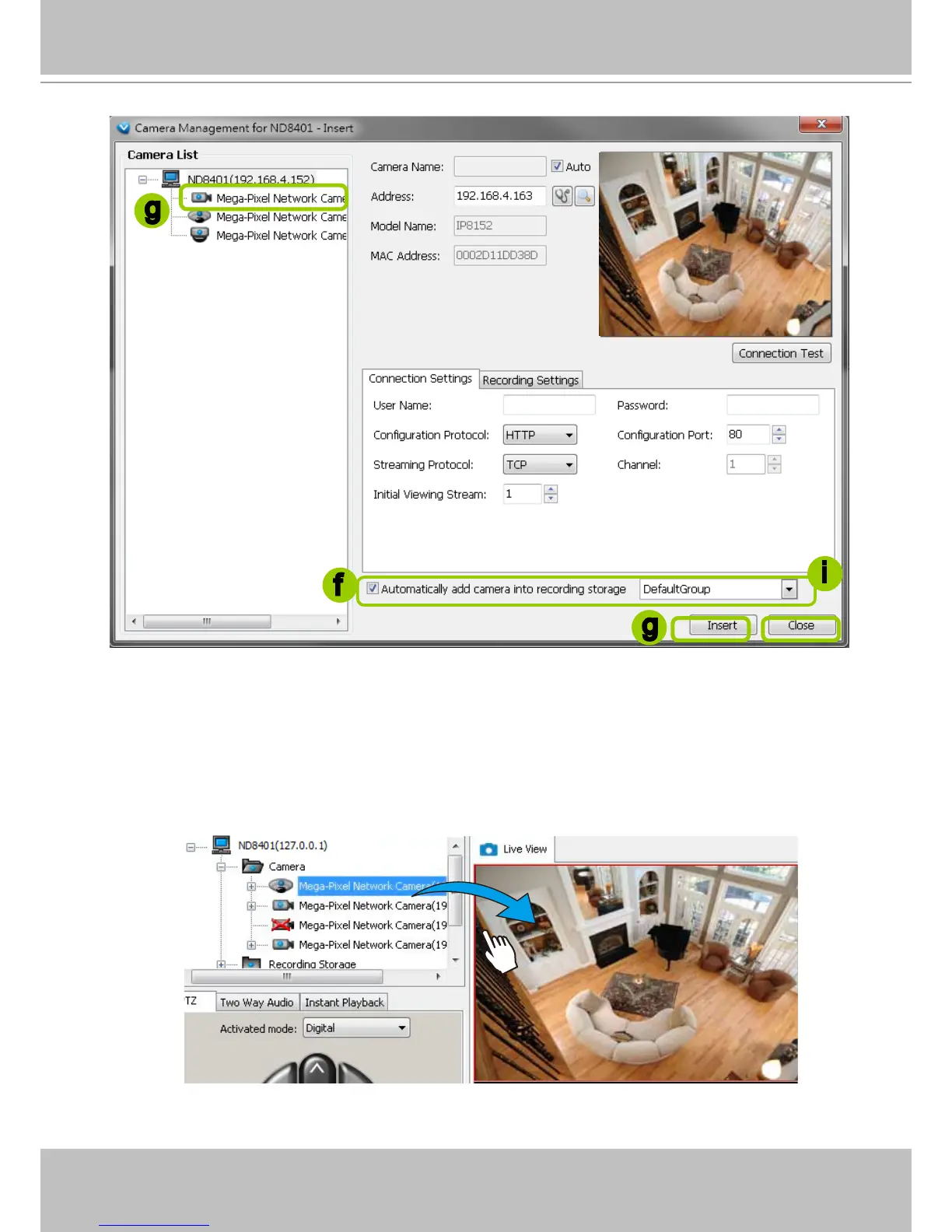
f. The device will automatically be assigned to the default Storage Group. Deselect the item if you want
to cancel this setting.
g. When all settings are completed, click Insert to add the device to the station. The device will be
displayed under the Camera List on the left.
h. To insert more devices to the station, repeat the above steps.
i. When completed, click Close to exit the camera management window.
j. Return to the main window, you will nd the newly-inserted devices listed under the VAST station and
then you can click and drag cameras into the live cells.
Mega-Pixel Network Camera
2010/12/10 17:08:56
f
g
i
g



 To Next Page