MAINTENANCE
Recommended step for charging:
1. Loosen the port cap from the charge port.
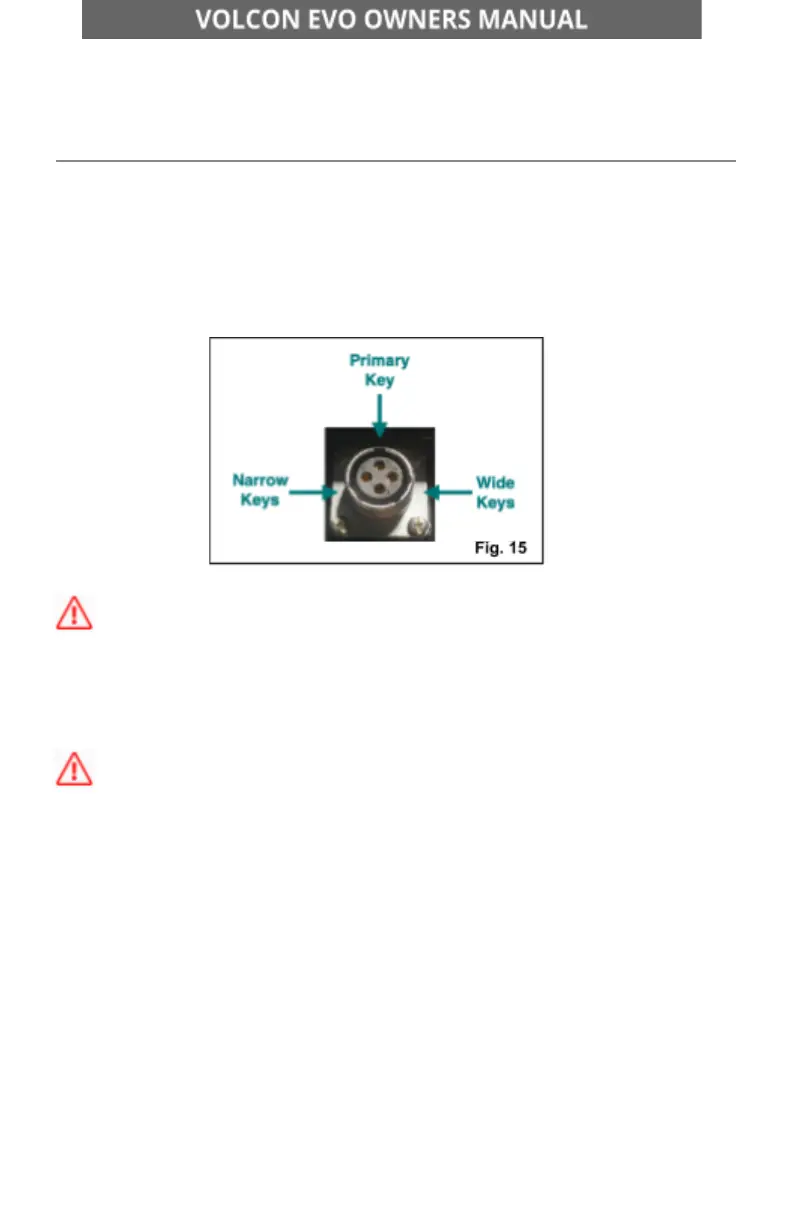
2. Plug the charger cable into the charge port. NOTE: There are key
features on the charger that help align the connection and port. [Fig.
15]
WARNING DO NOT force the connection of the charger and port as you
may cause damage to your battery or the charger.
3. Plug the charger into a standard 110/120V wall outlet.
CAUTION The charger is a multi-power unit. Please ensure the charger
is set to 110V.
4. The charger indicator will illuminate.
RED light = Battery Charging
GREEN light = Battery fully charged
5. When charging is complete, remove the charge connector.
6. Replace the port cap on the battery charge port.
7. Unplug the charger from power and properly store it for the next
use.
960-101086 Rev B Page 59 of 69



 To Next Page