EasyManua.ls Logo

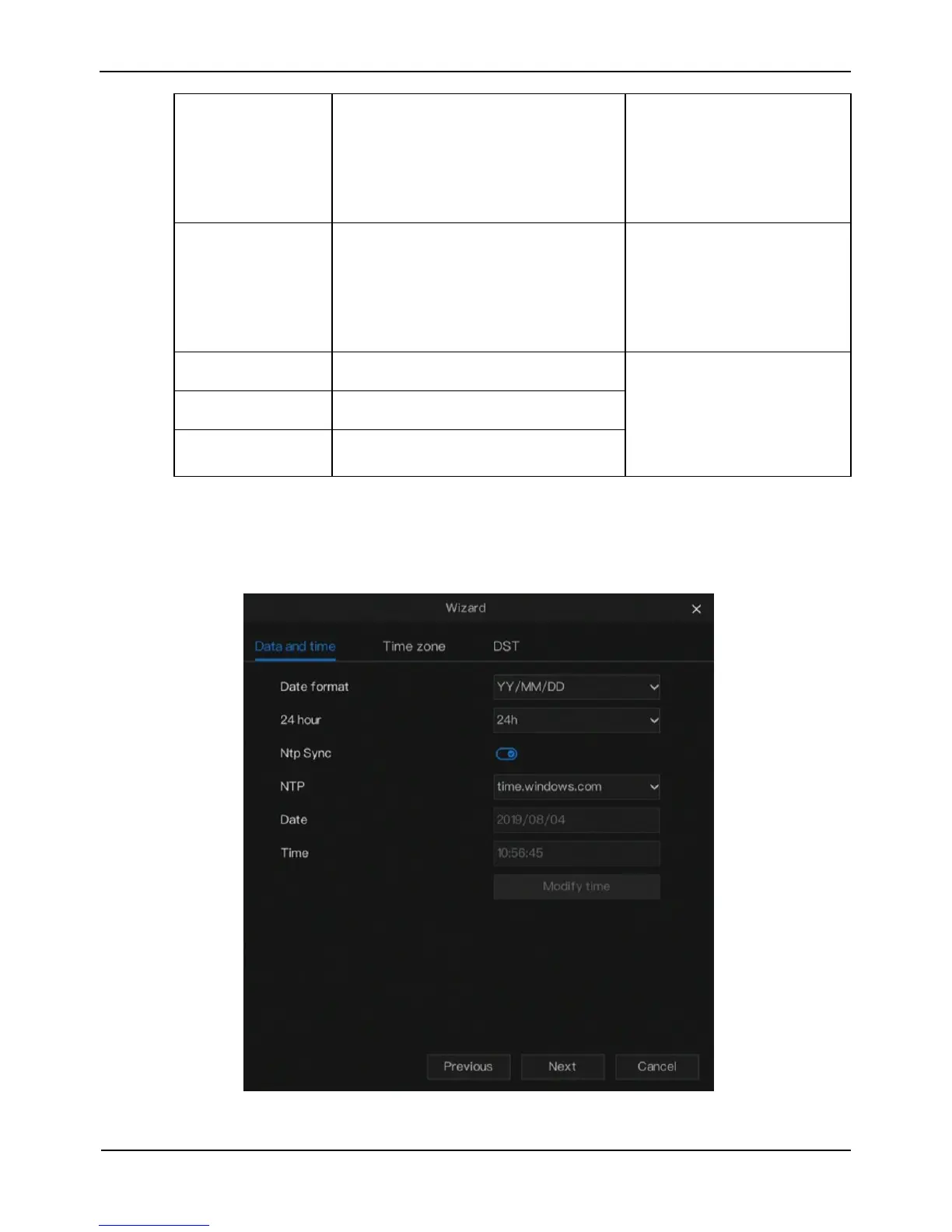
W Box 0E-4CHNVR2TB - Date and time setting wizard

W Box 0E-4CHNVR2TB
67 pages
Print Icon
To Next Page IconTo Next Page
To Previous Page IconTo Previous Page
Loading...
Wizard
Network Video Recorder
User Manual
Issue: V4.2 (2018-08-15)
9
DNS2
IP address of a domain server.
If the preferred DNS server is
faulty, the device uses the alternate
DNS server to resolve domain
names.
[Setting method]
Enter a value manually.
[Default value]
8.8.8.8
UPnP
The method of port mapping.
[Setting method]
Select a value from the
drop-down list.
[Default value]
Auto
Web Port
HTTP port
[Setting method]
When UPnP is auto, the
ports needn’t set.
When UPnP is manually,
Set the ports IP manually.
Data Port
-
Client Port
-
Step 2 Click Next, the basic parameters of NVR is displayed, as shown in Figure 3-2.
Figure 3-2 Date and time setting wizard

Related product manuals