OM ET18/20/24 us 1.3 * et18_20_24w710.fm 7-47
7
7.14 Heating, ventilation and air conditioning system
Checking/replacing the fresh-air filter
The fresh-air filter is located under the seat. Check it every 50 service
hours if it is used in a dusty environment and clean it with compressed air
or a mild soap solution if necessary.
Replace the fresh-air filter if it shows signs of cracks or damage, or if no
more air flows through it (clogging).
Injury hazard due to penetration of compressed air!
Can cause injuries.
► Wear protective gloves and eye protection.
► Do not aim the compressed air at the skin or at other people.
► Do not use compressed air for cleaning your clothing.
The filter can be damaged by incorrect handling.
► Do not use a damaged filter.
► Ensure cleanliness when replacing the filter.
► Do not brush the filter.
► Only clean the filter with oil-free compressed air with a max. 2
bar (29 psi).
1. Stop and park the machine. Stop the engine. See “Preparing
lubrication”.
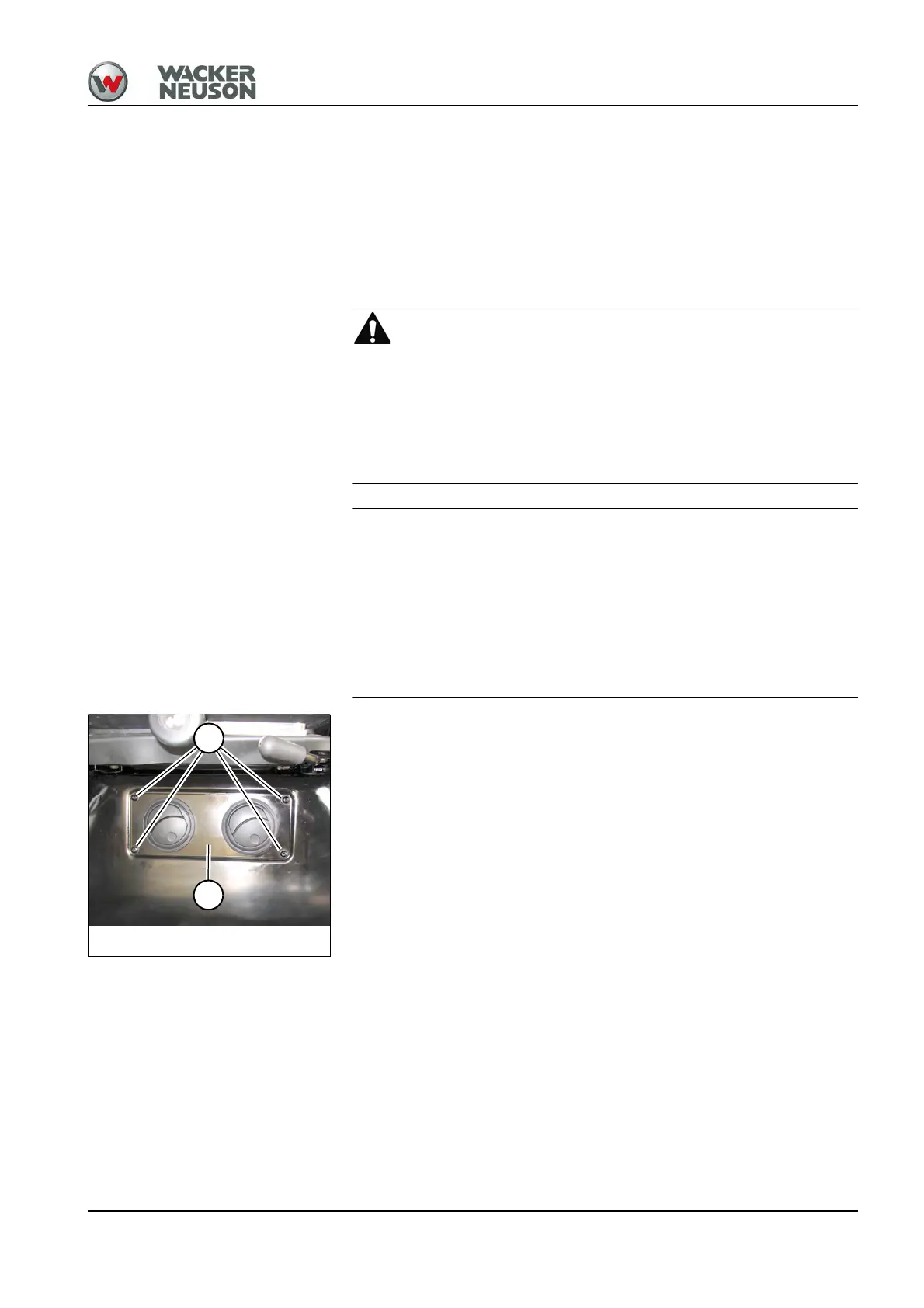
2. Remove screws A with a suitable tool and remove cover B.
3. Check the filter.
➥ If the filter is damaged or clogged: replace the filter.
➥ If the filter is dirty: clean the filter.
Fig. 265: Checking the fresh-air filter
A
B











 To Next Page