4-26 OM ET18/20/24 us 1.3 * et18_20_24i400.fm
4
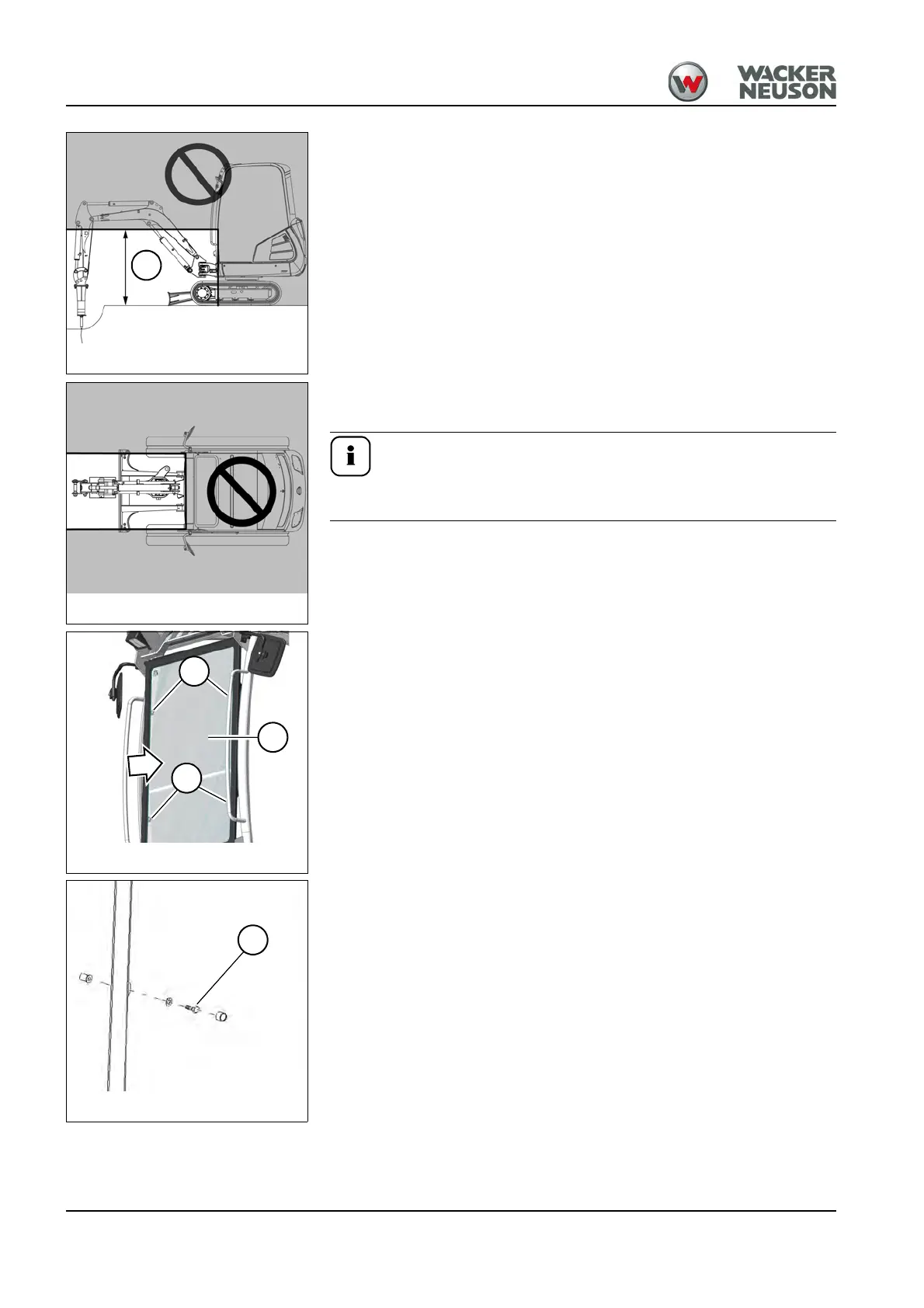
Work area
Height of work area A: 120 cm (47 in).
Figures 99 and 100 refer to machine operation with a Wacker Neuson
hydraulic hammer.
Machine operation with another attachment can modify the
height of the work area.
Installing/removing the shatter protection
1. A minimum 2 persons are required for installing/removing.
2. Stop and park the machine. Stop the engine. See “Preparing
lubrication”.
3. Install/remove shatter protection A from the front and fasten/remove it
at the fastening points B with the fastening material supplied.
4. Tighten screws C at fastening points B to 25 Nm (18 ft.lbs).
Fig. 99: Work area with shatter protection
A
Fig. 100: Work area with shatter protection (top
view)
Fig. 101: Shatter protection (assembly)
B
B
A
Fig. 102: Shatter protection (assembly)
C











 To Next Page