SPEEDGATE Installation and Maintenance Manual Revision 1 - MAY 2023
15
INSTALLATION AND COMMISSIONING CHECKLIST: SETTING GATE LIMITS
Installaon and Commissioning Checklist: Seng Gate Limits
Complete Step Descripon
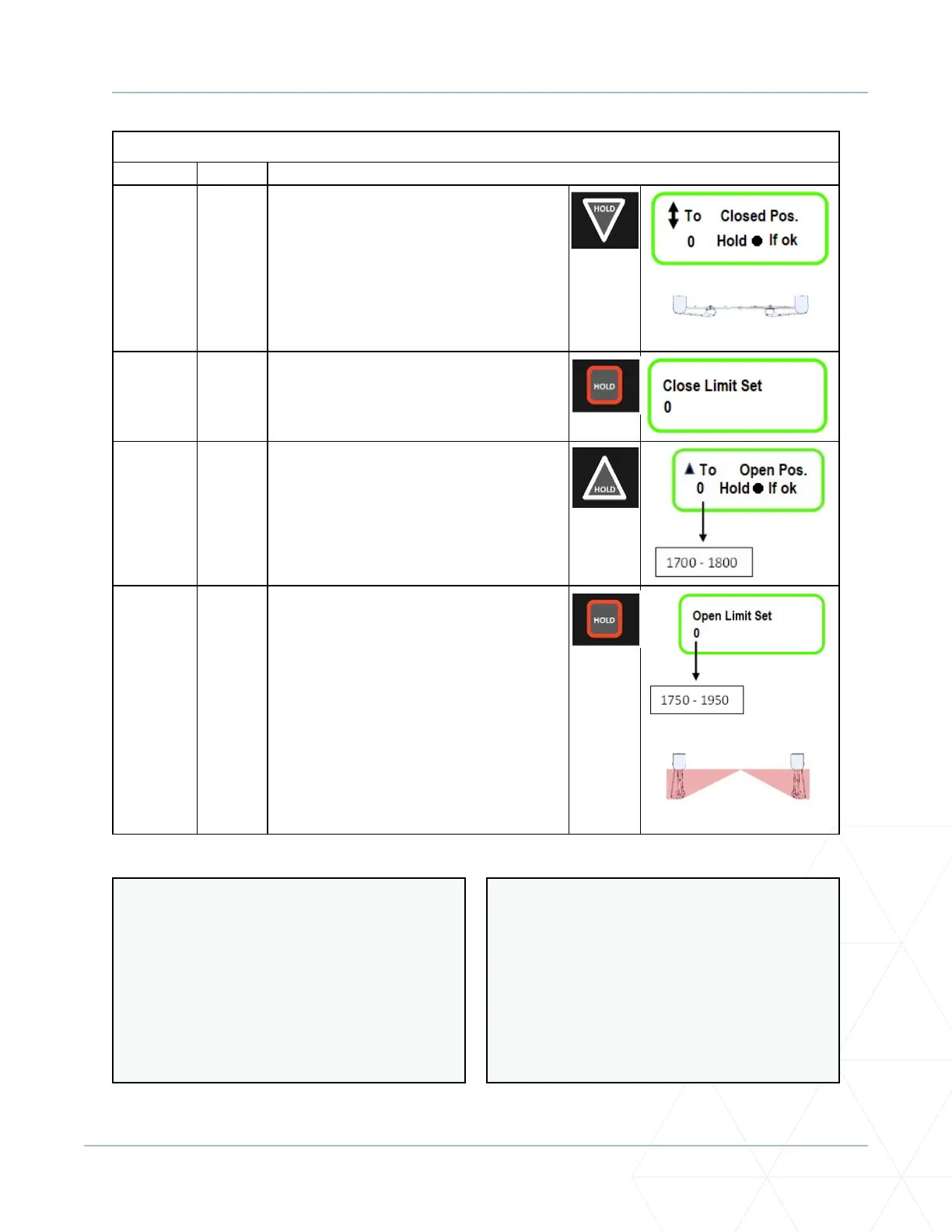
5.3.3-K Push the DOWN arrow unl the gate
panels are in the fully closed posion. Be
certain to check that both gate panels are
closed so that the gate panels are aligned.
PANELS CLOSED: TOP VIEW
5.3.3-L Hold the STOP buon to enter this posion
as the “Close Limit.”
5.3.3-M Hold the UP arrow to begin moving the
gate into the OPEN posion. The display
should show a counter rapidly increasing
while the gate is moving to the fully open
posion.
5.3.3-N The gate bumpers should be touching
each other. If they are, then press and
hold the STOP buon to enter this value
as the “Open Limit.”
It is the installer’s responsibility to set
obstacle detecon on-site. Refer to
“Gate Sengs: Obstacle Detecon”
on page 114.
See also “Operator Fault Codes” on
page 115.
PANELS OPEN: TOP VIEW
To ne-tune the CLOSE LIMIT, close the gate
more, go to P�221, and decrease the value
accordingly.
100 units/increments = 1 (0.3048m)
Password (P.999 = 4, unless changed) must
be entered to access this parameter.
To ne-tune the OPEN LIMIT, open the gate
more, go to P�230, and increase the value
accordingly.
100 units/increments = 1 (0.3048m)



 To Next Page