130
Programme unit
HEATING RELAY ON IF NOT HEATED Y
TEMPERATURE INCREASE ALLOWED Y
LEVEL EMPTY 90
LEVEL OVERFILL 200
PAUSE TEST LEVEL 0
PAUSETESTTEMPERATURE -18°C
DEFAULT TEMPERATURE HYSTERIS 4 °C
TEMPERATURESTEPINCOOL-DOWN 4°C
DEFAULT LOW EXTRACT TIME 00:00
DEFAULT MEDIUM EXTRACT TIME 00:00
DEFAULT HIGH EXTRACT TIME 00:00
DEFAULT DRAIN TIME 00:00
DEFAULT DISTR. TIME 00:00
DO UNBALANCE MEASUREMENT N
DRAIN OPEN DELAY 0:13
START EXTRACT TIME 00:30
Use the numeric keys to
enter the value.
If you make a mistake while
entering digits:
Press ERASE.
When you have finished:
Press .
Speed
low
medium
high
Time
Applies only to machines
with frequency-controlled
motor.
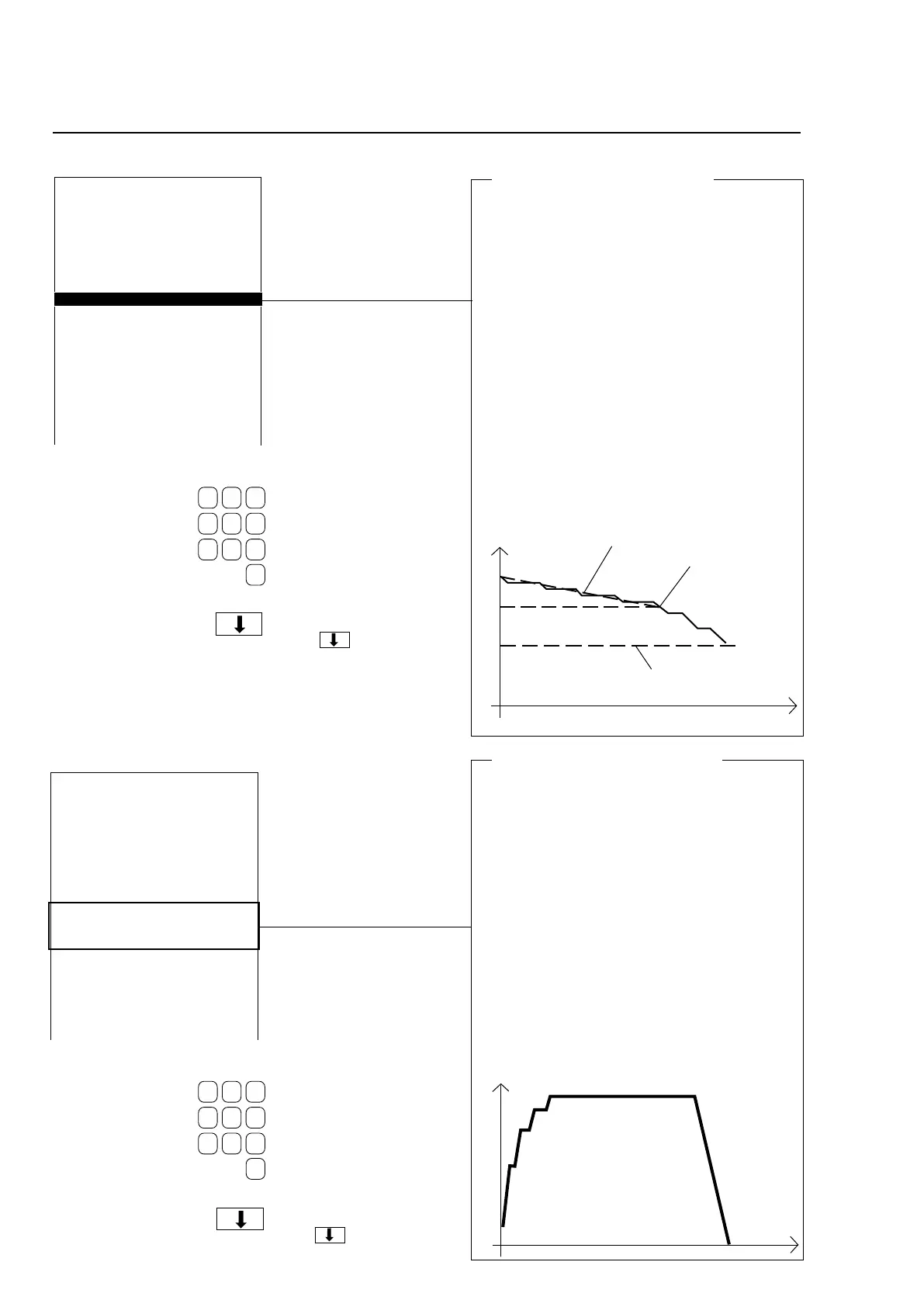
Temperature step in cool-down
Here you determine the maximum reduction in
temperature per minute during the first stage of
cool-down.
How does cool-down work?
When creating a new wash program you can,
topreventcreasingoftheload,usetheCOOL-
DOWNmoduletoachievecontrolledcool-down
ofthewaterinthedrum.Thecool-downse-
quence is divided into two stages:
1 wash temperature to middle temperature
Throughout this stage the machine will monitor
thecool-downrate,toensureitdoesnotexceed
the limit value you are determining here. If the
rate set is exceeded, no water will be added
until the mean value is acceptable again.
2 middle temperature to final temperature
Therateofcool-downisnotmonitoredduring
this stage. The valve opens and shuts as you
have programmed it to do.
Temp.
Time
Middle temperature
Final temperature
Temperature monitoring
HEATING RELAY ON IF NOT HEATED Y
TEMPERATURE INCREASE ALLOWED Y
LEVEL EMPTY 90
LEVEL OVERFILL 200
PAUSE TEST LEVEL 0
PAUSETESTTEMPERATURE -18°C
DEFAULT TEMPERATURE HYSTERIS 4 °C
TEMPERATURE STEP IN COOL-DOWN 4 °C
DEFAULT LOW EXTRACT TIME 00:00
DEFAULT MEDIUM EXTRACT TIME 00:00
DEFAULT HIGH EXTRACT TIME 00:00
DEFAULT DRAIN TIME 00:00
DEFAULT DISTR. TIME 00:00
DO UNBALANCE MEASUREMENT N
DRAIN OPEN DELAY 0:13
START EXTRACT TIME 00:30
Use the numeric keys to
enter the value.
If you make a mistake while
entering digits:
Press ERASE.
When you have finished:
Press .
Default values, extraction time
Here you determine how long the machine will
extract at the speeds low, medium and high. Later
in this section you will find the instructions for
programming the actual speeds to be used for low,
medium, high and ”turbo” extraction.
How an extraction sequence works:
In order to extract some of the water from the
load at lower speeds, the drum does not acce-
lerate to its highest speed immediately. Instead
it accelerates in several steps. This means that
the drum first accelerates to a low speed level,
remains at that for a certain time, then accele-
rates to a higher level, extracts at that speed for
a certain time, and so on until it reaches its final
(maximum) extraction speed. If you program a
low extraction speed, the number of steps at the
beginning of the extraction sequence may be
reduced.







 To Next Page