IntroductIon
© WASP S.r.l.
3
30
Preparing to use the printer
3
5.2. User interface
5.2.1. Main board
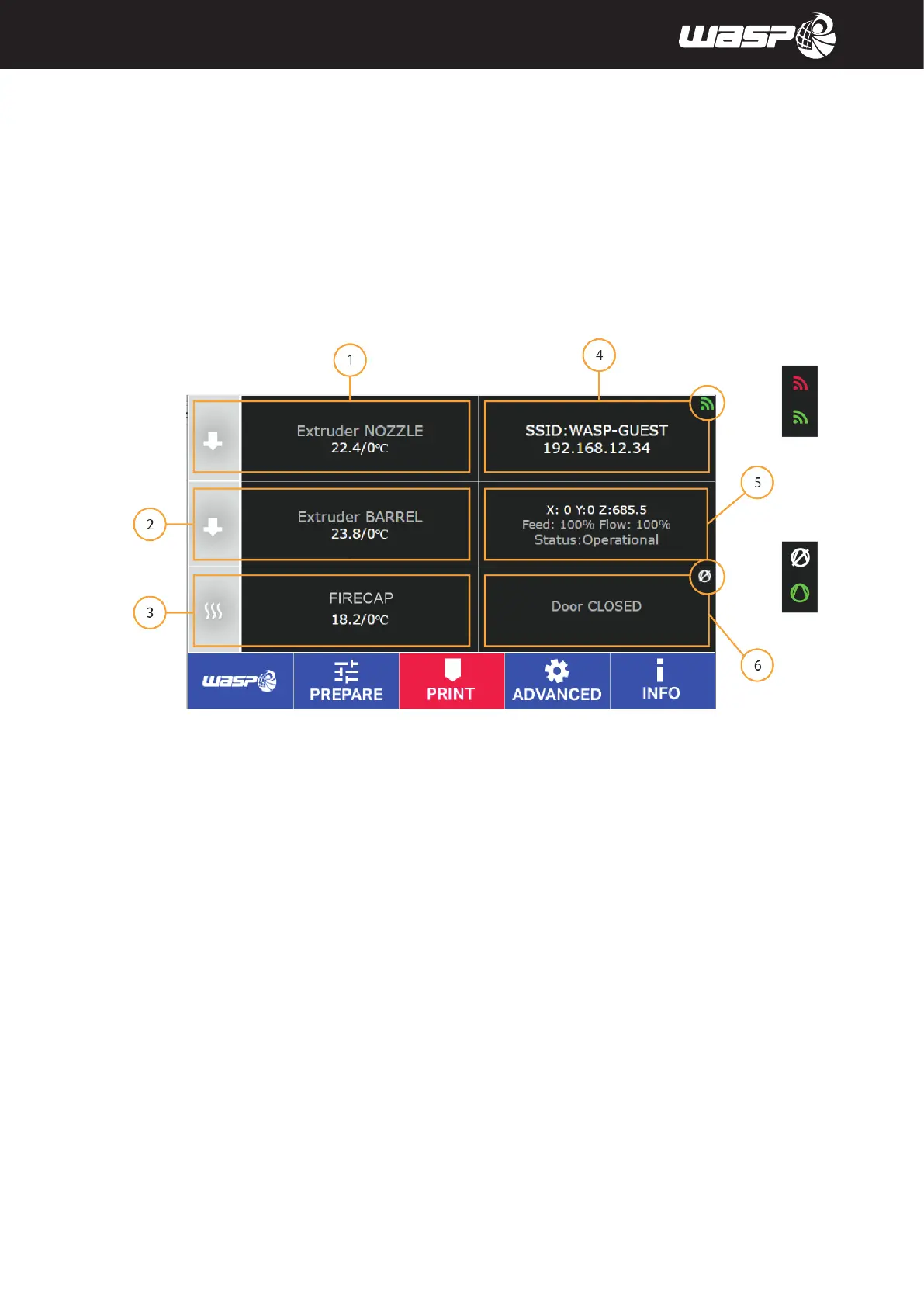
The main board appears when turning on the printer and when launching the print. It is intended to be the
principal tool for the monitoring and control of the printer. The toolbar allows to access the menus PREPARE,
PRINT, ADVANCED and INFO.
Legend:
1. Extruder temperature (click to set new target temperature)
2. Barrel temperature (click to set new target temperature)
3. Firecap temperature (click to set new target temperature)
4. Wifi connection (when connected shows network and IP for the machine)
When connected the WIFI icon is green, when disconnected the icon is red.
5. State of the machine v, Autocalibration ENABLED/DISABLED
6. Heated chamber (click to set new target temperature) - Door OPEN/CLOSED
When VACS is active VACUUM icon is green, when disabled the icon is white
Fig. 5.2.1 - Main board



 To Next Page