IntroductIon
© WASP S.r.l.
3
31
Preparing to use the printer
3
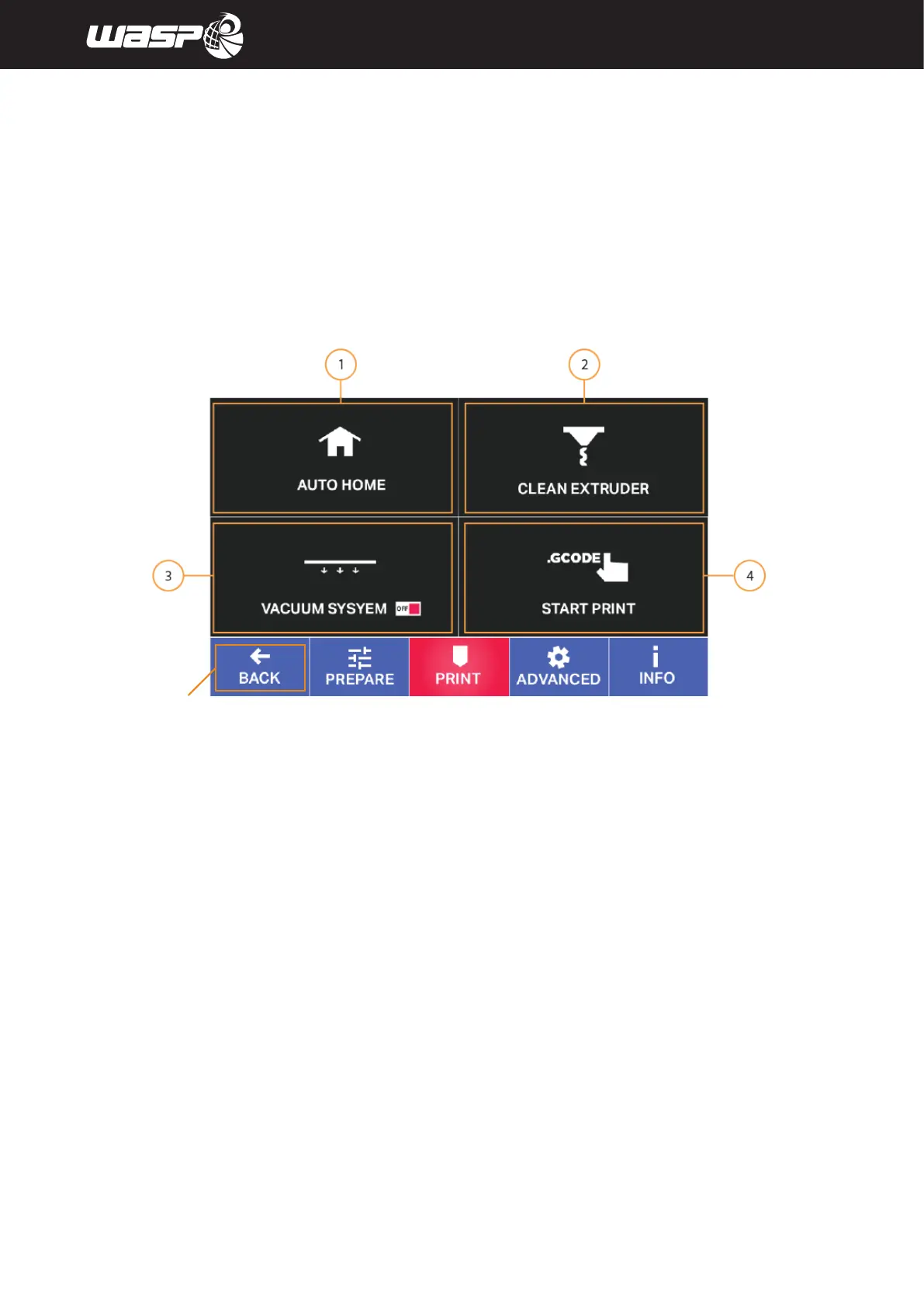
5.2.2. PRINT MENU
PRINT menu contains commands that guide you to the launch of the print.
Legend:
1. Auto home: moves the machine in position of zeroing of the axes
2. Clean extruder: Starts a purge of the extruder with a timer set at 20 minutes
Stop it anytime with the button STOP. The temperature is to be set before the Clean extruder command.
3. Vacuum System: Enables or disables VACS(Vacuum Active Control System)
The switch shows current state ON or OFF.
Learn more in paragraph 8.12 “VACS (Vacuum Active Control System)
4. Start print: access to gcodes list to proceed with the printing
(see par. 5.2.6 “GCODE”)
Fig. 5.2.2 - Menu print
BACK TO MAIN BOARD



 To Next Page