IntroductIon
© WASP S.r.l.
3
34
Preparing to use the printer
3
5.2.5. WIFI settings
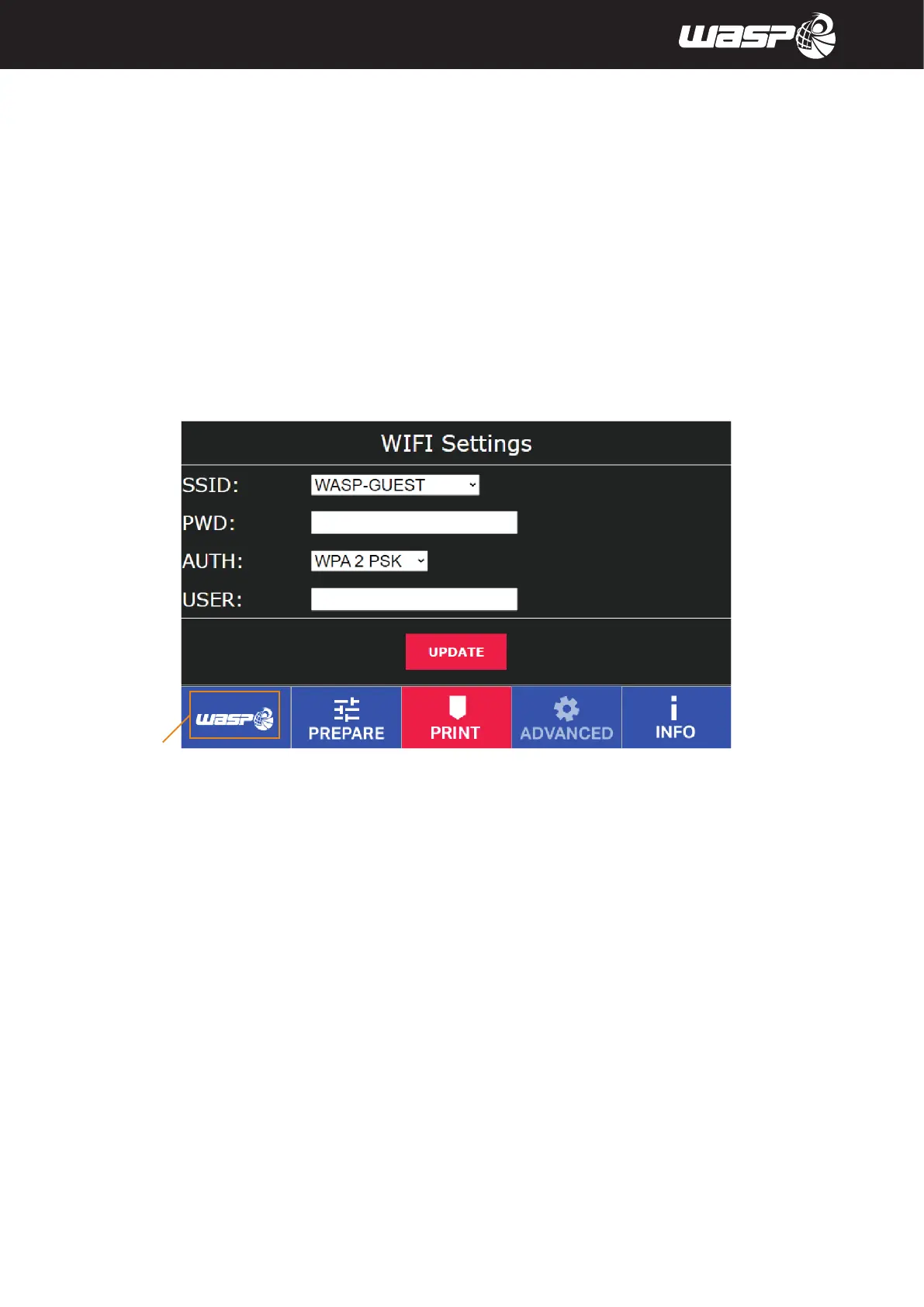
Access WIFI settings with ADVANCED>SETTINGS>WIFI settings
With this window is possible to connect the machine to wifi network
Learn more in paragraph 8.9 “Network and printing server”
Legend:
1. SSID: to chose the desired network between all visible ones (Static IP aption available with cable)
2. PWD: Allows to insert a password, if present
3. AUTH: makes you specify what kind of connection you’re working with
4. USER: Allows to insert use (if present)
Clicking UPDATE the machine restarts with new settings
Fig. 5.2.5 - WIFI settings
BACK TO MAIN BOARD



 To Next Page