IntroductIon
© WASP S.r.l.
7
64
Use of the printer
7
8.6. Loading/unloading the material
Loading material is a basic procedure required for printing.
The machine is compatible with pellets with a dimensions under 4x4 mm as indicated in par 2.6 “Technical data”.
Consider that also the density, texture and integrity of the pellets may affect the compatibility with the technology.
LOADING THE MATERIAL
1. Verify the discharge opening is closed and the tank is empty
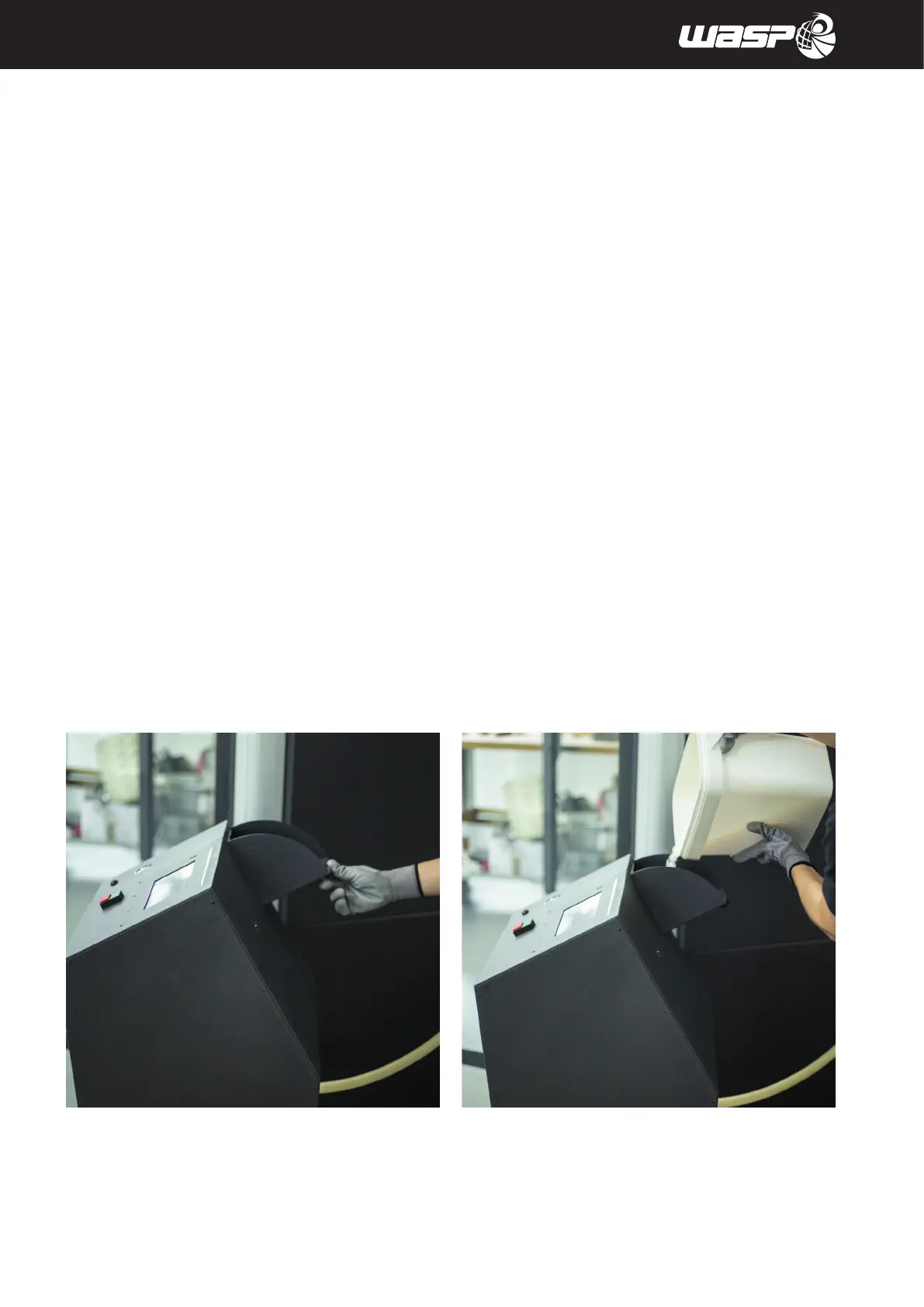
2. Open the tank’s lid by using the opening handle (fig 8.6 a)
3. Load with the pellets (up to 5 cm from the tank’s lid) (fig 8.6 b)
4. If it’s not already done set the pressure gauge to increase the pressure to 5 BARs (fig 8.6 c)
5. Click the loading material button on the tank until the extruder is filled (fig 8.6 d)
6. Set the temperatures for nozzle and barrel compatibly with the material loaded
7. Wait for the temperatures to be reached
8. Use the command PRINT>CLEAN EXTRUDER
9. The machine will start extruding, stop the procedure when the extruded material flow is consistent
UNLOADING THE MATERIAL
1. Place the container for the material at the bottom of the tank
2. Uncrew and remove the handle fixing the discharge opening at the bottom of the tank (fig 8.6 e)
3. Inclinate the discharge element letting the material slide and fall into the container (fig 8.6 f)
fig 8.6 a fig 8.6 b



 To Next Page