BACK TO PRINTING BOARD
IntroductIon
© WASP S.r.l.
3
37
Preparing to use the printer
3
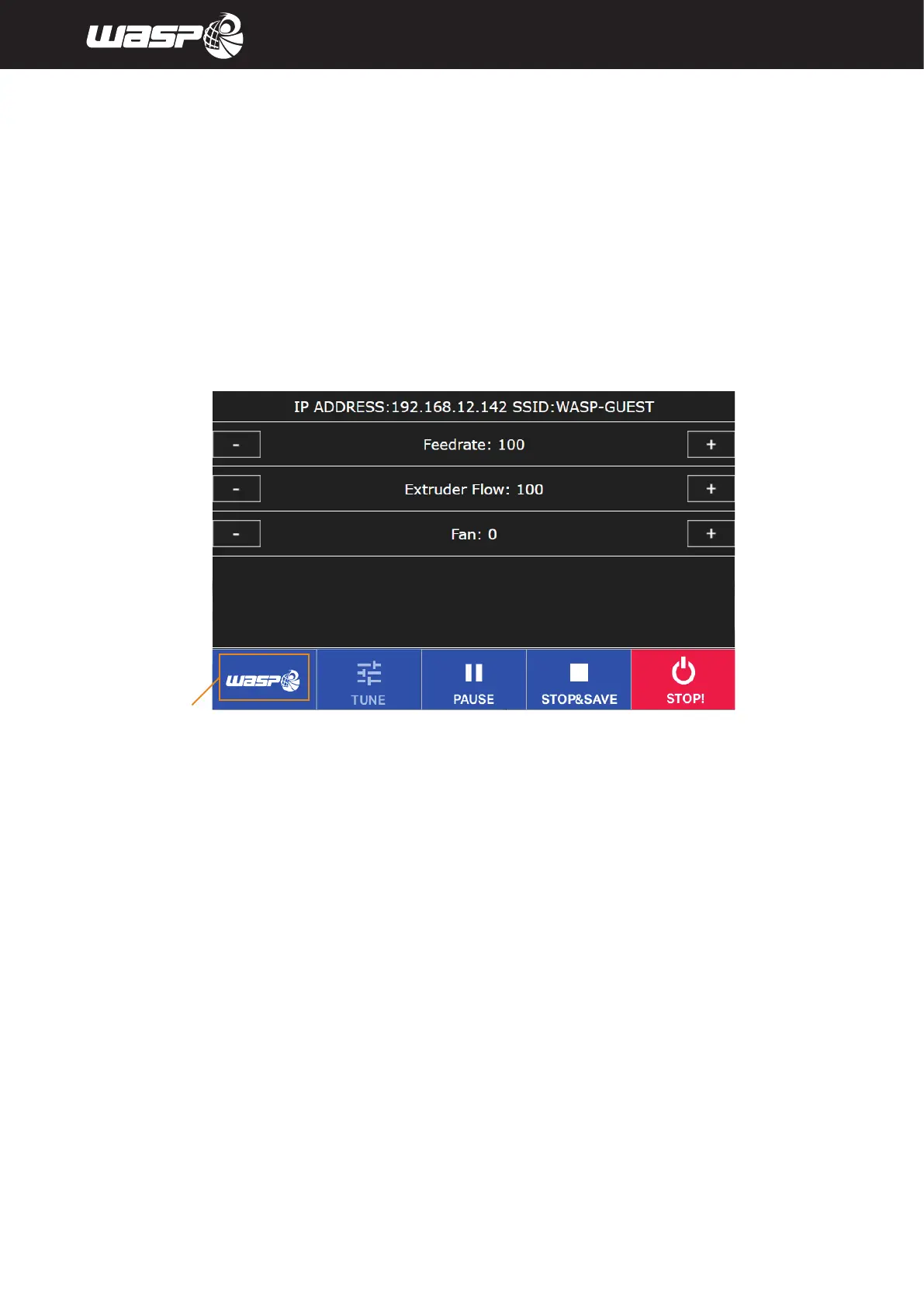
5.2.8. TUNE menu
During the print its possible to access TUNE menu from the toolbar.
All the values changed using the tune menu won’t affect the .gcode file used for the print.
The values will be stored in the machine until next reboot.
Legend:
1. IP ADDRESS and network
2. Feedrate: defines the speed of the process (standard is 100%, to tune it use + and - button and wait 3 seconds)
3. Flow: defines the amount of the flow (standard is 100%, to tune use + and - button and wait 3 seconds)
4. Fan: allows to set an user defined value for the fan (standard is 0 and max is 255, to tune use + and - button
and wait 3 seconds) NOTE: this value doesn’t take into account the value for the fan set on the gcode
Fig. 5.2.8 - TUNE menu



 To Next Page