IntroductIon
© WASP S.r.l.
3
35
Preparing to use the printer
3
5.2.6. GCODE
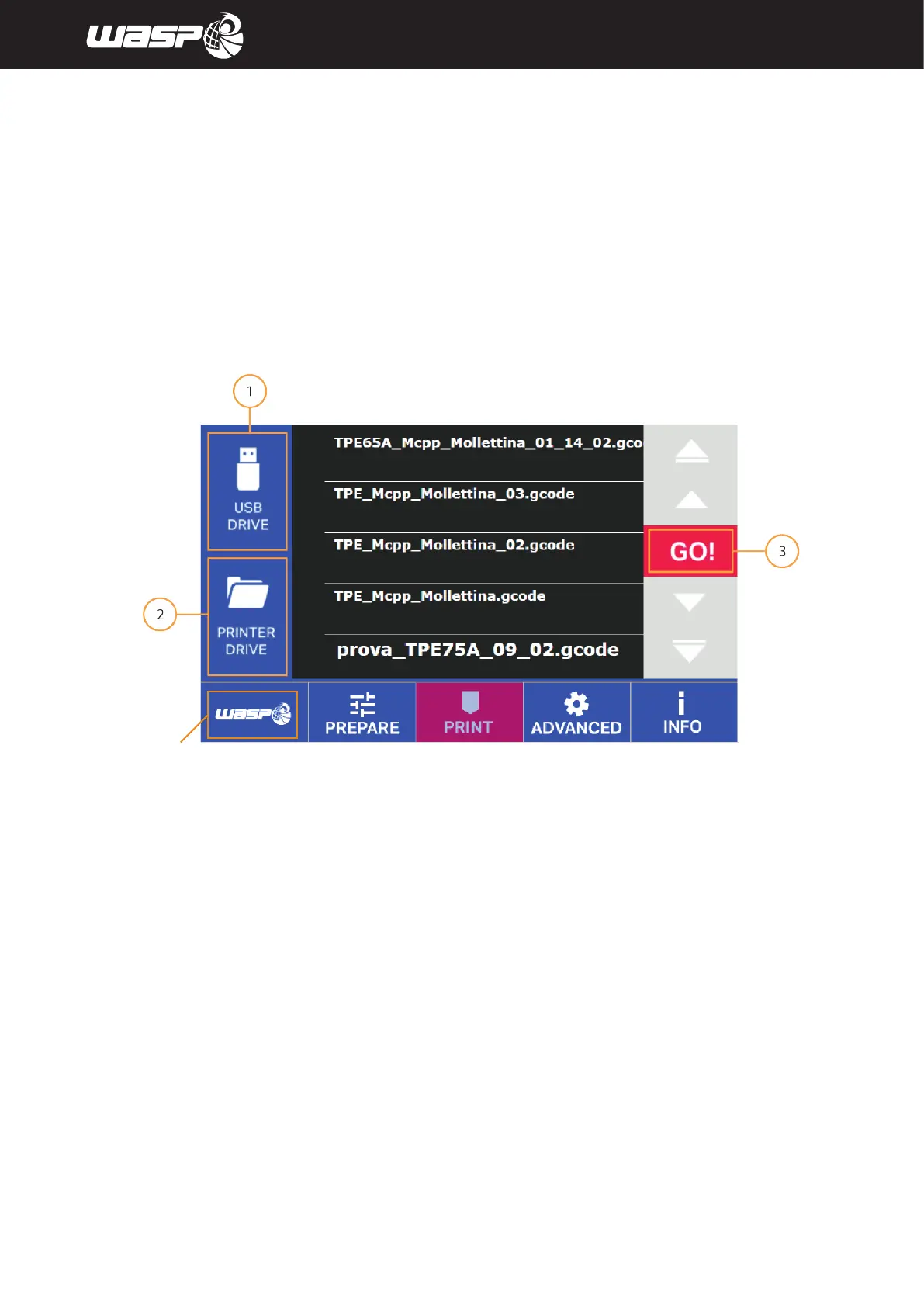
From PRINT menu, by chosing GCODE you can launch gcodes and moving them from the USB to the printer.
The gcodes are loaded in the machine as explained in detail in paragraph 8.7 “Loading .gcode”
Legend:
1. Chose to navigate USB Drive
2. Chose to navigate Printer Drive
3. GO: launchs selected print
Fig. 5.2.6 - GCODE
BACK TO MAIN BOARD



 To Next Page