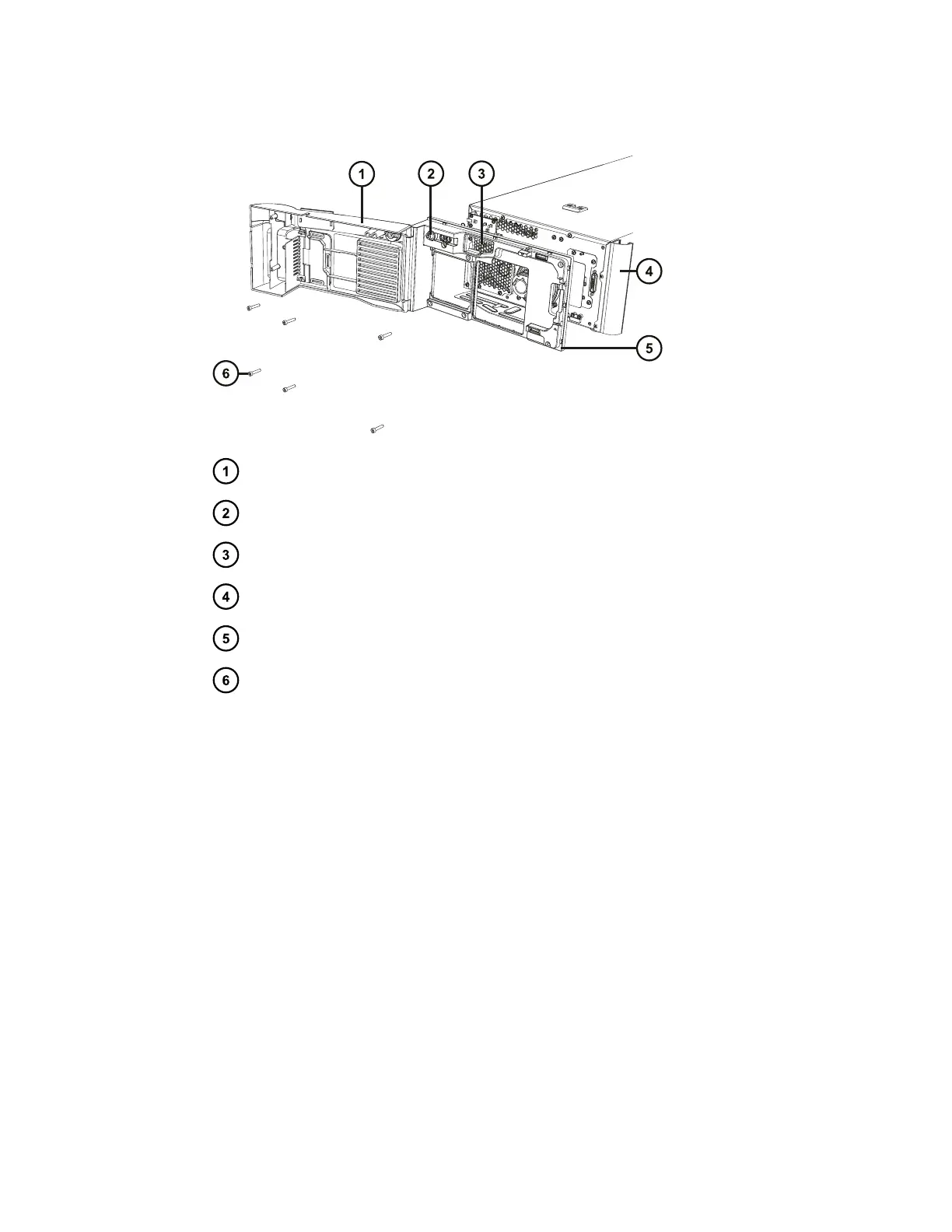
Figure E–4: Removing the QDa front panel
QDa interface door
QDa switch cover
Air filter
Tubing guide
Front panel
Six 4-mm hex-cap retaining bolts
4. Use the #4 POZIDRIV screwdriver to loosen the two #4 POZIDRIV screws fixing the tubing
guide to the instrument case, remove the guide, and tighten the screws.
June 15, 2017, 715003956 Rev. F
Page 119











 To Next Page