www.Wayne-Dalton.com
349981 REV2_05/17/2016
©
Copyright 2016 Wayne Dalton, a division of Overhead Door Corporation
33
Section 6
Door System
INITIAL STARTUP PROCEDURE
1. APPLY POWER LINE VOLTAGE
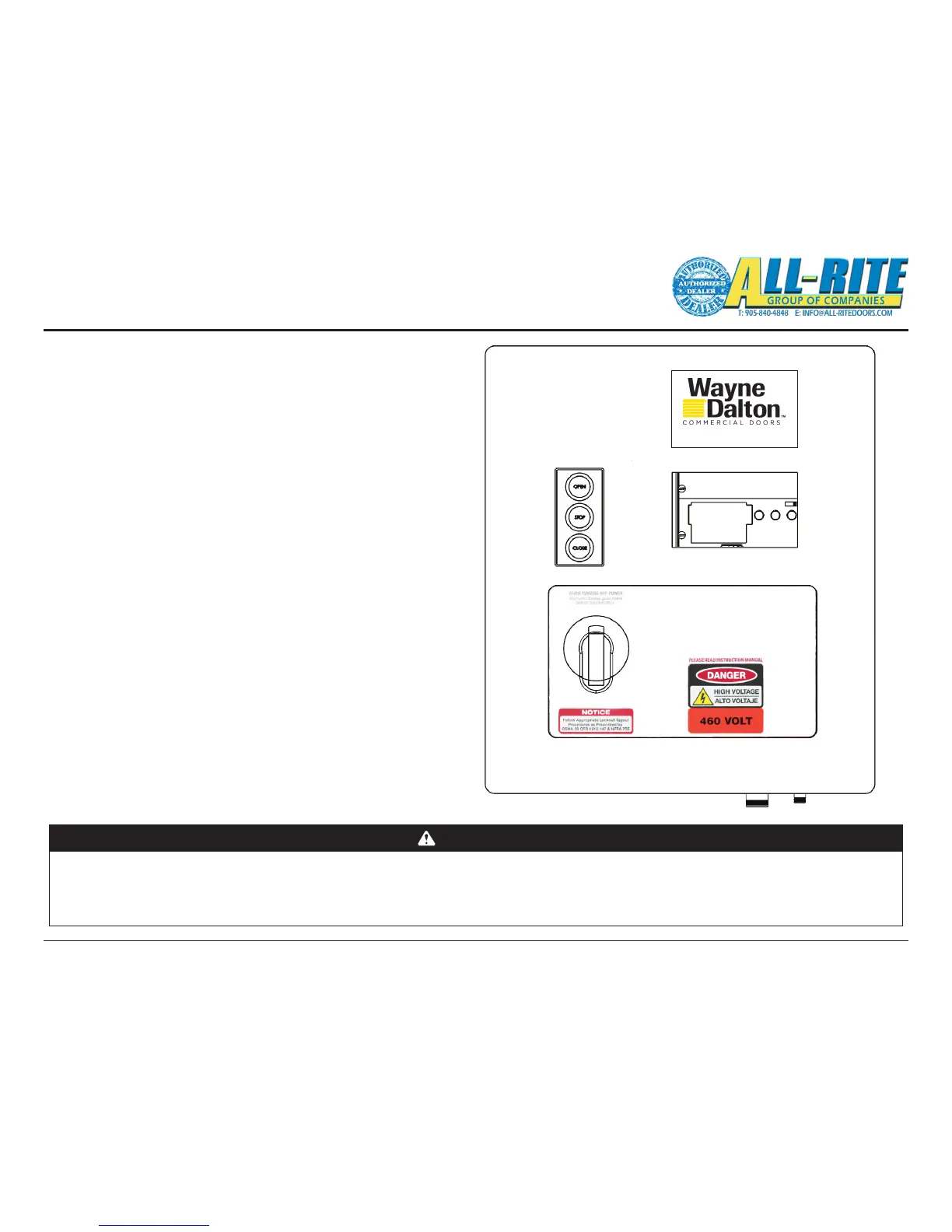
Turn the disconnect handle Clockwise to the ON position in order to
apply po
wer to the Control Panel. A blue splash screen will pop up
displaying the default prole, and controller data (consists of serial
number, output capacity, software version, etc). Verify the system motor
rating, and power ratings correspond with each other.
NOTE* The system information can also be accessed in the SYSTEM
STATUS > OVERVIEW menu. (see page 35-37)
2. VERIFY PHOTOEYE ALIGNMENT
A. Verify the RED LED is steady ON, on the Photoeye Transmitter. If
the RED LED is NOT ON refer to Troubleshooting, Section 8
B. Verify the RED LED is steady ON, on the Photoeye Receiver. If
the RED LED is NOT ON, loosen the mounting screws and adjust
the Photoeye positions until the RED LED is steady ON. Tighten
the mounting screws. If the RED LED does NOT come ON
review the Photoeye installation steps on page 17. Refer also to
Troubleshooting, Section 8.
WARNING
All Entrapment Protection Devices are OFF in Emergency Jog and the Limits are NOT SET. Devices OFF while in Emergency Jog include: Edge Contact,
Photoeye, Wall push buttons, Radio Control, Limit Sensors, Loop Detector, or any motion sensor used as either an actuator or an Entrapment Protection
Device. Only the Interlock remains active.
Emergency Jog is the manual control for momentary operation of door via ARROW buttons on the membrane keypad or on the control unit.
USE CAUTION! WHILE SETTING UP THE DOOR IN THIS MODE. Do NOT use Emergency Jog for general door operation.
1-800-827-3667 (DOOR)




 To Next Page