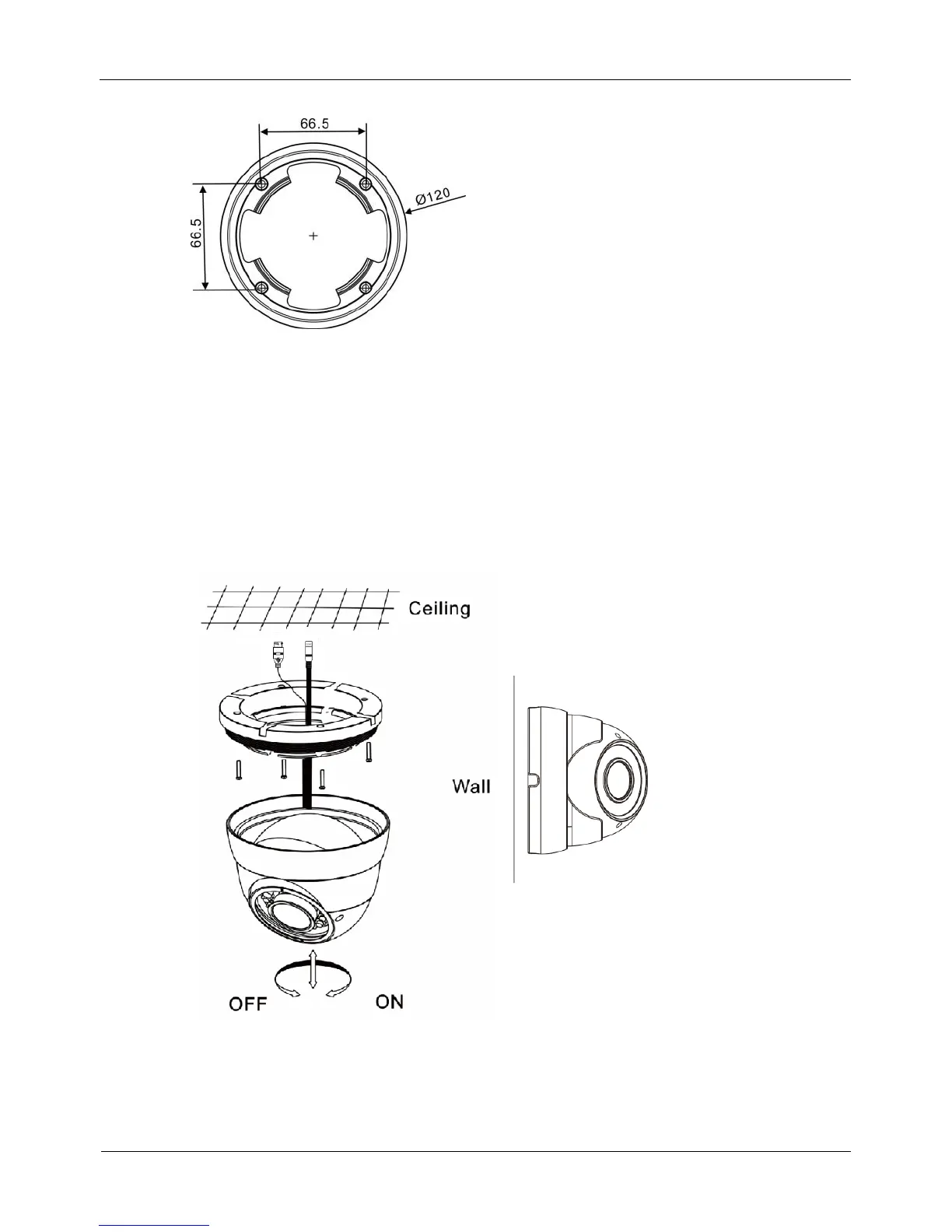
Figure 2-5 Dimensions of the 0E-HDDMO2812 mounting base
Step 3 Nail swell plastic buttons in to drilled holes, and fix the camera mounting base to the
ceiling (or wall) by use of self-tapping screws.
Step 4 Install the compression ring, the dome shell, and the dome shell fixed base on the
camera mounting base.
Figure 2-6 shows camera installation.
Figure 2-6 Camera installation
Step 5 Turn the main body, adjust the lens direction, and note the position of the dome cover
window.



 To Next Page