36
2.3.3.2 Connecting relat and setting
Specification
In order to run relay output of DVR normally, the following conditions are required.
SPEC
Output Ch. 2EA relay outputs
Output type Dry contact
Connecting type Connect the trimmed wire to terminal block
Perfromance
DC 30V 1A
AC 125V 0.5A
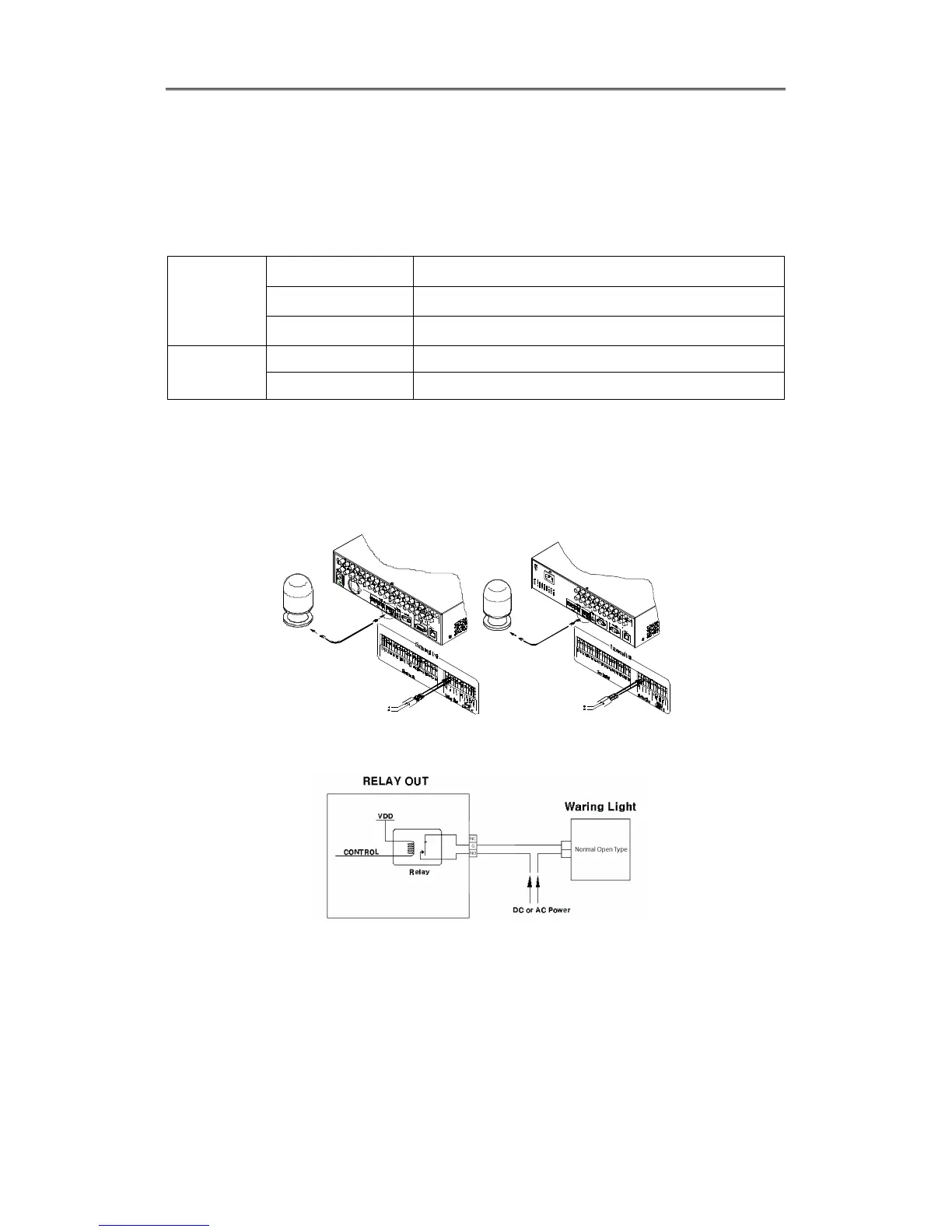
Connecting relay out
Connect R1 ~ R2 with referring to the following images, it shows to connect a warning light.
Please refer the “Wire Handling”.
[EH Series] [LH Series]
Relay setting
It is available to run relay selecting from sensor, motion detection, Video Loss which is normal
event source and Disk error, Disk full, authentication fail, WRS registration fail which is system
event source. Also, user can set working condition by schedule. In case of using control center
thru. network, realy could be run from remotely.



 To Next Page