上海维宏电子科技股份有限公司
SHANGHAI WEIHONG ELECTRONIC TECHNOLOGY CO., LTD.
20 / 61
Select one from the following methods to make the axes go to the mechanical origin:
In Homing mode, click X Homing/Y Homing/Z Homing in the operation button bar
to make the X/Y/Z axis go to the mechanical origin. You can also click All Homing
to make all the axes to the mechanical origin in the sequence of Z axis, X axis and
Y axis.
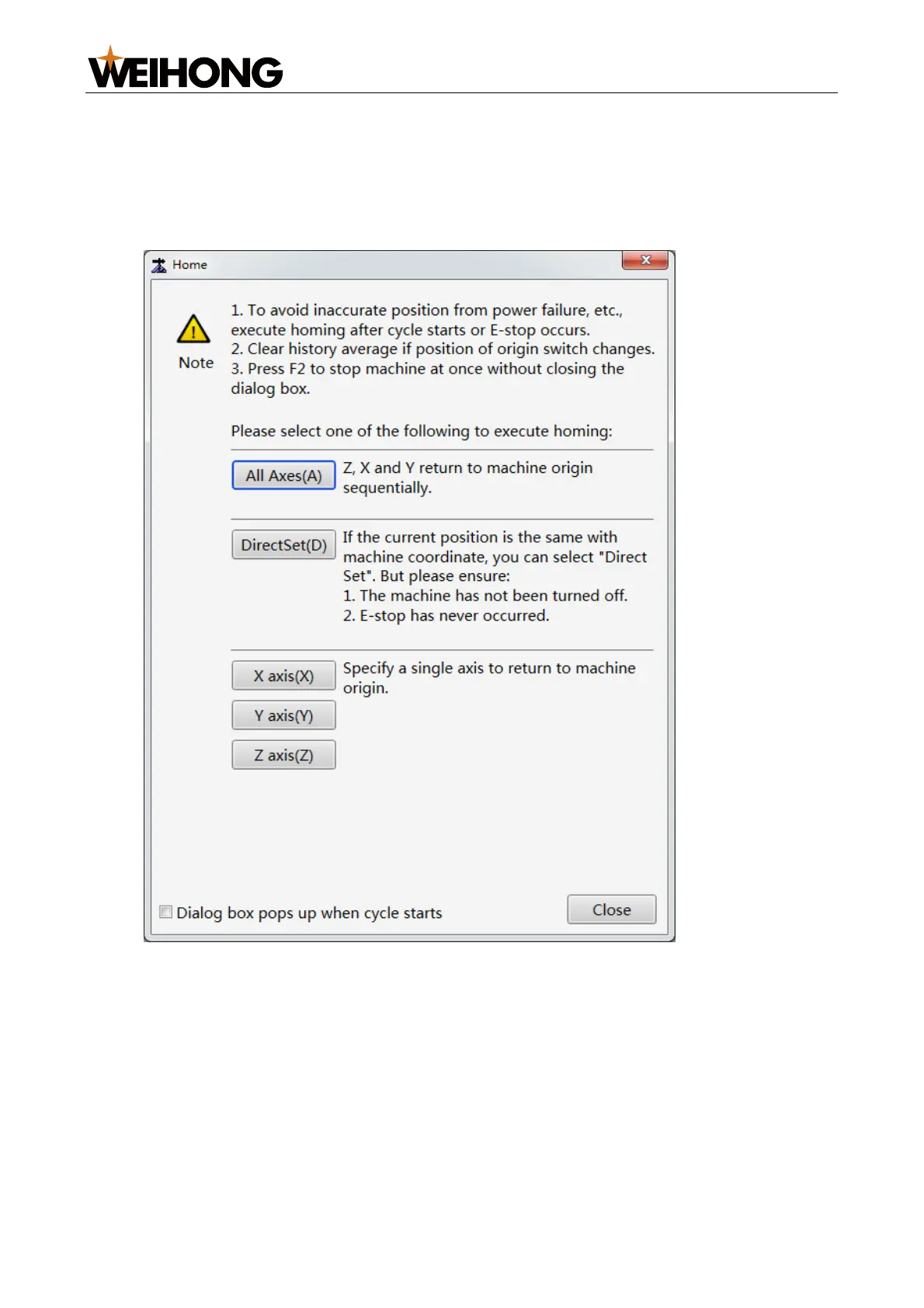
In the menu bar, go to Machine > Homing to open the Home dialog box:
To make the Home dialog box automatically displayed when the software is started,
tick Dialog box pops up when cycle starts at the dialog box lower left corner.
o To make the X/Y/Z axis go to the mechanical origin, click X axis(X)/Y
axis(Y)/Z axis(Z).
o To make all axes go to the mechanical origin, click All Axes(A).
o To set the current position as the mechanical origin: Ensure that the current
position is consistent with the mechanical coordinates and there was no
cases that may cause coordinate error, such as machine power-off or
emergency stop. Click DirectSet.



 To Next Page