03/2016 – UM-MT-EN-01 21
3 Technical Data
3.1 Turning the Treadmill ON/OFF
The main power switch with the universal power symbol ( ) is located at the base
of the treadmill near the treadmill’s power cord.
“I” position: Treadmill is turned on and the belt is held tight. Turn the display on to
operate the treadmill.
“O” position: Treadmill is turned off and the belt is free moving.
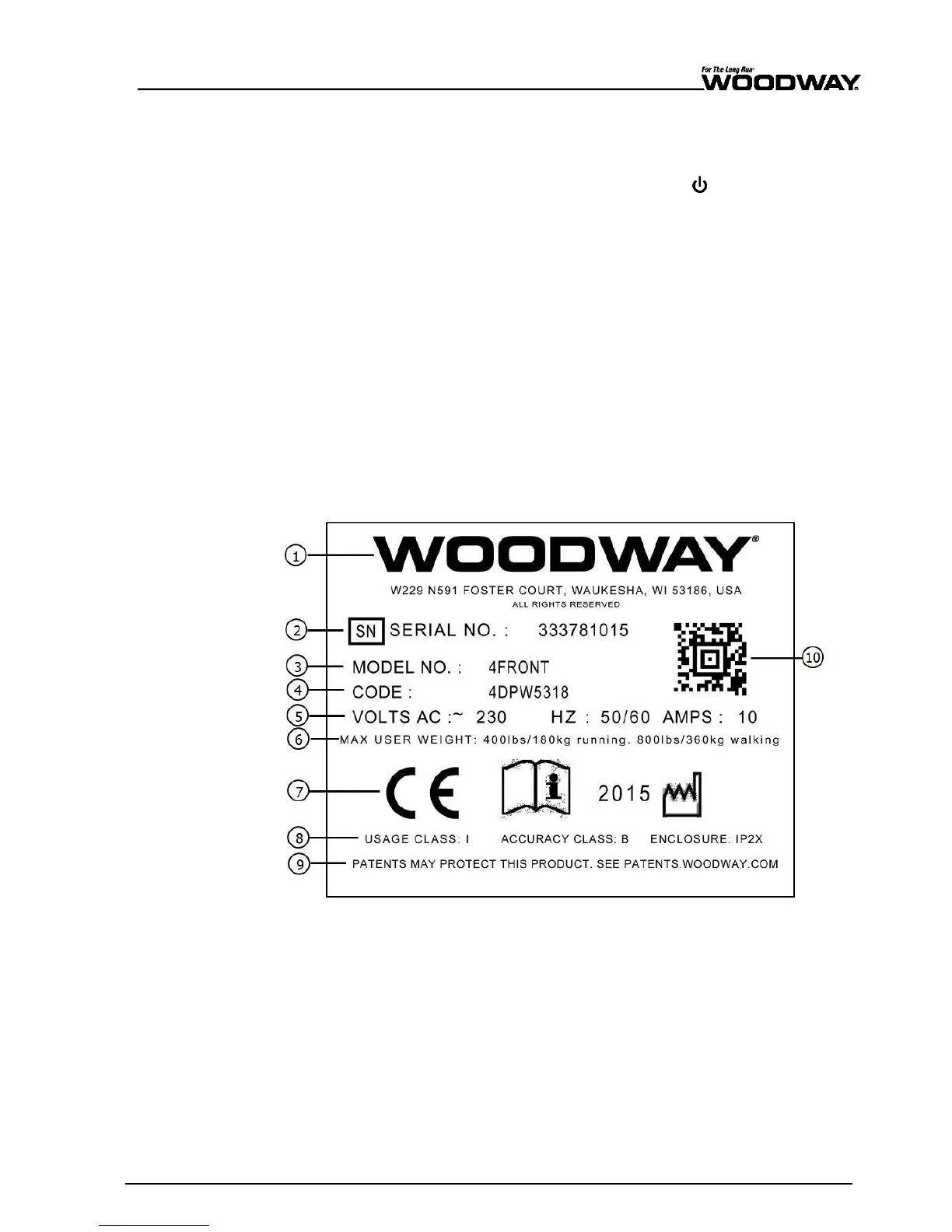
3.2 Name Plate
Each WOODWAY treadmill receives a serial number during production. Depending on the
year of your model, it has an alphanumeric code with 7-8 characters or a numeric code
with 9 digits. The serial number can be found on the name plate, which is mounted on
the rear of the display or on the left front of the treadmill frame.
The name plate contains the device's main technical details.
The treadmill range of functions is stated on the name plate and on the delivery note.
For service questions, the technical information on the name plate must be kept handy.
Fig. 2 Name plate
1. Manufacturer name, address, and
logo
2. Serial no.
3. Model no.
4. Product code
5. Information on electrical connection
6. Max. user weight load
7. Device CE symbol (with number of
the named position), note to read
and observe operating instructions,
and year manufactured
8. Usage class, accuracy class, and
enclosure rating
9. Patent protection note
10. 2D universal identification number
code





 To Next Page