68 03/2016 – UM-MT-EN-01
The user can press the OFF key at any time to end the training session. Speed and
incline are reset to zero. The training statistics are displayed for 10 seconds. The time
display shows the total time and the DISTANCE/CALORIES display shows the total dis-
tance and total calories burned alternately.
The STOP key on the side switches corresponds to the OFF key on the screen.
7.6.3 Description of Display Elements
The indicators in the display indicate the following data:
The time is displayed in 00:00 format. Time is always counted.
The speed is displayed in 00.0 format. The SPEED shows the user's current speed in
miles per hour (MPH). Valid max. speeds vary depending on the model and applicable
options.
The distance is displayed in 00.00 format. DISTANCE shows the accumulated user's
distance in miles.
The calories are displayed in 0000 format. CALORIES shows the user's accumulated
burnt calories. They are calculated using the ACSM formula,
([Workout METs] * 3.5 * [User’s weight in kg.] / 200).
If no weight is entered, the calories are calculated based on a standard weight of 150
lbs. (70 kg).
The time/mile is displayed in 00:00 format. PACE represents the time required to run
one mile at the current speed.
METs are displayed in 00.0 format and are calculated using the ACSM formula,
(VO2 Max / 3.5), where the walking VO2 Max is (3.5 + [2.68 * speed in MPH] + [0.48 *
speed in MPH] * [% grade]) and the running VO2 Max is (3.5 + [5.36 * speed in MPH]
+ [0.24 * speed in MPH] * [% grade]).
The heart rate is displayed in 000 format. It represents the user's actual heart rate.
The incline display is used to show the user's current incline or to set the incline. Valid
incline values start at 0% and increase in steps of 0.1% to the max. incline (varies
depending on the model and the associated options).
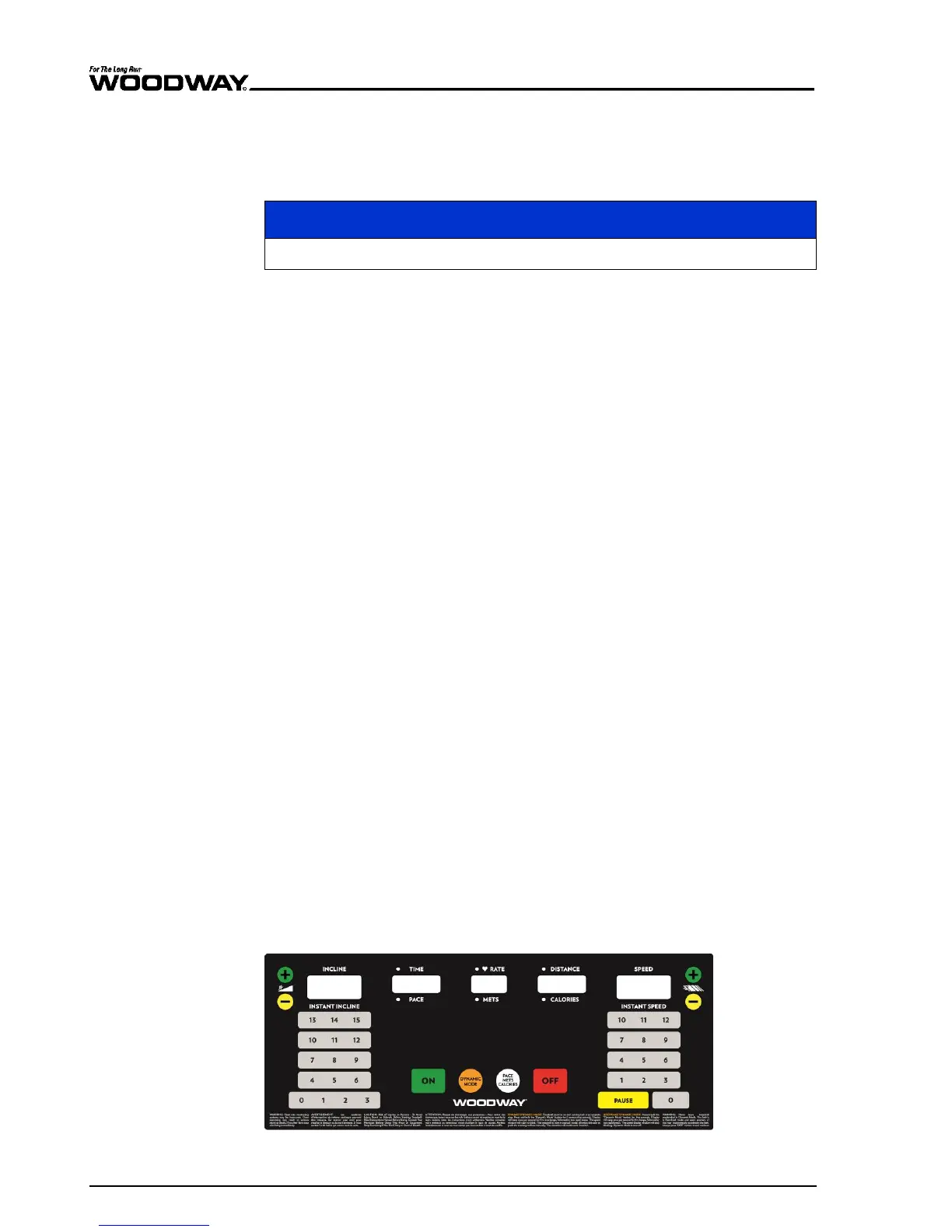
7.7 Group Training Display
The keys on the display panels are membrane-type switches, with which complete con-
trol of the device is possible. The emergency switch is a magnetic sensor which detects
the presence of a magnet and switches the treadmill off immediately when the magnet
is removed.
There are 5 indicators, each with 7 segments with which program statistics are dis-
played. The 4-digit displays are programmed to display the time in the 00:00 format.
Fig. 64 Group Training Display





 To Next Page