66 03/2016 – UM-MT-EN-01
7.5 Using the Keypad
The keypad can be attached to a suitable point on the handrail so that the controls are
easily accessible to the runner.
The magnetic mount makes it possible to remove the keypad from the railing. In this
way the runner's supervisor can use the keypad as a remote control.
Switch device on as described in Section 7.4. Make sure that the emergency stop mag-
net is mounted on the magnetic switch with its pull-cord, the clip is fixed to the runner's
clothes, and that all emergency stop buttons are released.
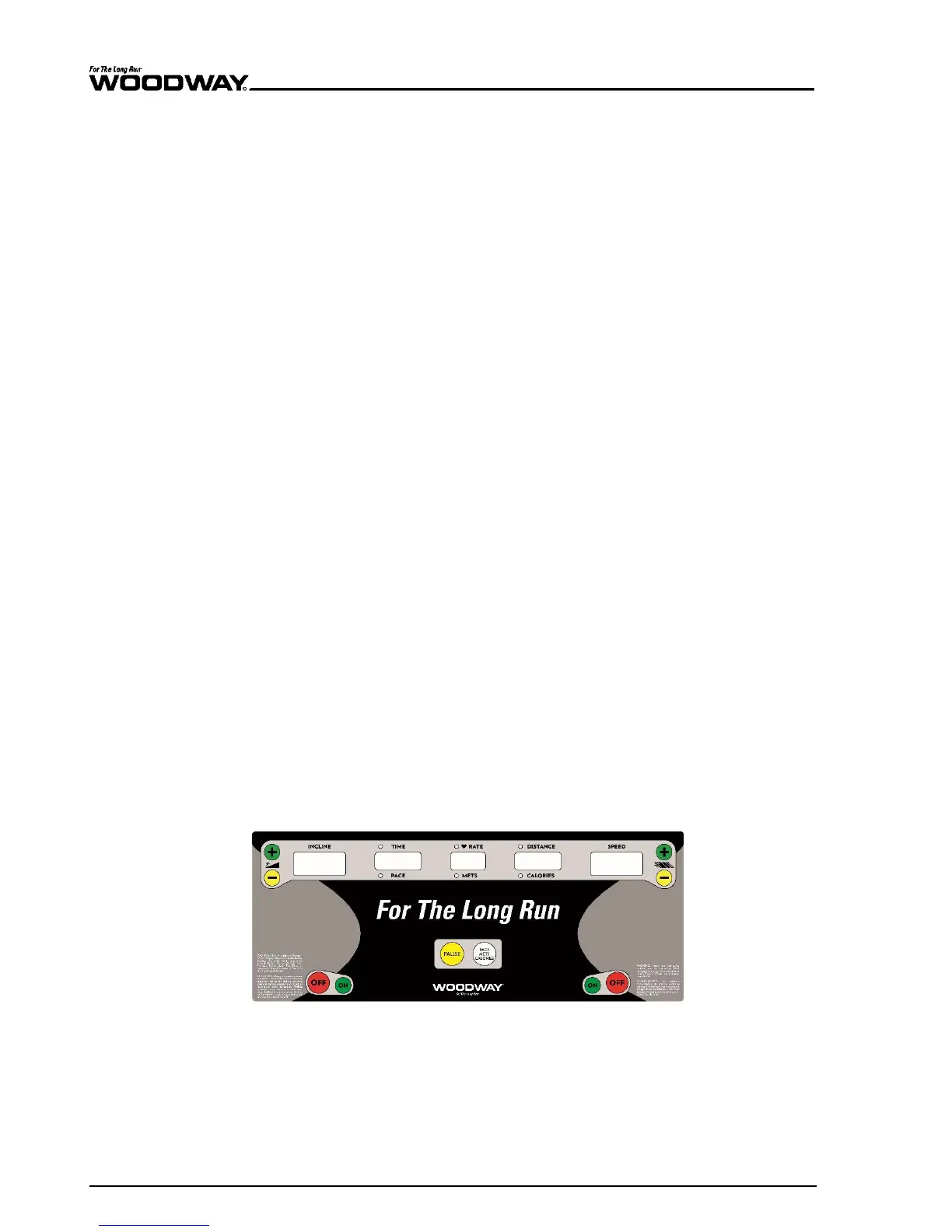
The buttons on the keypad are used for setting the speed and incline. The correspond-
ing speed or incline indicators are used for control. When the desired speed or incline
has been reached, release the button.
With these buttons, the user can increase or decrease the speed. The running speed
increases or decreases continually as long as the button is pressed. Watch the speed
indicator on the display during the adjustment and release the button at the desired
speed.
With these buttons, the user can adjust the incline of the device. The incline increases or
decreases continually as long as the button is pressed. Watch the incline indicator on the
display. Release the button at the desired incline.
The treadmill can be stopped with the STOP button. The gradual braking of the running
surface speed is comfortable, so the user still travels a few meters before the unit stops
(depends on the previous speed). If the running surface belt is stopped, the treadmill
goes to the STOP mode. The incline is maintained.
Pressing the STOP button a second time causes the treadmill - should it still be at an in-
cline - to move back to its starting position (0% incline). The treadmill remains in STOP
mode.
7.6 Standard Display
The keys on the display panels are membrane-type switches, with which complete con-
trol of the device is possible. The emergency switch is a magnetic sensor which detects
the presence of a magnet and switches the treadmill off immediately when the magnet
is removed.
There are 5 indicators, each with 7 segments with which program statistics are dis-
played. The 4-digit displays are programmed to display the time in the 00:00 format.
The numeric keypad (Path and Mercury only) is used for CSAFE compatibility and has no
other function.
Fig.
61
Standard display l





 To Next Page