96 03/2016 – UM-MT-EN-01
This program is a distance-based program with which a 10-kilometer (6.2 mile) run can
be simulated, allowing the user to build endurance.
Follow the instructions below to begin the 10K fitness program.
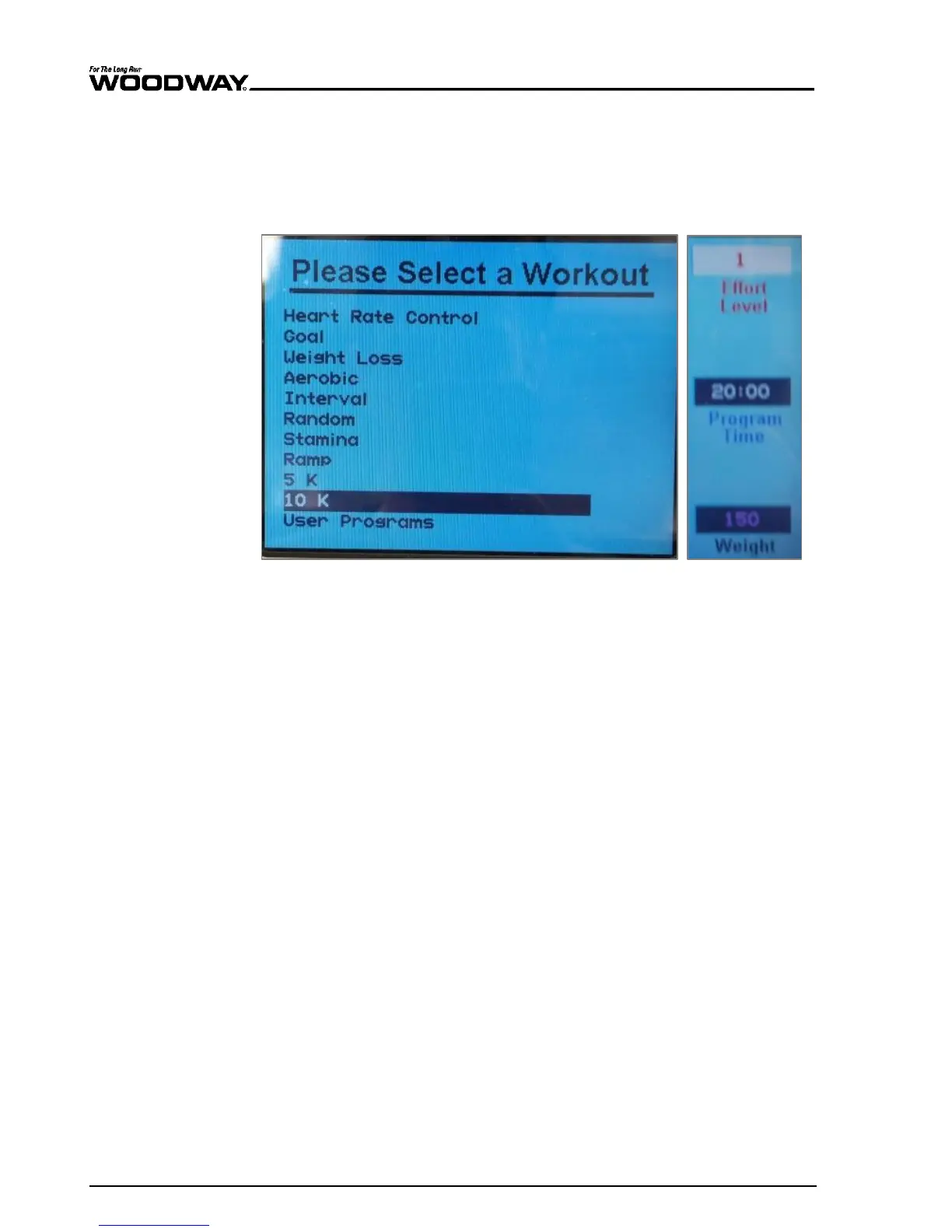
1. To open the program setup screen, first press the “FITNESS PROGRAMS” button on
the left side of the screen. Once there, use the SCROLL keys to highlight the “10K”
program and then press ENTER.
Fig. 91 Fitness Programs menu and data entry – 10K
2. Once in the program setup screen, use the SCROLL keys to toggle between the
LEVEL, TIME, and WEIGHT fields. Adjust to the desired value in each of these fields
using either the FAST/SLOW keys or the number pad. Once all fields show your de-
sired settings, press ENTER to begin.
The time is counted down to zero, and then speed and incline will be set to the first
segment values. Distance and calories are accumulated. The program profile is shown
on the LCD display. The number keys, CLEAR key, and ENTER key are now deactivated.
While the program is running the user can change the incline using the UP/DOWN incline
keys, and the speed using the FAST/SLOW speed keys. The user can interrupt the
training at any time by pressing the PAUSE key. The status of the selected program
lights up to show progress. The signal sounds 3 seconds before the speed and/or incline
changes.
When the PAUSE key is pressed, the treadmill stops. The following information is shown
on the LCD display: "Treadmill Paused. Press PAUSE to resume.” The statistics are
paused when the PAUSE key is pressed. When the user presses the PAUSE key again,
the workout resumes. The CLEAR key is activated during the pause. Pressing the CLEAR
key will reset all the treadmill statistics and return the user to the opening screen (the
LCD display shows the message "Press 'FAST' for Quick Start or select a program").
The statistics are displayed at the bottom of the screen throughout training. Here infor-
mation such as PACE, CALORIES, CALORIES/HR, VERTICAL FEET, and METs can be
found.
When the program is completed, the LCD will read "Program Complete" and the SPEED
is then reset to zero.
When the OFF key is pressed, speed and incline reset to zero and the display will then
switch off.
Displaying the
Statistics





 To Next Page