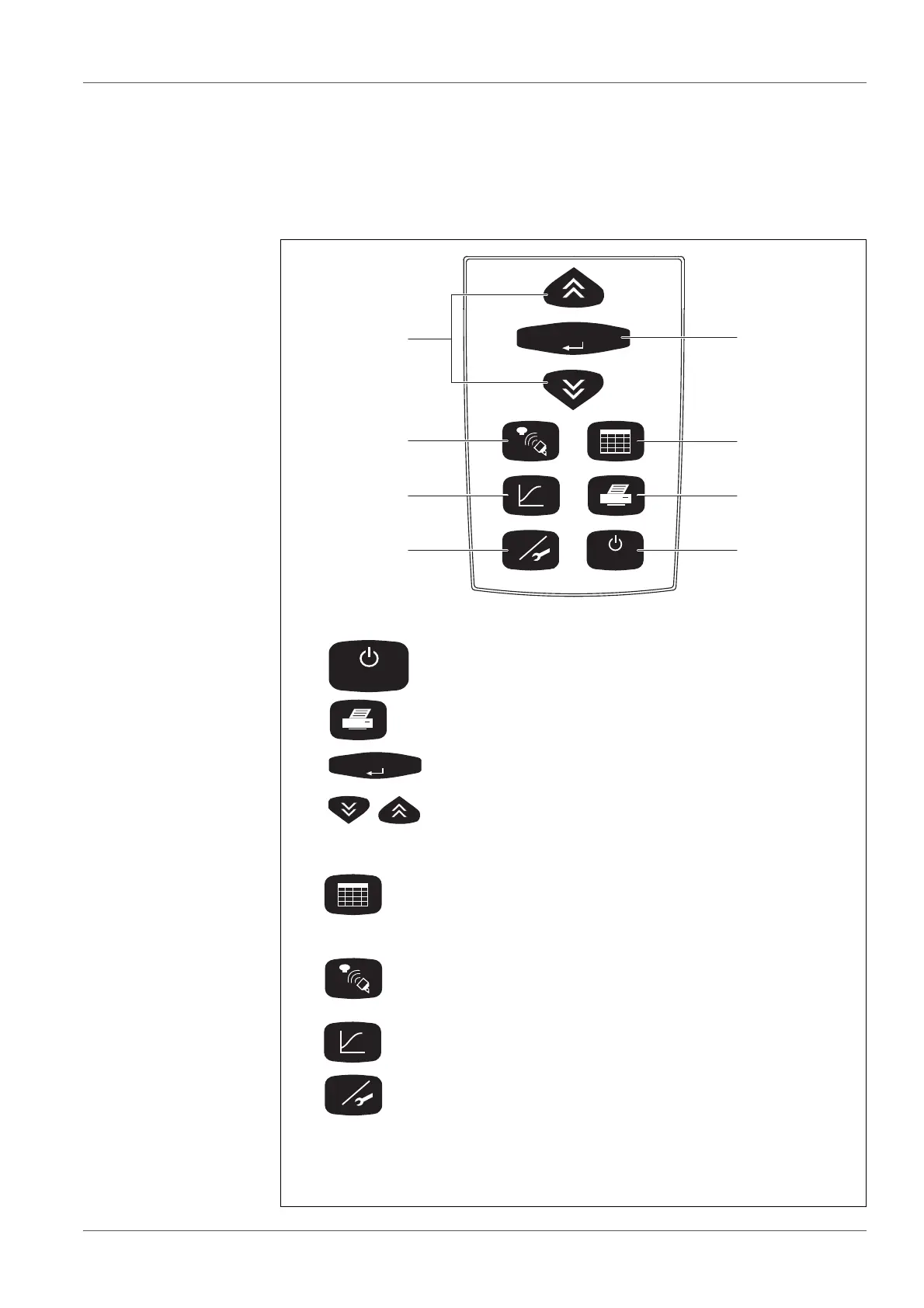
The function keys are used to start a function or to change to another
function. Confirmed data and settings are preserved.
1<On/Off>Switching on/off
2 <PRINT> Printing of measurement data and set-
tings via IR interface
3 <RUN/
ENTER>
Confirmation of entries
4<><> Select and change settings
Function keys:
5 <ORG> Sample management: List of samples,
reading/calling up/deleting the data of indi-
vidual measuring heads or samples,
shows measuring heads or samples
6 <COMM> Communication with measuring heads:
Start measuring, change or show settings,
call up data
7 <GRAPH> Evaluation: Graphic and numerical dis-
play of measuring data
8 <GLP> GLP/Tools: Change or display settings,
display free measuring heads, display or
change settings, perform checks or main-
tenance



 To Next Page