OxiTop
®
Control OC 100 Operating mode: BOD Standard / BOD Routine
ba31114e06 06/2012 31
5.5 Evaluation
5.5.1 Sample statistics (BOD Standard operating mode)
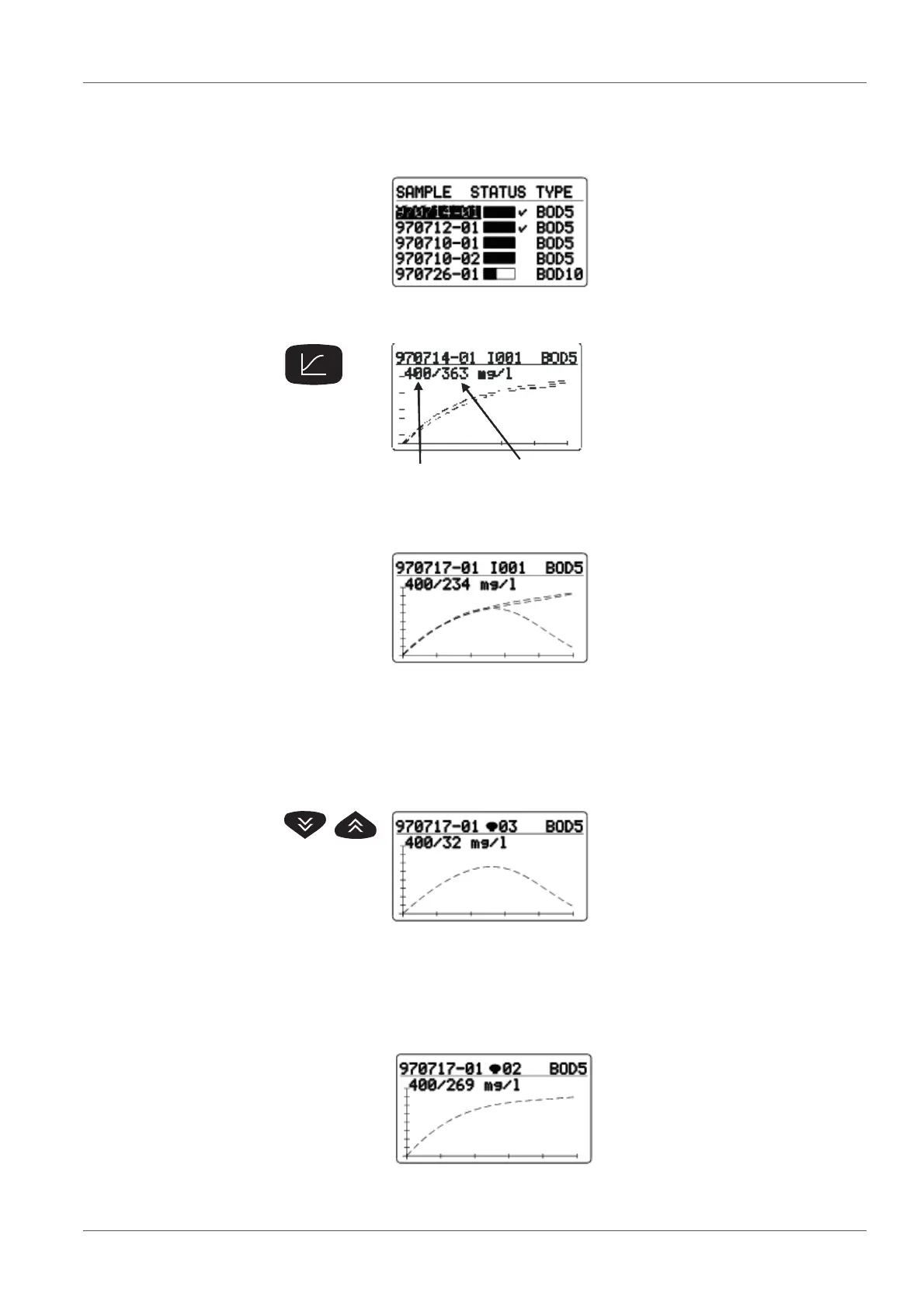
SAMPLE STATUS TYPE list
(sample management)
Use <><> to select a sam-
ple.
Use <PRINT> to print out the
results with curves.
1 End of measuring range
2 Mean value
Evaluation of the sample:
Display of all the curves together
with mean value data.
Check the display for outliers.
Use <PRINT> to print the results
with curves (according to print-
ing format - see the section 6
P
RINTING, page 36)
Example: Overall sample with
outlier.
In the BOD Routine operating mode, the evaluation shows the
selected sample as a single curve with the measured value
data.
Use <RUN/ENTER> to switch between the cursor interroga-
tion (see section 5.5.3 C
URSOR INTERROGATION, page 33) dis-
play of the curve with measured value data.
Scroll through the parallel
samples: Display of individual
curves (cyclical pass) with data
of the BOD final value.
Use <PRINT> to print out a sin-
gle result with a single curve.
Starting point:
Display of a single curve.



 To Next Page