Operating mode: BOD Standard / BOD Routine OxiTop
®
Control OC 100
24 ba31114e06 06/2012
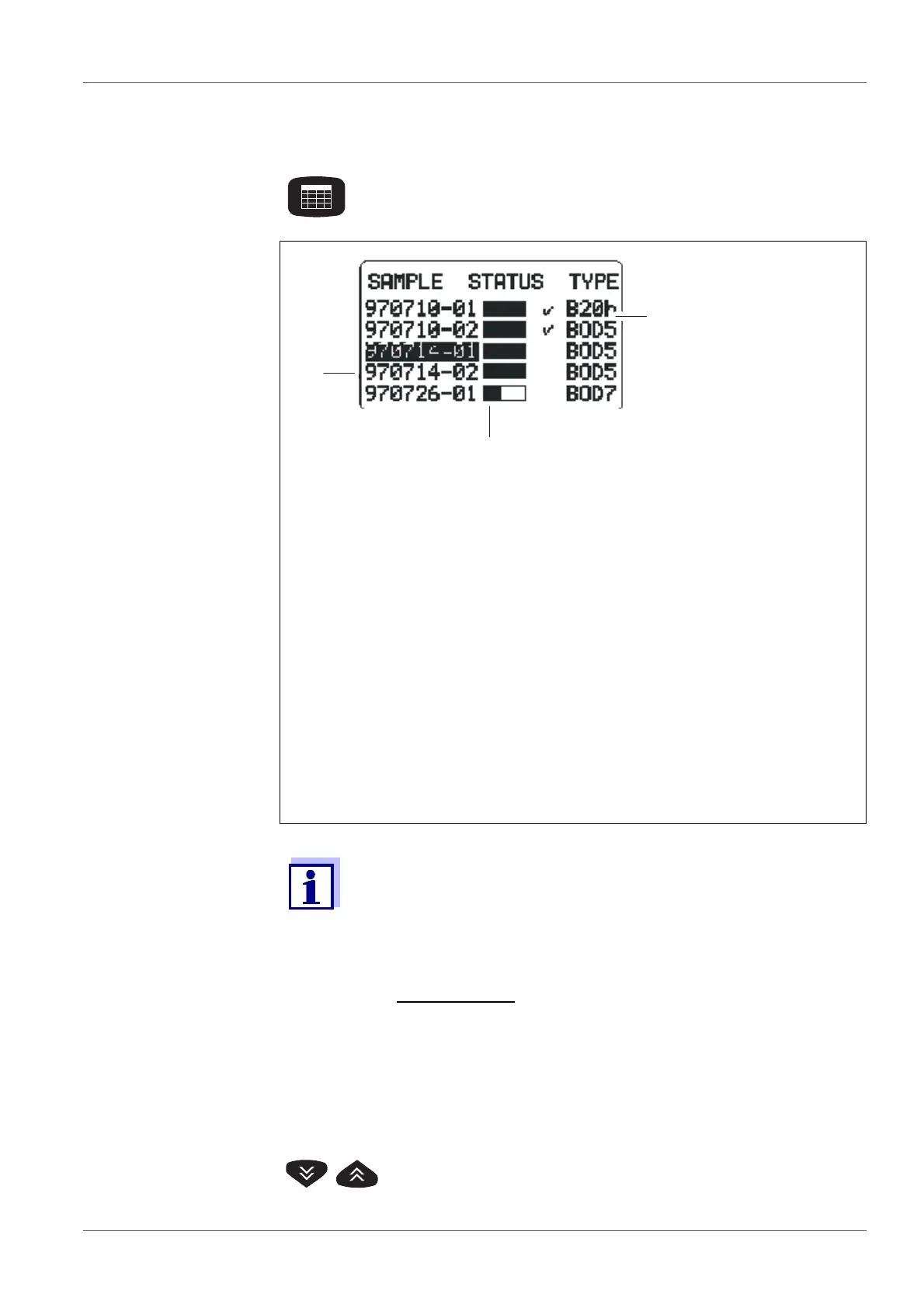
5.4 SAMPLE STATUS TYPE list (sample management)
Entry into the sample management.
A list of samples appears in the display (if samples are avail-
able):
1 Sample number:
Date (JJ/MM/TT) and consecutive number
2 Temporal process of the sample:
– Status bar partly filled:
The sample is not yet ready.
– Status bar filled:
The ready and complete data set of the sample can be called up
from the measuring head.
– Status bar filled plus checkmark:
The sample is ready. The complete data set is given in the con-
troller for evaluation.
3 BOD type and run duration.
– B20h: BOD with 20 hours run duration
– BOD5: BOD with 5 days run duration
The samples started in the BOD Routine operating mode also
appear in the SAMPLE STATUS TYPE lists (sample management)
of all other modes. Data of samples that have been started in other
operating modes do not appear in the sample management of the
BOD Routine operating mode.
Reporting order
:
At the upper end of the list: finished samples (if available)
Under this: current samples
Sorting of the samples:
according to date and sequential number 01 ... 99, from the
oldest to the newest sample.
Select a sample.
According to the sample selected, one of the two following
menus appears.



 To Next Page