OxiTop
®
Control OC 100 GLP/TOOLS
ba31114e06 06/2012 39
7.2 Show free measuring heads
This function is used to identify free measuring heads. Free measuring heads
can be used to start new samples.
7.3 Show settings
The current settings are displayed here.
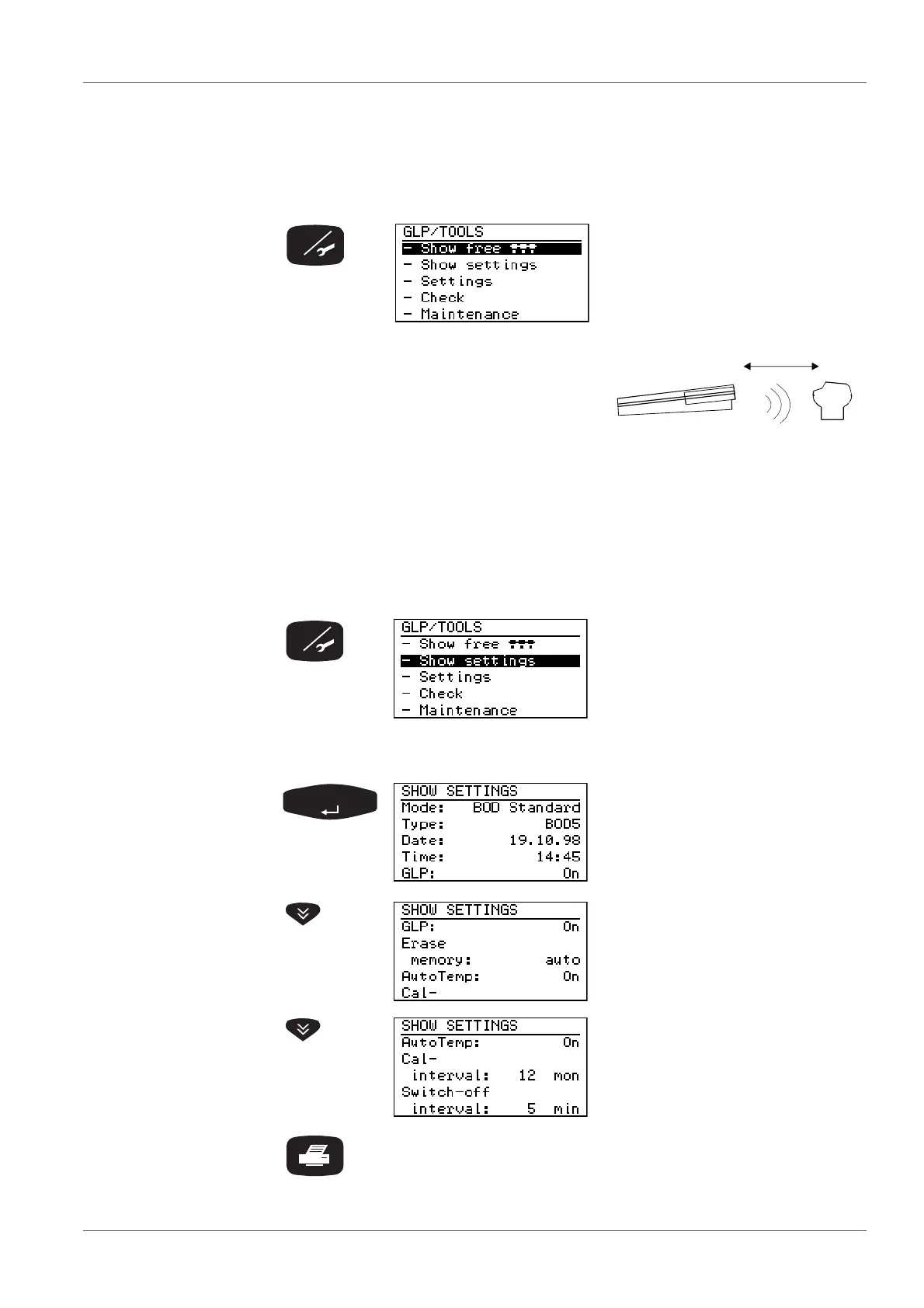
GLP/TOOLS menu:
Preselected: - Show free
.
Press <RUN/ENTER>.
Point the controller at the measuring
heads:
All free measuring heads flash
for approx. 5 seconds.
GLP/TOOLS menu:
Select the - Show Settings menu
item with <><>
The following example illustrates the presettings in the
BOD Standard operating mode:
SHOW SETTINGS menu:
A list containing the current set-
tings is displayed.
Use <><> to scroll.
(Automatic stop at the beginning
and end of the list)
In the "Show settings“ menu:
Print out the whole list of current settings (as in the display).



 To Next Page