GLP/TOOLS OxiTop
®
Control OC 100
42 ba31114e06 06/2012
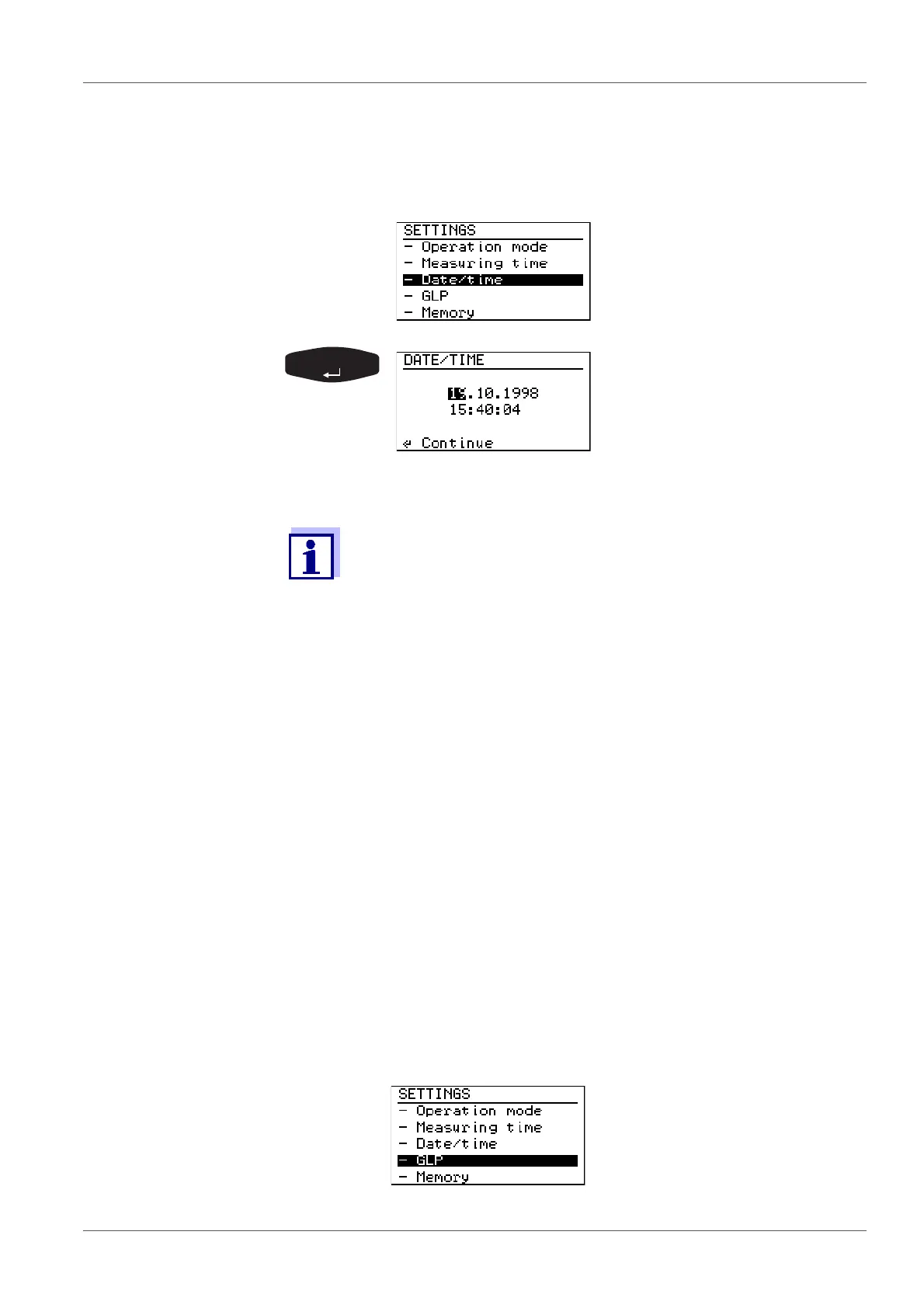
7.4.3 Date/time
Here you set the date and time for the controller (important for the assignment
of sample numbers).
7.4.4 GLP (BOD Standard operating mode)
The GLP (Good Laboratory Practice) set of rules requires a detailed description
of all equippings and procedures in a laboratory.
These descriptions include the room equipment of the laboratory, the instru-
ments used, and the measuring procedures laid down, and require the
complete documentation of the samples tested. The type and frequency of the
use of test resources is to be described and documented as well.
To make the documentation of the test resource monitoring easier and simpler
the OxiTop
®
Control system has a GLP mode.
When this mode is switched on, the following data are documented:
the calibration intervals that have been set
the calibrations that have been performed
The reports contain the series numbers of the measuring head and controller
and the date of the calibration.
The GLP mode monitors the calibration intervals and blocks the start of a new
measurement if a calibration will be due within the measuring time.
Switching the GLP
function on or off:
SETTINGS menu:
Select the - date/timemenu item
with <><>
Use <><> to set each num-
ber block on a black back-
ground.
Confirm with <RUN/ENTER>.
Set the day, month, year, min-
utes, seconds one after the
other.
The run duration of samples already started is not affected by
changing the date or time.
SETTINGS menu:
Select the -GLP menu item with
<><>.



 To Next Page