GLP/TOOLS OxiTop
®
Control OC 100
46 ba31114e06 06/2012
7.4.8 Switch-off interval
The time interval after the last time a key is pressed can be set here. After this
time interval expires, the controller switches itself off to save energy. Possible
settings: 5 to 15 minutes. Default setting: 5 minutes.
7.4.9 Language
Select the language here in which the displays of the OxiTop
®
controller
appear. The controller has the following 5 languages stored in it (default Ger-
man): German - English - French - Italian - Spanish.
SETTINGS menu
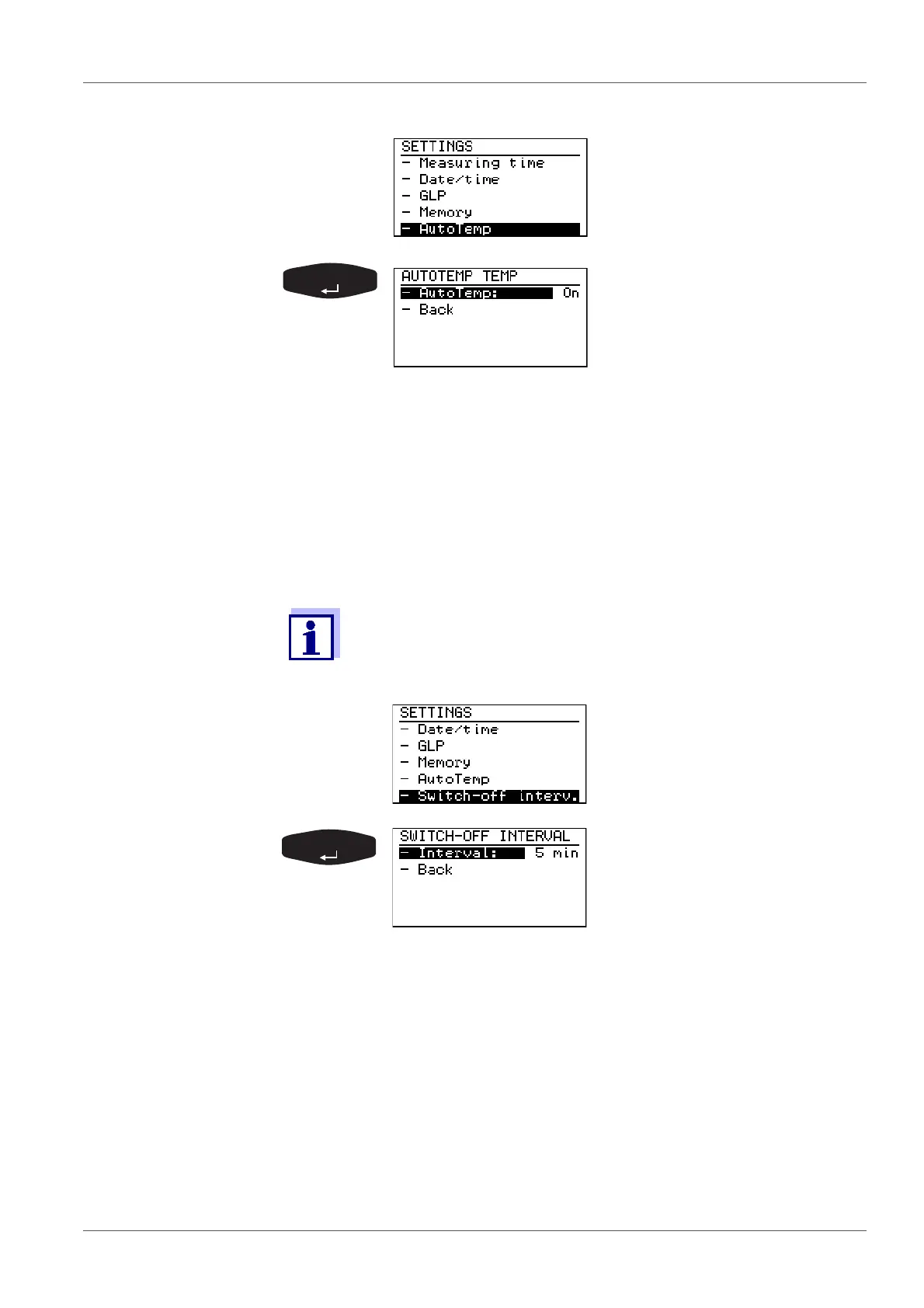
Select the - AutoTemp menu
item with <><>.
Preselected: - AutoTemp On
To change it:
Confirm with <RUN/ENTER>.
Use <><> to select either
- AutoTemp On or Off.
Confirm with <RUN/ENTER>.
-Back (to the AutoTemp menu)
In BOD Routine mode the switch-off interval is permanently set to
5 min and cannot be changed.
SETTINGS menu:
Select the - Switch-off interv.
menu item with <><>.
Preset:
- Interval: 5 minutes
To change it:
Confirm with <RUN/ENTER>.
Set the required number of min-
utes with <><>.
Confirm with <RUN/ENTER>.
-Back (to the SETTINGS menu)



 To Next Page