OxiTop
®
Control OC 100 Operating mode: BOD Standard / BOD Routine
ba31114e06 06/2012 25
5.4.1 Showing a sample
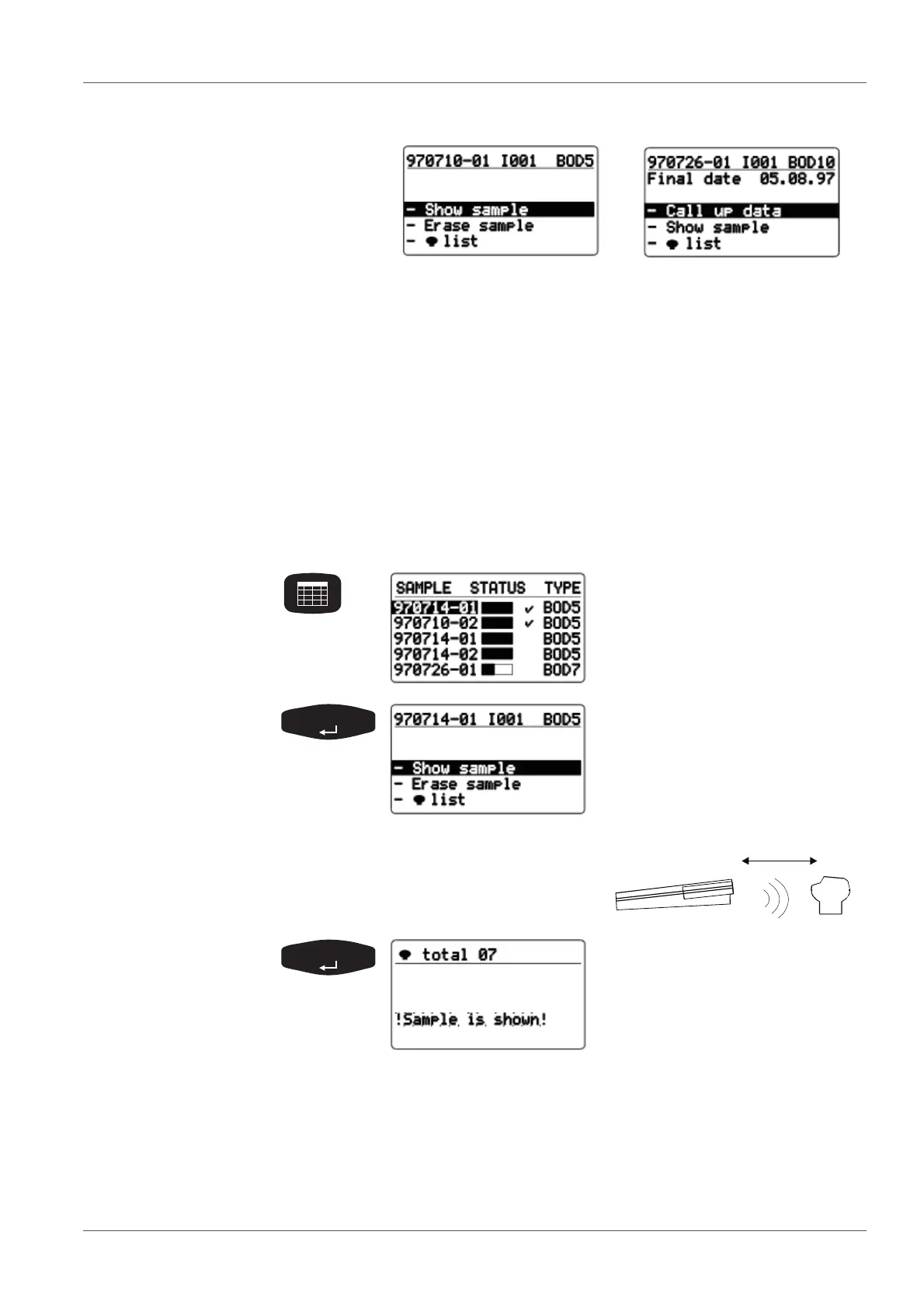
This function is used to find the measuring heads or samples. Sample labeling
is not
necessary.
Finished sample Current sample
The header line contains the following data of the selected
sample:
Sample number
ID number (e.g. I001)
BOD type and run duration.
SAMPLE STATUS TYPE list
(sample management)
Use <><> to select a sam-
ple.
Select the -Show sample menu
item with <><>.
Point the controller at the measuring
heads:
The controller transmits the call
up of the selected sample. The
allocated measuring heads flash
for approx. 5 seconds.
After the message, the controller automatically returns to the
previous menu.



 To Next Page