OxiTop
®
Control OC 100 Maintenance, cleaning, disposal
ba31114e06 06/2012 63
9.1.3 Replacing the data backup battery (controller)
Evaluate and back up all the measurement data.
Options available:
– print out the results (see section 6 P
RINTING, page 36)
– save the data in the PC using the software “Achat OC“, see section 8.1
A
CHAT OC SOFTWARE, page 59
– handwritten documentation of the results.
Documentation of your instrument settings:
printout of your instrument settings, see section 7.3 S
HOW SETTINGS, page
39.
Switch off the controller OxiTop
®
-OC 100.
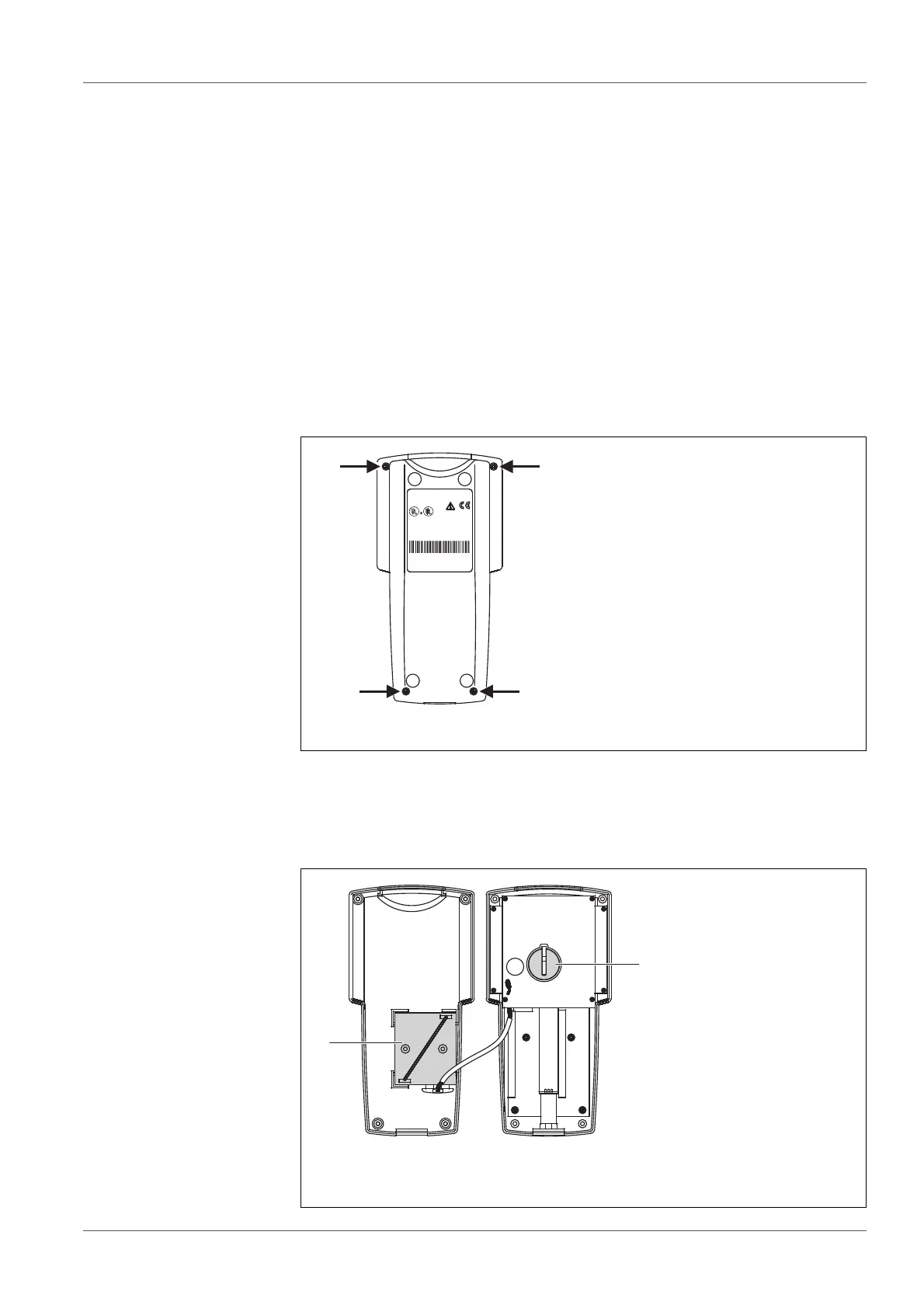
Loosen the 4 screws underneath the housing using a Phillips screwdriver.
Place the controller on the lower case.
Remove the upper case and put it down to the right next to the lower case
with the
display downwards.
1Screws
1 Supply batteries in the battery holder (lower case)
2 Data backup battery (upper case)
LISTED 8F93
Laboratory Equipment
E163694
This device complies with Part 15 of the FCC Rules. Operation
is subject to the following conditions: (1) This devise may not
cause harmful interference, and (2) this devise must accept
any interference received, including interference that may
cause undesired operation.
Ser.-Nr.:05150013
Oxi Top OC 1x0
WTW 82362 Weilheim
Made in Germany
1x CR 2430 Lithium
3x Alkaline, AAsize, 1,5V
1
1
1
1



 To Next Page