OxiTop
®
Control OC 100 Operating mode: BOD Standard / BOD Routine
ba31114e06 06/2012 33
5.5.3 Cursor interrogation
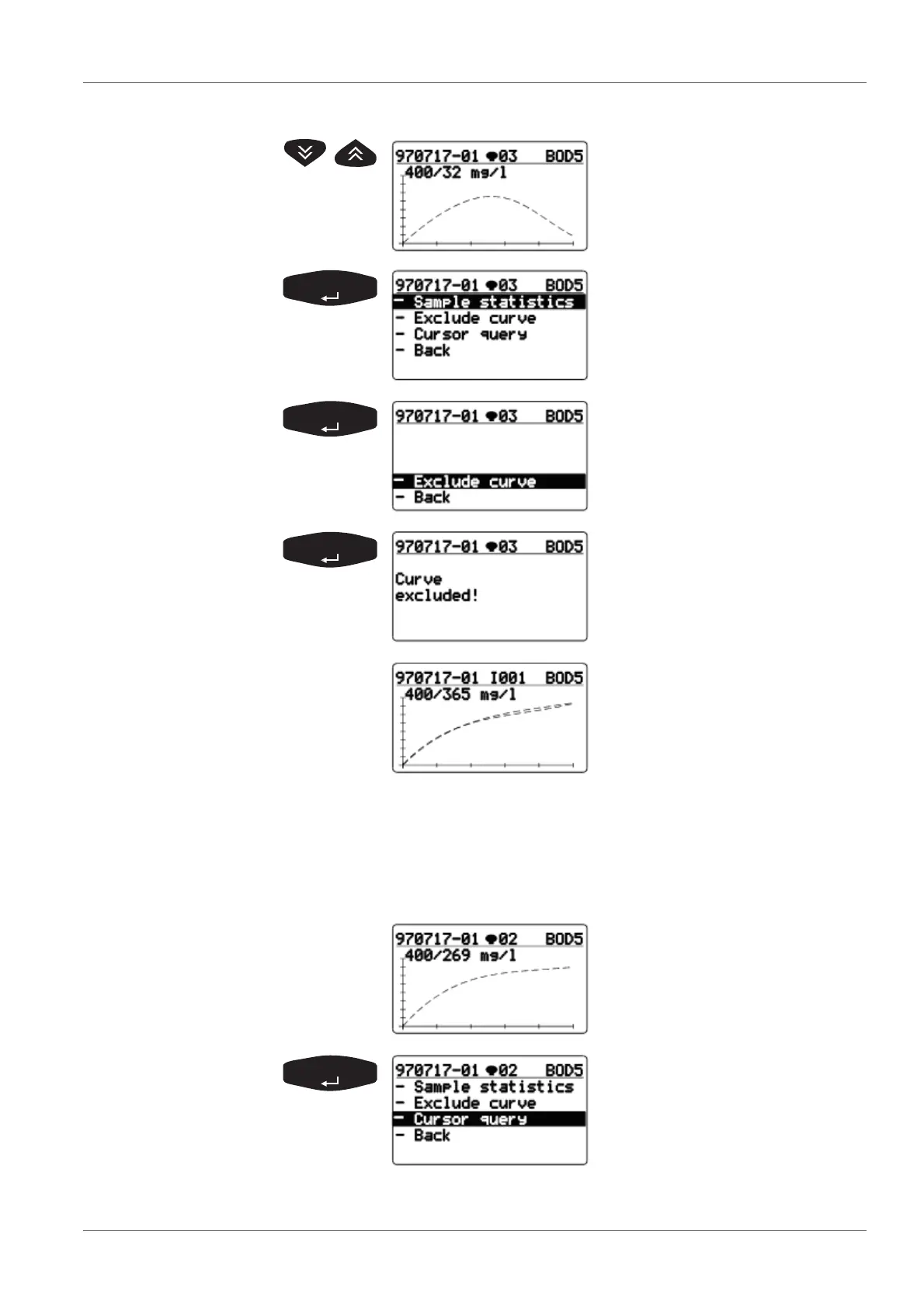
Display of single curves:
Select curve.
Use <><> to select
- Exclude curve.
- Exclude curve is preselected.
-Back: Returns to the previous
menu.
Message Curve excluded!.
Updated display
(curve excluded, mean value
recalculated).
Use <PRINT> to print the
updated results with curves
(without the excluded curve).
Starting point:
Display of a single curve with
measured value data.
Use <><> to select -Cursor
query (this menu is not dis-
played in the BOD Routine oper-
ating mode).



 To Next Page