Operating mode: BOD Standard / BOD Routine OxiTop
®
Control OC 100
22 ba31114e06 06/2012
5.3 Calling up all data
This function is used to call up the data of all measuring heads, no matter in
which operating mode they were started.
To call up the data of individual measuring heads: see section 5.4
SAMPLE STATUS TYPE
LIST (SAMPLE MANAGEMENT), page 24.
In the delivery state, the controller automatically makes space when
Start is selected if the measured value memory is full.
To do this, it deletes the oldest finished sample (if a finished sample
is available). You can change this setting to “manual erase” (see
section 7.4.6 D
ATA STORAGE, page 43).
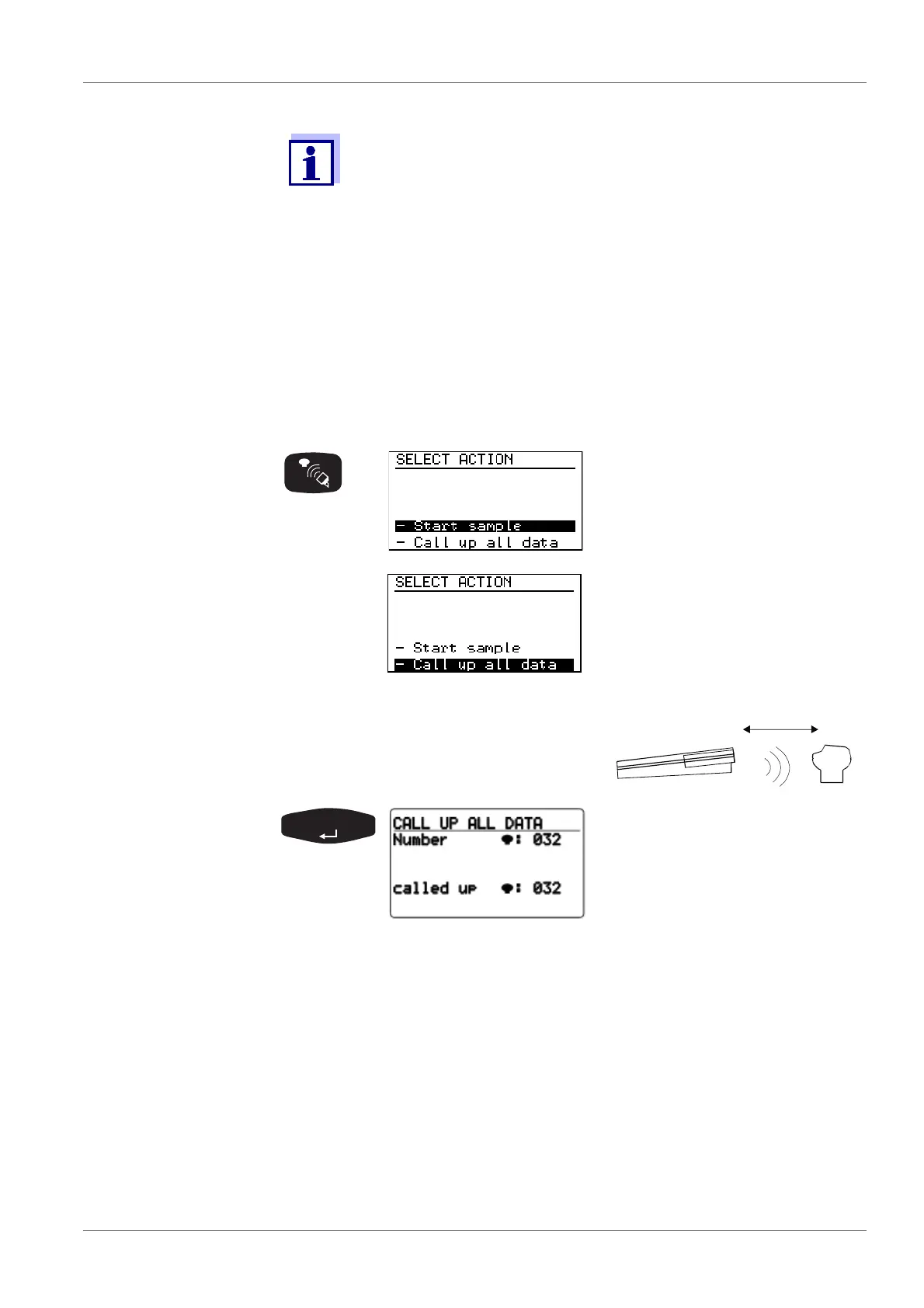
SELECT ACTION menu (com-
munication with the measuring
heads):
Preselected: - Start sample.
Select the - Call up all data menu
item with <><>
Point the controller at the measuring
heads:
Queries the data of all active
measuring heads in the scanner
mode.
The controller stores the data
obtained and updates the
SAMPLE STATUS TYPE list
(sample management).
Duration of a pass: approx. 3
seconds for 12 measuring heads
in a stirring system.
If the measuring heads do not all respond in the 1st pass of the data query, the
controller searches for the missing measuring heads in the scanner mode for
approximately a further 7 seconds. Without having to press another key, you
can continue the data queries at other locations (e.g. other stirring platforms
or other thermal cabinets).
Approximately 7 seconds after the last call up was performed, the scanner
mode breaks off automatically and the following display appears:



 To Next Page