Operating mode: BOD Standard / BOD Routine OxiTop
®
Control OC 100
20 ba31114e06 06/2012
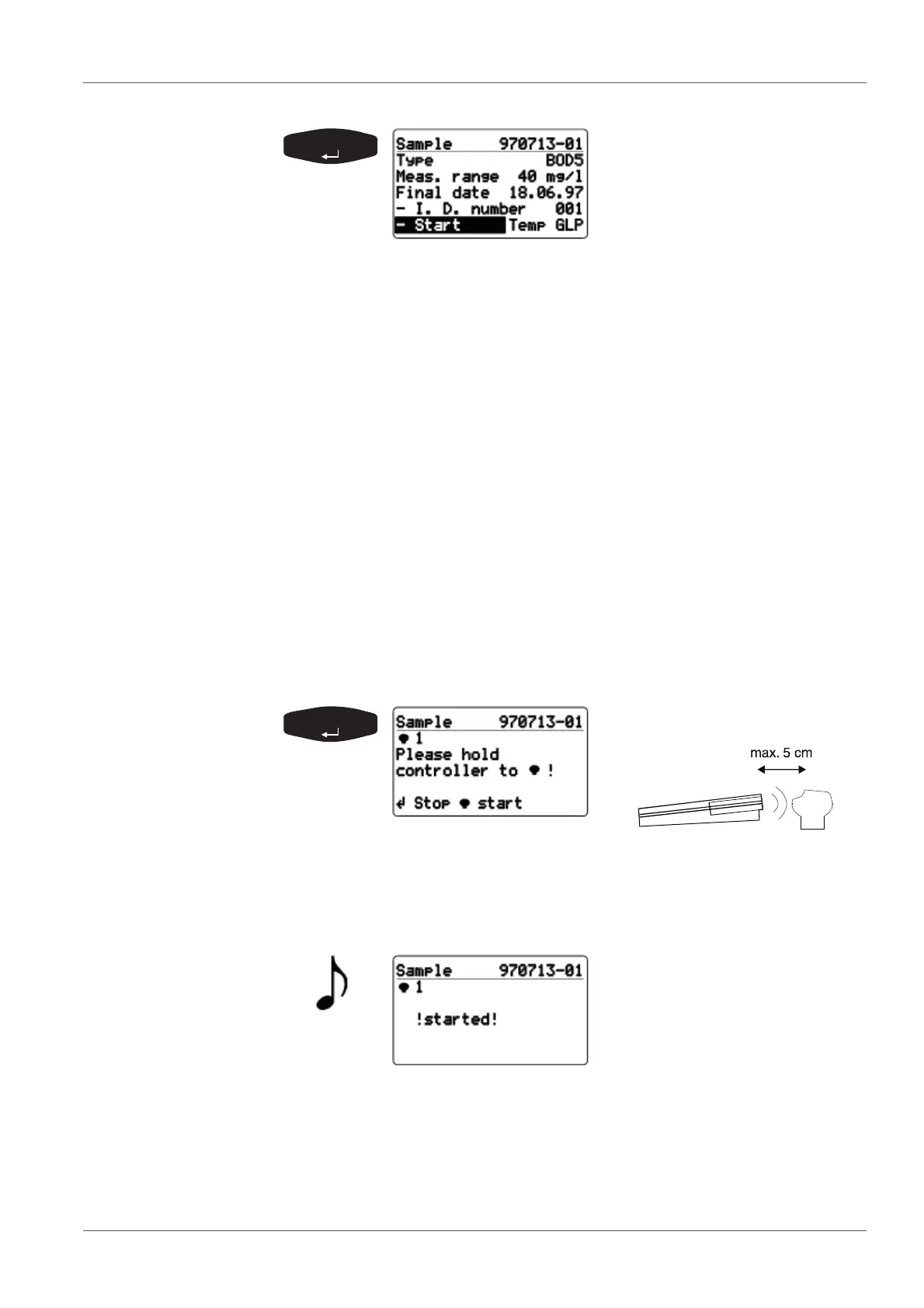
Confirm the selected
measurement range for the
sample. The automatically
assigned sample number
(YY/MM/DD and sequential
number) is given in the header
line.
Additional information:
Type of measurement, run duration, measurement range,
final date, ID number.
Temp display => the AutoTemp function (see section 7.1
GLP/TOOLS
MAIN MENU, page 38) is switched on.
GLP display => the GLP function (see section 7
GLP/TOOLS, page 38) is switched on.
Change the ID number for the additional identification of the
sample (e.g. sampling location) as follows:
Select the
- I.D. number menu item with <><>
Confirm with <RUN/ENTER>.
Set the required ID number (setting range 001 ... 255) with
<><>.
Confirm with <RUN/ENTER>.
Use <PRINT>
to print out the entire sample information (in BOD
Routine mode only), see section 6 P
RINTING, page 36).
Confirm the start of
measurement. Contact selection:
The controller repeatedly sends the start information in the
scanner mode until successful feedback is received from the
OxiTop
®
-C measuring head. After the successful start message
from the measuring head:
Displays ! started !
From this point in time, the sample
exists within the
SAMPLE STATUS TYPE list
(sample management).
Subsequently, the request to
start the next measuring head is
made automatically.



 To Next Page