Control Panel Overview
Xerox WorkCentre 3315DN/3325DN/3325DNI
User Guide
15
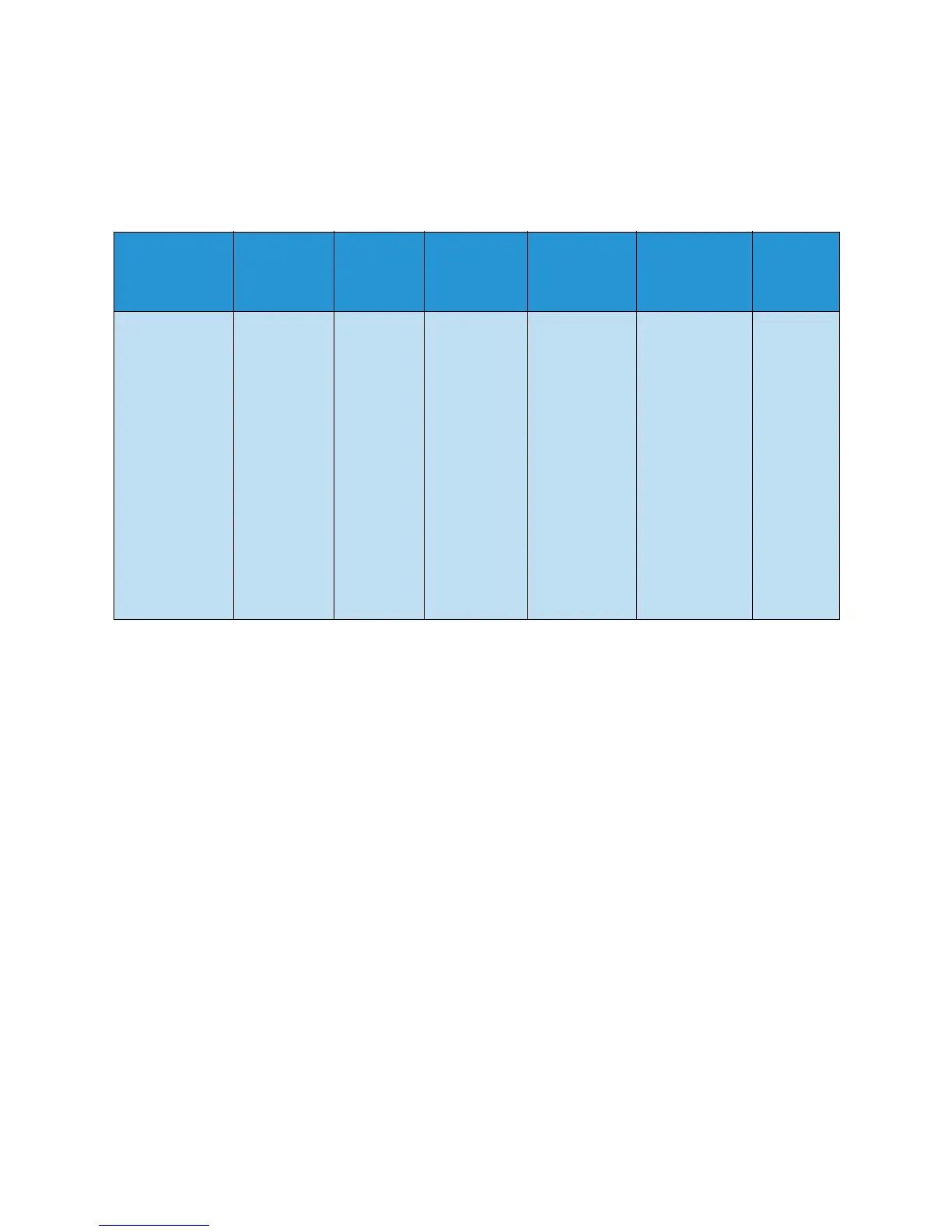
Menu Overview
The control panel provides access to various menus. These menus can be accessed by pressing the
appropriate service button e.g. Copy, Scan, E-mail or Fax and the Menu button or by inserting a USB
device. The menu options available are as follows:
Note: Some menu options may be unavailable depending on your machine configuration and
whether the machine is in the Ready state. Also, for some services such as E-mail and Fax,
additional selections or setups may be required before the Menu options can be accessed.
Copy Menu
Insert USB
Device
Menu
Scan
Menu
E-mail
Menu
Fax Menu
Machine
Status Menu
Job
Status
Menu
•Original Size
•Reduce/Enlarge
• Lighten/Darken
•Contrast
• Original Type
•Layout
•Background
Suppression
• Margin Shift
•Edge Erase
USB
Options:
•Print
From USB
•Scan To
USB
•Manage
Files
• Available
Space
Scan To:
•USB
• Local PC
• Network
PC
•SMB
•FTP
•WSD
Scan
Features:
•USB
Feature
•FTP
Feature
•SMB
Feature
•Original
Size
•Original
Type
•Resolution
•Output
Color
• Lighten /
Darken
•Contrast
• Lighten /
Darken
•Contrast
•Resolution
•Original
Size
•Multi Send
• Delay Send
• Priority
Send
• Forward
•Secure
Receive
• Machine
Information
• Toner Level
• Information
Pages
•Feature
Defaults
•Print Setup
•Fax Setup
•System
Setup
• Network
Settings
• Local Drive
•Active
Jobs
•Saved
Jobs



 To Next Page