Xtreme Power Conversion Corporaon
TX90 6kVA & 10kVA Service Manual
Page 10
Uninterrupble Power Supply
Installaon and Operaon
Carefully inspect the UPS for shipping damage before installaon. Retain the packing material for future use.
Unpacking
Standard package contents:
• Quick start guide
• User manual
• Upsilon 2000 soware CD
• (3) Output jumpers
• (4) Small Phillips head screws
• RS-232 cable
• Oponal skirt assembly including: (2) 22 3/4” side skirt, (2) 11.5” front and rear skirt, and (1) plasc skirt
Selecng Installaon Posion
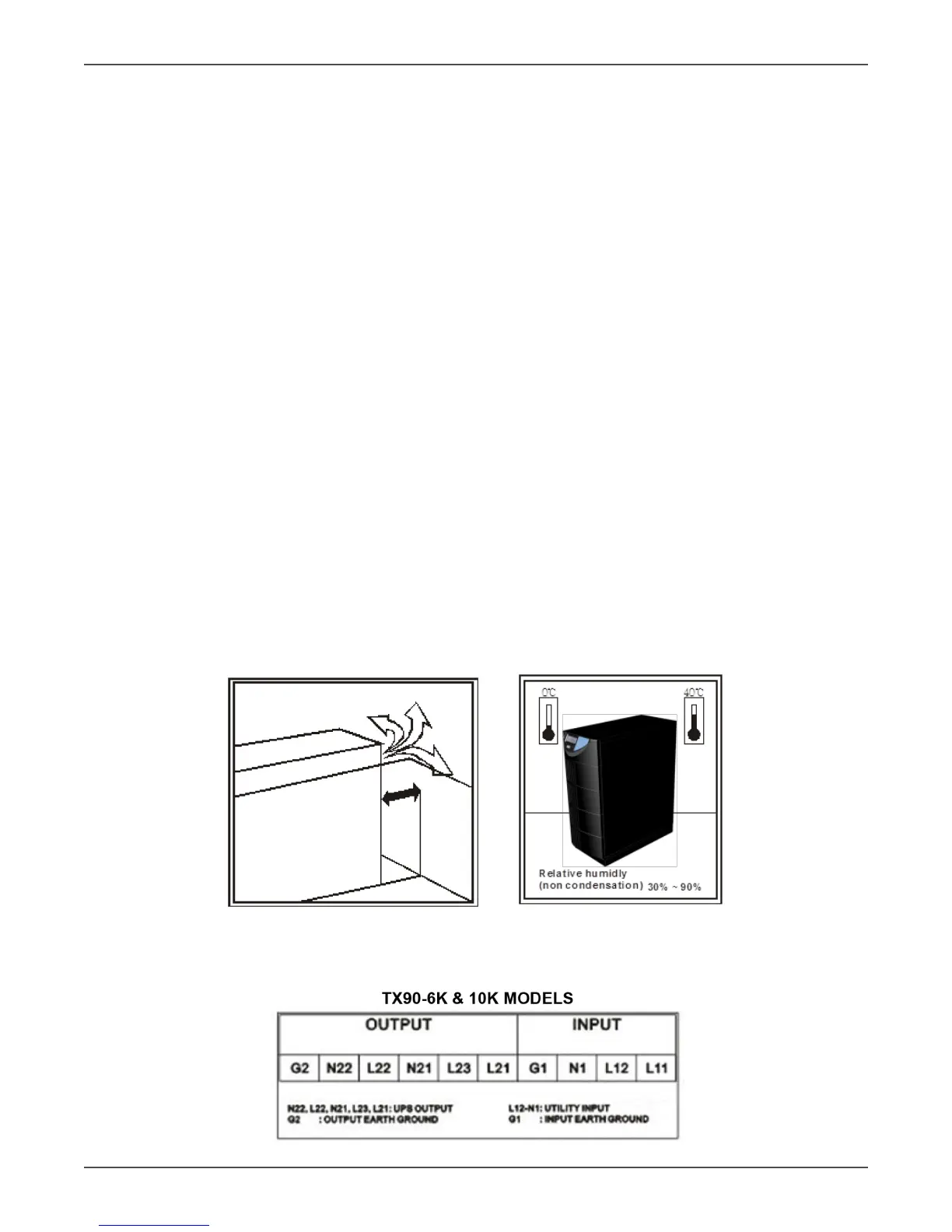
Install the UPS in a proper environment to minimize the possibility of damage to the UPS and to extend the life of
the UPS. Please follow these requirements:
1. Keep at least 12 inches clearance from the rear panel of the UPS to the wall.
2. Keep at least 8 inches clearance from the rear panel of the External Baery Pack (EBP) to the wall. Refer to
the T90-EBP920, EBP940, EBP960 user manual for more details.
3. Do not block the air ow to the venlaon openings of the unit.
4. Ensure that the installaon site is not excessively hot or moist.
5. Do not place the UPS in an environment near dust, corrosive or salty material, or ammable objects.
6. Do not expose the UPS to the outdoors.
Terminal Block Explanaon



 To Next Page